
DevOps and GitOps: CI/CD Pipeline, Quality and Reproducible Releases
Releases without the nerves: how a CI/CD pipeline, infrastructure as code and a rehearsed rollback plan make software delivery reproducible and measurable.
Reliable releases come from four building blocks: a CI/CD pipeline that automates every step from commit to deployment, infrastructure as code that makes environments reproducible, protected credentials and a rehearsed rollback plan. GitOps ties these blocks together by making Git the single authoritative source for application and infrastructure.
A release on a Friday afternoon? In many companies, that thought causes unease – too often there have been manual uploads, forgotten configurations and long evenings. This article shows which stages a solid pipeline consists of, how to separate environments and credentials cleanly, what you can do to secure the software supply chain, what a rollback plan looks like and how to measure whether your delivery is getting better.
What DevOps and GitOps mean in concrete terms
DevOps describes a way of working in which development and operations share responsibility for software – from the first commit to stable operation. Automation is not an end in itself; it ensures that recurring steps run the same way every time.
GitOps goes a step further: the Git repository is the authoritative source for application code and infrastructure. Every change – whether a new feature or an adjusted server configuration – goes through a pull request, is reviewed and then rolled out automatically. According to the OpenGitOps principles, the desired state is described declaratively, stored versioned and immutable, applied automatically and continuously reconciled with the actual state. This makes it traceable at any time who changed what and when – and deviations stand out. GitOps is most common in Kubernetes environments with tools such as Argo CD or Flux, but the principle also applies without Kubernetes.
| Term | Question it answers | Typical tools |
|---|---|---|
| Continuous integration (CI) | Does every change automatically go through build and tests? | GitHub Actions, GitLab CI/CD, Azure DevOps, Jenkins |
| Continuous delivery/deployment (CD) | How does a verified artifact get into the environment – with approval or fully automatically? | the same platforms, Argo CD, Flux |
| Infrastructure as code | How are servers, networks and permissions described reproducibly? | Terraform or OpenTofu, Bicep, Pulumi, Ansible |
| GitOps | Is Git the authoritative source, and does a tool reconcile the actual state? | Argo CD, Flux, pull-request workflows |
The building blocks of a CI/CD pipeline
A CI/CD pipeline is a chain of automated checks. Each stage must pass before the next one starts. This order has proven itself:
- Build: The code is compiled or bundled – identically on every run.
- Static analysis: linters and code analysis find style and structure problems before a human has to look for them in review.
- Unit tests: small, fast tests check individual functions.
- Integration tests: where it makes sense, the interplay with the database, interfaces or other services is tested.
- Security scan: dependencies are checked for known vulnerabilities and the code for accidentally committed credentials.
- Artifact: the result is stored with a version, for example as a container image or package.
- Deploy to staging: the artifact runs in a production-like environment, where acceptance and smoke tests are run.
- Approval and production: manually by a responsible person (continuous delivery) or automatically once all checks are green (continuous deployment).
Run time is not a detail: the faster the feedback, the sooner developers fix errors while they still have the topic in mind. The fast verification path of build, analysis and unit tests should therefore take only a few minutes if possible. More demanding tests can be parallelized, sped up with caching or moved into downstream runs. For interfaces, contract tests are a useful addition, as described in the article REST APIs with OpenAPI.
Branching: simple beats complicated
Elaborate branching models with many long-lived branches often lead to painful merges. Short-lived feature branches that flow into a protected main branch via pull requests with code review have proven their worth. Direct changes to the main branch are blocked, and merging requires successful pipeline checks. Unfinished features stay switched off with feature flags so that the main branch can be released at any time.
GitOps and cleanly separated environments
Infrastructure as code
Servers, databases, networks and permissions are described and versioned with tools such as Terraform, its open-source fork OpenTofu, or Bicep. The change preview belongs in the pull request so reviewers can see what will actually change. This reduces “drift” – gradual differences between environments that nobody can explain any more –, especially when manual interventions are avoided. More on the principle is in our glossary under infrastructure as code.
Clear promotion paths
Define fixed paths from development through staging to production. Important: the same, already tested artifact is passed on and not rebuilt for each environment. The only thing that differs between environments is the configuration. What worked in staging is therefore exactly what goes live.
Credentials do not belong in the repository
Passwords, API keys and certificates have no place in the code. They are kept in a secrets manager such as HashiCorp Vault or your cloud provider's secrets service, or in the protected variables of the CI platform, and are injected only at runtime. Where secrets have to be in the repository, they are stored encrypted, for example with SOPS. When the pipeline accesses the cloud, federated sign-in via OpenID Connect replaces long-lived keys. A scanner flags accidentally committed secrets, and keys that have become known are rotated immediately.
Securing the software supply chain
The pipeline is itself an attack target because it has access to code, credentials and production. A few measures cost little and achieve a lot:
- Pin dependencies via lockfiles and update them regularly with tools such as Dependabot or Renovate
- Pin third-party actions and plugins of the pipeline to fixed versions or commit hashes
- Grant pipeline permissions on the principle of least privilege and release production access only through protected environments
- Sign artifacts, for example with Sigstore/cosign, and generate a bill of materials (SBOM) for every release
If you place software on the EU market as a product, you should also check whether the Cyber Resilience Act applies. Among other things, it requires manufacturers to run vulnerability management and keep a bill of materials of components. Reporting obligations for actively exploited vulnerabilities have applied since September 11, 2026; the remaining obligations apply from December 11, 2027. This article does not replace legal advice.
The rollback plan: when something does go wrong
Even the best pipeline does not prevent every error. What matters is how quickly you can react. The strategies differ in effort and way back:
| Strategy | Principle | Advantage | Price |
|---|---|---|---|
| Rolling update | instances are replaced one after another | few additional resources | the way back takes time; two versions run in parallel briefly |
| Blue/green | two identical environments, traffic is switched over | instant way back by switching | double resources during the switchover |
| Canary | a small share of traffic runs on the new version first | limited risk, testing with real traffic | needs metrics and traffic control |
| Feature flags | features are activated by a switch | delivery and activation separated, switching back without a deployment | flags have to be cleaned up |
In all cases: watch error rate and response times especially closely after the deployment, plan a fixed window for it (for example 30 to 60 minutes) and define in advance the thresholds at which you roll back. Rehearse the rollback regularly, not only in an emergency.
Making database migrations backward compatible
The most common rollback trap is the database. The pattern “expand, migrate, clean up” has proven itself: first the schema is only extended, for example by a new column, so that old and new versions can both work with it. Then the application is switched over and data is migrated. Only in a later release do you remove what is no longer needed. This keeps a rollback possible at all times.
Metrics: how to recognize a good pipeline
Whether the investment pays off can be measured. DevOps research names four metrics, the so-called DORA metrics (not to be confused with the EU's DORA regulation for the financial sector):
- Lead time: How long does it take from commit to production?
- Deployment frequency: How often do changes go live?
- Change failure rate: What share of deployments causes problems?
- Time to restore: How quickly is normal operation back after a failure?
What matters is the trend in your own team, not comparison with others. Have the values calculated automatically from the pipeline and ticket system so they do not turn into estimates. Slow pipelines and frequent hotfixes are, incidentally, often a symptom of technical debt.
Step by step to your own pipeline
- Take stock of the current state: how is building, testing and releasing done today, and who can do it?
- Automate the build and deployment to staging.
- Add static analysis and unit tests as mandatory stages, protect the main branch.
- Integrate dependency scanning and remove credentials from the repository.
- Describe infrastructure as code step by step, starting with the environment that carries the greatest risk of change.
- Set up monitoring with thresholds for error rate and latency.
- Rehearse the rollback regularly and track the DORA metrics as a trend.
A typical scenario from practice
A mid-sized company runs a customer portal. A single developer uploads new versions to the server as files and makes database changes by hand. If he is out, nobody dares to do a release. Errors often only come to light when customers call.
The way out of this dependency starts small: first, the existing process is translated into a pipeline that builds automatically and delivers to a staging environment. Then tests and dependency scanning are added, followed by describing the servers as code and monitoring with alerts. Step by step, this creates a process in which every team member can trigger a release – traceable, repeatable and with a clear way back. How the platform copes with growing load on top of that is covered in Cloud scaling for platforms.
Typical mistakes
- Flaky tests are ignored or rerun until they turn green – trust in the pipeline erodes.
- A new build is made for every environment, so something different runs in production than in staging.
- Changes to the server or in the cloud console are made by hand, and the code no longer knows the real state.
- The pipeline configuration itself is changed without review.
- The rollback exists only on paper and has never been tried.
How Nano Concepts can help
If you want to modernize your delivery, we support you with DevOps and CI/CD – from the first pipeline draft to ongoing operation. In a free initial consultation, we clarify where your delivery stands today and which step will bring the greatest benefit first.
Frequently asked questions
DevOps describes the shared responsibility of development and operations and the automation of delivery. GitOps is a concrete way of working within it: code and infrastructure are described in Git, every change goes through a pull request, and a tool continuously reconciles the state of the environment with Git.
Even for small teams, as soon as releases happen regularly, manual steps cause errors or only one person can deploy. A simple pipeline with build, tests and automatic deployment to staging delivers value early. Extensions such as security scans or infrastructure as code follow step by step.
The fast verification path of build, static analysis and unit tests should ideally take only a few minutes so developers get feedback promptly. More demanding tests can be parallelized, sped up with caching or moved to downstream or nightly runs.
With blue/green or canary deployments and feature flags, you can switch back to the previous version quickly. Watch error rate and response times especially closely after a release and define rollback thresholds in advance. Database migrations must work with both versions.
No. GitOps is especially common in Kubernetes environments, for example with Argo CD or Flux. The principle – Git as the authoritative source, changes via pull request, automatic reconciliation – can also be implemented with infrastructure as code and conventional servers or managed services.
Matching services
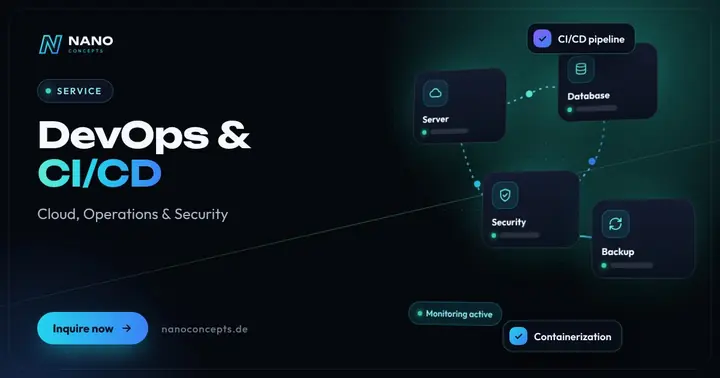
DevOps & CI/CD
Automated tests, builds and deployments – for faster releases and fewer outages in production.
Learn more
Databases & Cloud
Data architecture, migration and cloud hosting – high-performing, secure and, on request, in German data centers.
Learn more
Maintenance & Support
Updates, monitoring, backups and further development – so websites, apps and software run reliably.
Learn moreTerms from this article, briefly explained
 Nano Concepts editorial teamPractical expert articles – published under the responsibility of Sebastian Mandlmeir, Managing Director
More articles
Custom Software or Off-the-Shelf? An Honest Comparison
Off-the-shelf tools are quick to roll out; custom software fits exactly. Which solution pays off over three to five years – and why a combination of both is often the best choice.
Read more
Replacing Excel: When a Custom Web App Pays Off
Version chaos, locked files, broken formulas: when Excel hits its limits, which alternatives exist and how the move to a web app with a database succeeds while operations keep running.
Read more
Prioritizing Technical Debt: Pay the Interest or Pay It Down?
Technical debt is not a synonym for bad code – it becomes dangerous when it stays invisible. Here is how to assess legacy burdens by impact and effort and reduce them in a plannable way.
Read more
