AI & Automation

Process automation: routine work takes care of itself

We automate recurring workflows between your systems – from incoming inquiry through quote creation to the invoice. Less manual work, fewer errors, more time for your business.

Initial consultation freeQuote transparent, fixed price if preferredIn business for over 10 years
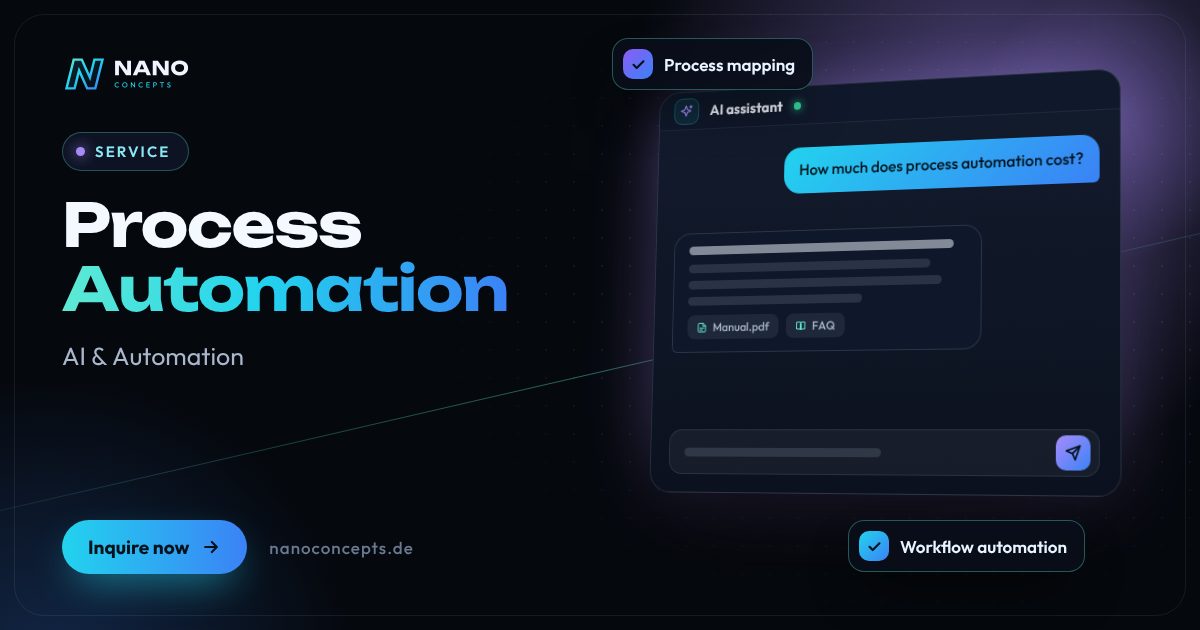
Featured image: Process Automation
Short & clear

At Nano Concepts, process automation means: we map recurring workflows – for example from incoming inquiry through CRM and quote to incoming invoices – and automate them with workflow platforms such as n8n or Make, through interfaces to your existing systems or with custom-developed services, complemented by AI building blocks on request. It is delivered through the Starter package from €2,500, Professional from €8,000 or Enterprise (priced individually); the exact quote follows after a free initial consultation. It is best to start with one concrete workflow that costs a lot of manual work today.

Process automation for SMEs and mid-sized companies

Almost every company has processes that always run the same way: an inquiry arrives via a form, someone copies it into the CRM, creates a folder, writes a confirmation and reminds sales three days later. Process automation takes over exactly these steps. Your employees take care of exceptions and customers – not copy-and-paste between five programs.

01

We don't start with the tool, but with the process. Together we map out who does what today, where data is entered twice and where errors arise. Then we automate the steps that bring the greatest benefit – with workflow platforms such as n8n or Make, through interfaces to your existing systems or with custom-developed services.

02

We know automation from our own operations: our comparison portals Tarifemaxx.de and KreditKoala.de, including their marketing, run largely automated. We transfer this know-how to your processes, for example in sales, accounting or customer service. Every workflow is logged, so you can see at any time what happened – and errors don't go unnoticed. On request, we train your team so it can adjust simple workflows itself.

03

Process automation pays off wherever employees transfer data from one program to the next, write confirmations or remind people of deadlines. For SMEs in particular, it is a quick lever: a well-built workflow works reliably in the background, logs every step and speaks up when something goes wrong. As an automation agency, we connect CRM, email, accounting, store and forms – with n8n, Make or custom software, depending on what fits your requirements and data protection rules.

04

Many companies today want to automate business processes with AI, for example to sort emails, read receipts or pre-qualify inquiries. We use AI where it helps reliably and let people decide where mistakes would be costly. Popular entry points are automating accounting and incoming invoices, speeding up quoting processes or replacing manual office processes. Costs depend on the number and complexity of the workflows – you receive a transparent quote after the free initial consultation.

Story

Process automation in 10 slides

Just swipe through: what Process automation delivers, what we build for you, and how other companies benefit.

01 / 10

AI & Automation

Process Automation. Work that gets itself done.

At Nano Concepts, process automation means: we map recurring workflows – for example from incoming inquiry through CRM and quote to incoming invoices – and automate them with workflow …

  • Free initial consultation
  • Transparent, fixed price if you like
  • Reply usually within 24 hours
nanoconcepts.de
02 / 10

How you can tell

Does this sound familiar?

Typical signs that Process automation is worth it:

  1. 01Employees transfer the same data from one program to another every day.
  2. 02Inquiries sit unanswered because they land in a mailbox nobody checks regularly.
  3. 03Quotes and invoices are put together by hand from old templates.
  4. 04Your systems aren't connected to each other, so every department keeps its own lists.
nanoconcepts.de
03 / 10

Your benefit

What you get out of it.

Time for what mattersEmployees gain time for consulting, sales and customers instead of retyping data.
Fewer transfer errorsWhat is entered only once can no longer be copied incorrectly.
Faster responseInquiries, orders and tasks are forwarded immediately – evenings and weekends included.
nanoconcepts.de
04 / 10

Scope of services

What we deliver for you.

Recurring tasks run automatically – less manual work, fewer errors, more time for your business.

  1. Process mapping
  2. Workflow automation
  3. Interfaces & integrations
  4. Automatic document generation
  5. Data sync & import
  6. Monitoring & error alerts
nanoconcepts.de
05 / 10

Use cases

Here's what that looks like in practice.

Finance & InsuranceApplication data is checked for completeness, missing documents are requested automatically and complete cases are …
Industry & ManufacturingOrders that arrive by email are read out and created in the ERP, and the order confirmation is sent automatically.
Retail & E-CommerceNew shop orders automatically generate the invoice, shipping label and stock booking – with no transfer between shop …
nanoconcepts.de
06 / 10

In practice

Not just talk. Actually built.

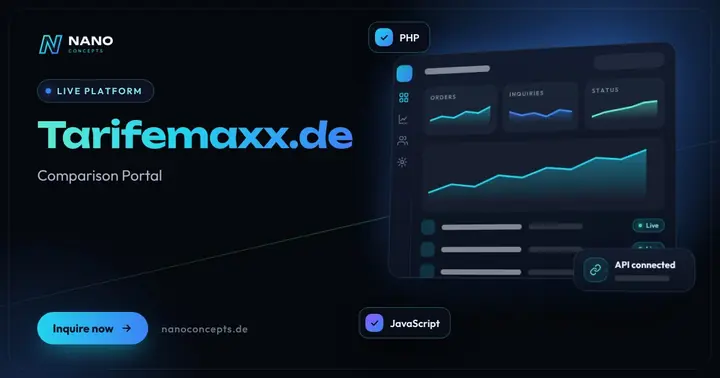
Tarifemaxx.deComparison portal with in-house calculators and partner integrations – marketing, social media and Google Ads …
SmartBook Booking ToolCalendly-style appointment booking – right on your website, custom-configured, with automatic reminders.
nanoconcepts.de
07 / 10

Process

A clear process. No surprises.

  1. 01
    Map the workflowsWe talk with the people involved and map out the current process with all …
  2. 02
    Prioritize potentialWe assess which steps can be automated with reasonable effort and bring the …
  3. 03
    Build the workflowWe implement the automation and test it with real example cases – including …
  4. 04
    Pilot runThe workflow initially runs in parallel or for one area only, so your team …
nanoconcepts.de
08 / 10

Common question

Good question. Clear answer.

How much does process automation cost?

Nano Concepts

A clearly defined workflow, such as from the contact form into the CRM including a confirmation, can start at €2,500 in the Starter package, depending on scope.

All questions & answers
nanoconcepts.de
09 / 10

Packages

Three packages. One plan.

  • Starterfrom €2,500Ideal for landing pages, simple web applications and prototypes.
  • Professionalfrom €8,000For complex web applications, portals and tailor-made software …
  • EnterpriseCustomFor large projects, system landscapes and long-term development …

Non-binding guidance – you will receive your quote after the free initial consultation. View pricing

nanoconcepts.de
10 / 10

Let's get started

Unlock your full potential.

Tell us about your project – we usually get back to you within 24 hours with an initial assessment.

TOGETHER. DIGITAL. SUCCESSFUL.
nanoconcepts.de
01 / 10

Typical signs that Process automation is worth it

  • Employees transfer the same data from one program to another every day.
  • Inquiries sit unanswered because they land in a mailbox nobody checks regularly.
  • Quotes and invoices are put together by hand from old templates.
  • Your systems aren't connected to each other, so every department keeps its own lists.
  • You want to grow without hiring additional administrative staff for every order peak.
Scope of services

Automate business processes: workflows, integrations, AI

Recurring tasks run automatically – less manual work, fewer errors, more time for your business.

Process mapping

We document your existing processes, find bottlenecks and assess where automation has the greatest effect.

Workflow automation

Workflows with n8n, Make or Power Automate – for example transferring inquiries into the CRM, creating tasks and notifying the people involved.

Interfaces & integrations

We connect CRM, online store, accounting, email and industry software through APIs and webhooks into one seamless workflow.

Automatic document generation

Quotes, delivery notes, contracts or reports are generated from templates and existing data – without manual copying and pasting.

Data sync & import

Regular imports, reconciliations and cleanups between systems, so the same master data applies everywhere.

Monitoring & error alerts

Every workflow logs its runs; if a step fails, those responsible are informed immediately.

Your benefits

Why companies choose us

Time for what matters

Employees gain time for consulting, sales and customers instead of retyping data.

Fewer transfer errors

What is entered only once can no longer be copied incorrectly.

Faster response

Inquiries, orders and tasks are forwarded immediately – evenings and weekends included.

Growth without extra effort

More orders don't automatically mean more administrative work.

Use cases

Process automation in your industry

Here's what Process automation looks like in typical industries – concrete examples from everyday business.

Industry & Manu­fac­turing

Orders that arrive by email are read out and created in the ERP, and the order confirmation is sent automatically.

Learn more

Retail & E-Commerce

New shop orders automatically generate the invoice, shipping label and stock booking – with no transfer between shop and inventory system.

Learn more

Logistics

Status messages from freight carriers are collected and transferred to the customer portal, and delays are automatically reported to customer service.

Learn more

Healthcare & Care

Online appointment bookings land directly in the practice calendar, and reminders go out automatically to patients.

Learn more

Real Estate

Prospect inquiries from portals are logged in the CRM, answered with a property listing and supplemented with suggested viewing dates – similar to our real estate CRM portal with onOffice integration.

Learn more

Finance & Insurance

Application data is checked for completeness, missing documents are requested automatically and complete cases are handed over to case handling.

Learn more

Services & Consulting

After a project is completed, the invoice is generated automatically from the recorded hours, and a task for the feedback request is created.

Learn more

Skilled Trades

An online inquiry automatically creates a customer record, a folder for job-site photos and a suggested date for the site visit.

Learn more

Startups

A startup automates onboarding emails, reminders at the end of the trial period and the handover of paying customers to accounting.

Learn more

Education & Research

Course registrations automatically generate a participant account, invoice, login details and, at the end, the certificate of attendance.

Learn more

Tourism & Hospitality

Bookings from different portals are consolidated, and guests automatically receive arrival information and, after their stay, a feedback request.

Learn more

Media & Creative Industries

New articles are automatically prepared for newsletters and social media channels and submitted to the editorial team for approval.

Learn more
Process

Workflow automation in five steps

  1. Map the workflowsWe talk with the people involved and map out the current process with all systems, data and handovers.
  2. Prioritize potentialWe assess which steps can be automated with reasonable effort and bring the greatest benefit.
  3. Build the workflowWe implement the automation and test it with real example cases – including special cases and exceptions.
  4. Pilot runThe workflow initially runs in parallel or for one area only, so your team builds confidence and fine details come to light.
  5. Roll out & monitorAfter your approval, the workflow takes over completely; logs and error alerts keep it in view.

Technologies & tools

n8nMakeMicrosoft Power AutomateZapierPythonNode.jsREST APIsWebhooksPostgreSQL
FAQ

Frequently asked questions about Process automation

A clearly defined workflow, such as from the contact form into the CRM including a confirmation, can start at €2,500 in the Starter package, depending on scope. Several linked workflows with interfaces to ERP or accounting typically belong in the Professional package from €8,000. We quote company-wide automation individually as Enterprise.

A single workflow is often productive in a few weeks. With several systems and departments, we plan in stages so that the first automations deliver benefits early. After process mapping, you receive a concrete schedule.

For many workflows, workflow platforms such as n8n or Make are fast and cost-effective. For large data volumes, complex logic or special data protection requirements, we develop custom services. n8n can also be self-hosted, for example on a server in Germany.

Every run is logged. If a step fails, for example because a system is unavailable, the operation is retried or the responsible person is notified. That way, errors don't go unnoticed.

Often, yes. If an interface is missing, we work with file exports, direct database access or by evaluating emails. We check together with you in advance whether that is reliable and permissible in the individual case.

After the free initial consultation, we map your workflows and prepare a transparent quote. Then we build and test the workflow, start a pilot run and roll it out after your approval.

First describe the workflow step by step: who does what, with which data, in which programs? Then choose a workflow that occurs frequently and follows clear rules, and check which systems offer interfaces. The workflow is then built, tested with real cases and rolled out step by step – that is exactly how we proceed in our projects.

Well suited are workflows that occur frequently, follow clear rules and work with digital data – for example transferring inquiries into the CRM, generating quotes and documents, capturing incoming invoices, onboarding steps in HR or data syncs between store and inventory management. Less suitable are rare special cases with many discretionary decisions. We prioritize by effort and benefit.

An n8n agency plans, builds and runs workflows on the n8n automation platform – from process mapping through integrations and error handling to hosting. We document every workflow, set up notifications for errors and, on request, take over ongoing support. After training, your team can make simple adjustments itself.

Many preparatory steps, yes: collecting invoices from email inboxes, reading receipt data, naming and filing documents and preparing data for accounting. Whether and how the handover to DATEV or your accounting software works depends on their interfaces – we check that in advance. Professional and tax responsibility stays with you and your tax advisor.

Yes, often especially so, because small teams lack time for routine work the most. Even a single workflow, such as from the contact form into the CRM with an automatic confirmation, can noticeably relieve the load. We deliberately start small, check the benefit and only then build further.

Related

Related services

Digital Glossary

Terms related to Process automation, briefly explained

Magazine

Read more

03 · Scenario · approx. 50 seconds

The copy-and-paste trap

Petra types every order three times: shop, Excel, invoice. One typo and the delivery is wrong. Once shop, stock, invoicing and shipping are connected, everything runs on its own.

ServiceProcess automation · IntegrationsForRetail, logistics & office
Read transcript

This is Petra.
She types every order in three times.
Shop. Excel. Invoice.
Which list is current?
Nobody knows.
One typo.
Wrong delivery.
Customer’s angry. Kai’s even angrier.
Here’s what’s going wrong.
Costly hours lost to copy & paste.
NANO CONCEPTS connects everything.
Shop, warehouse, invoicing, shipping.
One data source. Zero retyping.
And suddenly:
Everything runs automatically.
Friday, 3:30 PM.
Petra clocks out.
Kai has the full picture.

Get the right quote in 60 seconds

Needs analysis: Process Automation

Answer a few short questions – we usually get back to you within 24 hours with an initial assessment.

Request a project