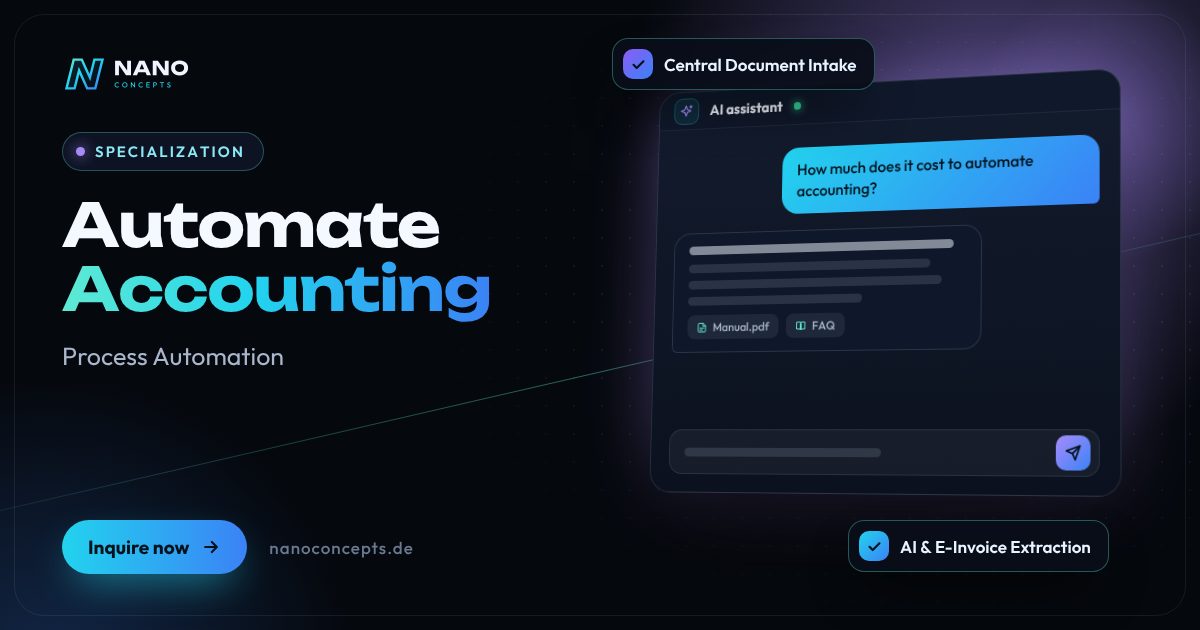
Specialization · Process Automation

Accounting Automation: From Incoming Invoice to DATEV Handover

Incoming invoices are captured, read, checked and submitted for approval automatically – instead of retyping receipts and sorting folders. The prepared data goes cleanly to DATEV or your accounting software, while the tax assessment stays with your tax firm.

Initial consultation freeQuote transparent, fixed price if preferredArea Process Automation
Featured image: Automate Accounting
Short & clear

Automating accounting means letting recurring steps such as invoice receipt, document capture, checking, approval and handover to DATEV (the accounting software widely used by German tax firms) or another accounting system run without retyping. To do this, Nano Concepts connects mailboxes, document storage and accounting systems with workflows, reads documents with AI or from structured e-invoice data, and puts unclear cases up for review. Depending on scope, a self-contained incoming-invoice workflow falls under the Starter package from €2,500, while solutions with multi-stage approvals and several systems typically fall under the Professional package from €8,000.

Accounting automation with Nano Concepts

Anyone who wants to automate accounting usually starts with incoming invoices – because that is where most of the manual work arises. Invoices arrive as PDFs by email, as e-invoices in the XRechnung or ZUGFeRD format, through supplier portals, or still on paper. Someone has to collect them, record supplier, amount and due date, match them against the purchase order, obtain approval and pass everything on to accounting. This is exactly the chain we automate: documents are collected, read, checked and handed over in prepared form.

01

We read structured e-invoices directly, and PDFs and scans with text recognition and AI. Rules then check whether the mandatory details are present, whether an invoice has arrived twice, and whether amount and purchase order match. Inconsistent documents land with a note at the responsible person, and all others move into a digital approval process. We hand over the approved data via the routes offered by DATEV or to your accounting software – including the document image, so that your tax firm can carry on without follow-up questions.

02

Since January 1, 2025, companies in domestic B2B business in Germany must be able to receive e-invoices, and many use this occasion to digitize their entire document flow. We focus on traceability: every step is logged, original documents are preserved unchanged, and we coordinate requirements such as the GoBD (Germany's principles for proper bookkeeping and record retention) with your tax firm. We do not provide tax or legal assessments – our job is the technology that takes the routine work off your accounting team and your tax firm.

Story

Accounting automation in 9 slides

Just swipe through: what Accounting automation delivers, what we build for you, and how other companies benefit.

01 / 09

Specialization · Process Automation

Automate Accounting. Work that gets itself done.

Automating accounting means letting recurring steps such as invoice receipt, document capture, checking, approval and handover to DATEV (the accounting software widely used by German tax …

  • Free initial consultation
  • Transparent, fixed price if you like
  • Reply usually within 24 hours
nanoconcepts.de
02 / 09

How you can tell

Does this sound familiar?

Typical signs that Accounting automation is worth it:

  1. 01Your team retypes invoice data from PDFs or paper into accounting software or Excel.
  2. 02Invoices sit in several mailboxes and folders, and nobody knows exactly what is still open.
  3. 03Approvals run by email or word of mouth and get delayed, so early-payment discounts or …
  4. 04Your tax firm regularly asks about missing or illegible documents.
nanoconcepts.de
03 / 09

Your benefit

What you get out of it.

No More RetypingSupplier, amounts and due dates are captured automatically – your team only deals with …
Deadlines and Early-Payment Discounts in ViewApprovals no longer sit around, turnaround times drop, and payment deadlines stop slipping …
Fewer Queries from Your Tax FirmDocuments reach your tax firm complete, consistently named and with a document image.
nanoconcepts.de
04 / 09

Scope of services

What we deliver for you.

Invoice receipt, document capture and approval automated – with a clean handover to DATEV or your accounting …

  1. Central Document Intake
  2. AI & E-Invoice Extraction
  3. Automatic Checks
  4. Digital Approval Workflow
  5. Handover to DATEV & Software
  6. Log & Overview
nanoconcepts.de
05 / 09

Use cases

Here's what that looks like in practice.

LogisticsA logistics company processes fuel, toll and workshop invoices automatically and assigns them to the right vehicle and …
Healthcare & CareA group practice has invoices for supplies and service providers captured automatically and submitted for approval by …
Real EstateA property management company automatically assigns contractor and utility invoices to the right property and prepares …
nanoconcepts.de
06 / 09

Process

A clear process. No surprises.

  1. 01
    Map the Document FlowWe record how invoices arrive today, who checks and approves them, and in …
  2. 02
    Align with Your Tax FirmWe clarify the handover format, assignment logic and filing together with …
  3. 03
    Set Up the WorkflowDocument intake, extraction, validation rules and approval stages are set …
  4. 04
    Test Run with Real DocumentsWe process a representative batch of real invoices and refine recognition …
nanoconcepts.de
07 / 09

Common question

Good question. Clear answer.

How much does it cost to automate accounting?

Nano Concepts

A self-contained workflow for incoming invoices with extraction, checking and handover falls under the Starter package from €2,500, depending on scope.

All questions & answers
nanoconcepts.de
08 / 09

Packages

Three packages. One plan.

  • Starterfrom €2,500Ideal for landing pages, simple web applications and prototypes.
  • Professionalfrom €8,000For complex web applications, portals and tailor-made software …
  • EnterpriseCustomFor large projects, system landscapes and long-term development …

Non-binding guidance – you will receive your quote after the free initial consultation. View pricing

nanoconcepts.de
09 / 09

Let's get started

Unlock your full potential.

Tell us about your project – we usually get back to you within 24 hours with an initial assessment.

TOGETHER. DIGITAL. SUCCESSFUL.

nanoconcepts.de
01 / 09

Typical signs that Accounting automation is worth it

  • Your team retypes invoice data from PDFs or paper into accounting software or Excel.
  • Invoices sit in several mailboxes and folders, and nobody knows exactly what is still open.
  • Approvals run by email or word of mouth and get delayed, so early-payment discounts or deadlines are lost.
  • Your tax firm regularly asks about missing or illegible documents.
  • You don't just want to receive e-invoices, but to process them automatically right away.
Scope of services

What we deliver for you

Invoice receipt, document capture and approval automated – with a clean handover to DATEV or your accounting software.

Central Document Intake

Invoices from mailboxes, supplier portals and scans come together in one place, are named consistently and filed in an orderly way.

AI & E-Invoice Extraction

Structured XRechnung and ZUGFeRD data is taken over directly, while PDFs and scans are read with text recognition and AI.

Automatic Checks

Mandatory details, duplicates, bank details and the match against purchase order or delivery note are checked, and anomalies are flagged.

Digital Approval Workflow

Depending on amount, cost center or supplier, invoices go to the right person and are approved or rejected with a click.

Handover to DATEV & Software

Approved documents and data are handed over to DATEV or your accounting software – in the format agreed with your tax firm.

Log & Overview

Every document is traceable with its status and history; you see open approvals and due dates at a glance.

Your benefits

Why companies choose us

No More Retyping

Supplier, amounts and due dates are captured automatically – your team only deals with exceptions.

Deadlines and Early-Payment Discounts in View

Approvals no longer sit around, turnaround times drop, and payment deadlines stop slipping through the cracks.

Fewer Queries from Your Tax Firm

Documents reach your tax firm complete, consistently named and with a document image.

Anomalies Caught Early

Duplicate invoices and changed bank details are flagged before a payment is approved.

Use cases

Accounting automation in your industry

Here's what Accounting automation looks like in typical industries – concrete examples from everyday business.

Industry & Manu­fac­turing

A machine builder automatically matches incoming invoices against the purchase order and goods receipt in the ERP; only discrepancies reach purchasing.

Learn more

Retail & E-Commerce

A retailer with many suppliers has invoices collected centrally from portals and mailboxes, read and presented for confirmation with an account coding suggestion.

Learn more

Logistics

A logistics company processes fuel, toll and workshop invoices automatically and assigns them to the right vehicle and job.

Learn more

Healthcare & Care

A group practice has invoices for supplies and service providers captured automatically and submitted for approval by location and cost center.

Learn more

Real Estate

A property management company automatically assigns contractor and utility invoices to the right property and prepares them for the utility cost statement.

Learn more

Finance & Insurance

A financial services provider automates invoice receipt with four-eyes approval and a seamless log for internal controls.

Learn more

Services & Consulting

A consulting firm captures travel expense and third-party service receipts automatically and assigns them to projects so they can be re-billed.

Learn more

Skilled Trades

A skilled-trades business photographs material receipts on the construction site; the data is read, assigned to the job and handed over to the tax firm.

Learn more

Startups

A startup sets up its document flow as automated from day one – from SaaS invoices in the inbox to the handover to the tax firm.

Learn more

Education & Research

A training provider automatically assigns invoices from instructors and room providers to courses and funding sources and keeps supporting documents ready and organized.

Learn more

Tourism & Hospitality

A hotel operation processes the many supplier invoices from the kitchen and building services automatically and has them approved by department.

Learn more

Media & Creative Industries

An agency captures invoices from freelancers and licensors automatically and assigns them to client projects for re-billing.

Learn more
Process

How your project works

  1. Map the Document FlowWe record how invoices arrive today, who checks and approves them, and in which format your tax firm needs the data.
  2. Align with Your Tax FirmWe clarify the handover format, assignment logic and filing together with your tax firm before anything is built.
  3. Set Up the WorkflowDocument intake, extraction, validation rules and approval stages are set up and connected to your systems.
  4. Test Run with Real DocumentsWe process a representative batch of real invoices and refine recognition and rules until the results are right.
  5. Go Live & MaintenanceAfter launch, we monitor the runs, onboard new suppliers and special cases, and adapt the workflow to changes.

Technologies & tools

n8nDATEV interfacesXRechnungZUGFeRDText recognition (OCR)ClaudeOpenAI APIPythonMicrosoft 365PostgreSQL
FAQ

Frequently asked questions about Accounting automation

A self-contained workflow for incoming invoices with extraction, checking and handover falls under the Starter package from €2,500, depending on scope. Multi-stage approvals, ERP matching and several legal entities typically belong in the Professional package from €8,000, and very large solutions are priced individually as Enterprise. We itemize ongoing costs for hosting or AI usage transparently; the exact quote follows after the free initial consultation.

To a large extent, the groundwork can: AI reads invoices, recognizes suppliers and suggests assignments. Rules check the results, and unclear cases go to a human. Responsibility for posting and for the tax assessment stays with your accounting team or tax firm.

Yes, DATEV is the system used by the tax firm at many companies. We hand over documents and data via the routes offered by DATEV and agree format and process with your tax firm. DATEV's own automation offerings can be used in parallel; you can find out their terms from DATEV or your tax firm.

Yes, n8n is well suited to connecting mailboxes, document storage, AI extraction and accounting systems, and it can be self-hosted on a server in Germany. For high document volumes or special validation rules, we add custom services. Which solution fits is decided after we analyze your document flow.

A workflow for incoming invoices is often in test operation within a few weeks. Approval processes across several departments or legal entities need more coordination. After we map your document flow, you receive a concrete schedule.

We build the solution so that original documents are preserved unchanged, every step is logged and filing is traceable. Whether your processes as a whole comply with the GoBD is assessed by your tax firm; for the procedural documentation (Verfahrensdokumentation), we supply the technical description. This note does not replace tax or legal advice.

Solutions

Automate Accounting for your target audience

Related

Related services

Digital Glossary

Terms related to Accounting automation, briefly explained

Magazine

Read more

18 · Scenario · approx. 50 seconds

The invoice mountain

Month end, 400 incoming invoices – and Sabine types up every one. AI reads number, date and amount automatically; Sabine just checks and keeps an eye on discount deadlines.

ServiceAI document processingForAccounting & administration
Read transcript

End of the month.
400 incoming invoices.
Sabine types up every one.
Number. Date. Amount.
One typo: one zero too many.
Early-payment discounts? Missed.
Money left on the table.
Here’s what’s going wrong.
Retyping is not accounting.
NANO CONCEPTS lets AI read along.
Data extracted. Automatically.
Sabine just reviews.
All fields recognized.
Discount deadline in view.
End of the month.
Sabine leaves on time.

Get the right quote in 60 seconds

Needs analysis: Automate Accounting

Answer a few short questions – we usually get back to you within 24 hours with an initial assessment.

Request a project