Software & Apps

Progressive web app development: an app experience straight from the browser

Progressive web apps combine the best of website and app: discoverable via search engines, installable on the home screen and usable even on a weak connection.

Initial consultation freeQuote transparent, fixed price if preferredIn business for over 10 years
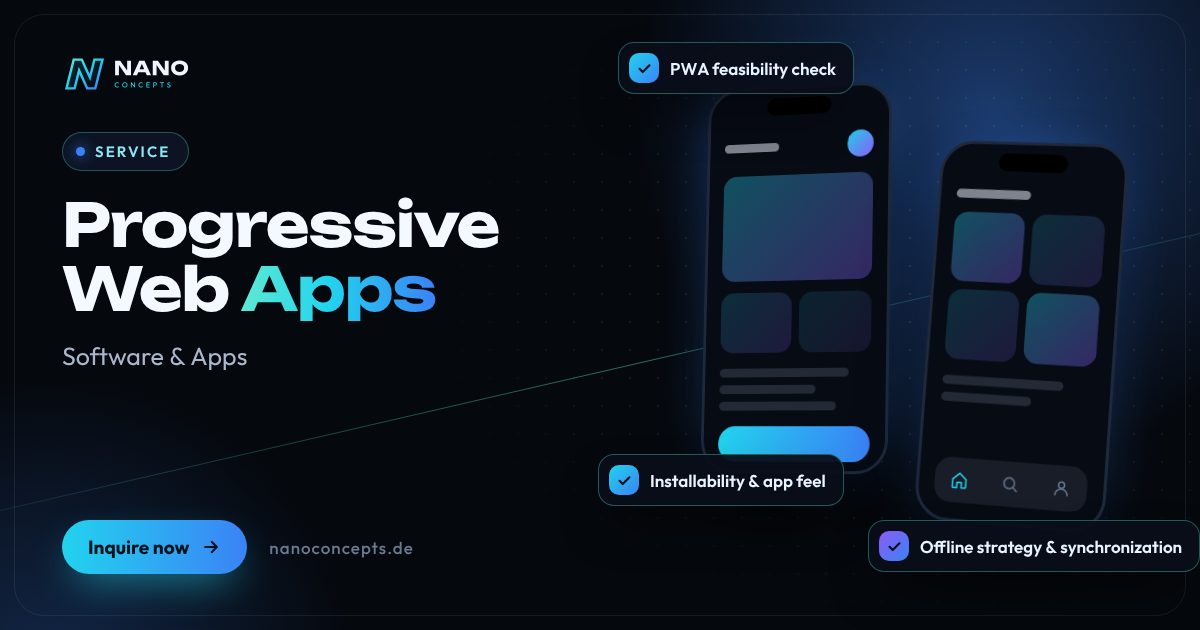
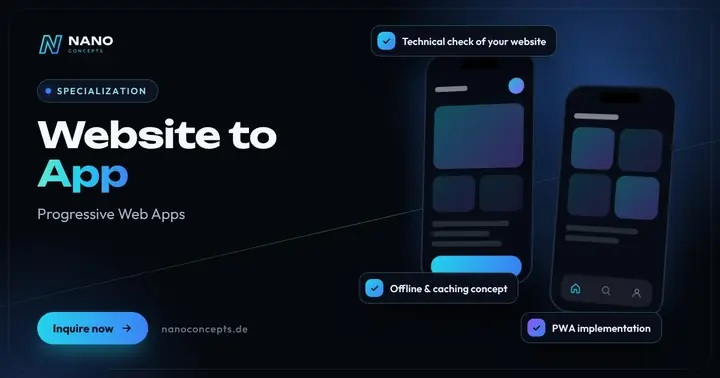
Featured image: Progressive Web Apps
Short & clear

PWA development produces a web application that can be installed on the home screen like an app, remains usable offline and runs on iOS, Android and desktop from a single codebase – without an app store. At Nano Concepts, lean PWAs such as calculators, catalogs or data-capture tools are possible in the Starter package from €2,500, PWAs with user accounts, offline synchronization and integrations in the Professional package from €8,000, and larger platforms in the Enterprise package, priced individually. It starts with a free initial consultation including a platform check, after which you receive a transparent quote.

Create a progressive web app: app features without an app store

Not every project needs a native app in the store. PWA development creates a web application that feels like an app: users open it via a link or QR code, add it to the home screen with a tap and then launch it full screen – without a browser bar. Content is cached, so the application loads fast and stays usable even in a dead zone.

01

Technically, this is powered by a service worker that keeps data on hand and synchronizes it in the background, plus a web app manifest for icon, name and launch behavior. On Android and in desktop browsers many app features are available; on iOS there are some limitations – push notifications, for example, only work there once the app has been added to the home screen. We advise you openly on whether a PWA meets your requirements.

02

The economic advantage: one codebase serves smartphone, tablet and desktop, updates are available to everyone immediately, and store reviews are not needed. At the same time, public content remains discoverable via search engines. If that is no longer enough later, a PWA can be packaged as a store app with tools such as Capacitor and extended with native features – so the existing work is not lost.

03

When you have a progressive web app created, you get an application that launches from a link, can be installed on the home screen and remains usable even without a stable connection. A PWA app runs on the iPhone, on Android smartphones and on the desktop from a shared codebase. For many businesses, it is therefore the cost-effective answer to the wish for an app without an app store – for example for catalogs, data-capture tools, customer areas or booking flows.

04

When it comes to the “PWA vs. native app” decision, we advise you openly. On Android and the desktop, many app features are available; on iOS there are limitations that we go through with you in advance. That's why every project begins with a platform check. After that, we develop mobile-first, test on real devices and make every version available via a link. PWA costs depend on scope; you receive the exact quote after the free initial consultation.

Story

Progressive web app development in 10 slides

Just swipe through: what Progressive web app development delivers, what we build for you, and how other companies benefit.

01 / 10

Software & Apps

Progressive Web Apps. Built around your workflows.

PWA development produces a web application that can be installed on the home screen like an app, remains usable offline and runs on iOS, Android and desktop from a single codebase – without …

  • Free initial consultation
  • Transparent, fixed price if you like
  • Reply usually within 24 hours
nanoconcepts.de
02 / 10

How you can tell

Does this sound familiar?

Typical signs that Progressive web app development is worth it:

  1. 01You want to offer customers or employees an app experience without the effort of two store apps.
  2. 02Your users often work in areas with poor reception, such as basements, halls or construction …
  3. 03The barrier to entry should be minimal: a QR code or link should be enough to get started …
  4. 04You want to roll out updates immediately without waiting for app store approvals.
nanoconcepts.de
03 / 10

Your benefit

What you get out of it.

One codebase for everythingSmartphone, tablet and desktop use the same application.
Available instantlyNo store download needed: a link or QR code is enough, and users can get started right away.
Updates without store reviewNew versions are available to all users immediately, without waiting for approval from …
nanoconcepts.de
04 / 10

Scope of services

What we deliver for you.

Installable web apps with offline mode and push – one codebase for smartphone, tablet and desktop, no app store …

  1. PWA feasibility check
  2. Offline strategy & synchronization
  3. Installability & app feel
  4. Web push notifications
  5. Performance optimization
  6. Optional store wrapper
nanoconcepts.de
05 / 10

Use cases

Here's what that looks like in practice.

LogisticsWarehouse staff record stocktakes with an offline-capable PWA on smartphones or mobile devices; the data synchronizes …
Healthcare & CarePatients fill in medical history forms before the appointment in a PWA that they open by link straight from the …
Real EstateA property manager carries out apartment handovers with a PWA that saves meter readings, photos and defects even in the …
nanoconcepts.de
06 / 10

In practice

Not just talk. Actually built.

Audio Converter & Voice SeparatorConvert audio to MP3 and separate vocals from the instrumental – fully automated with AI, right in your …
nanoconcepts.de
07 / 10

Process

A clear process. No surprises.

  1. 01
    Requirements & platform checkWe compare your desired features with what PWAs can do on iOS, Android and …
  2. 02
    Offline & data conceptTogether we define which content must be available offline and how changes …
  3. 03
    Mobile-first developmentWe build the interface for the smartphone first and extend it for tablet …
  4. 04
    Device & offline testingWe test installation, airplane mode, weak networks and push on real iOS and …
nanoconcepts.de
08 / 10

Common question

Good question. Clear answer.

How much does a progressive web app cost?

Nano Concepts

A lean PWA, for example as a calculator, catalog or simple data-capture tool, is possible in the Starter package from €2,500.

All questions & answers
nanoconcepts.de
09 / 10

Packages

Three packages. One plan.

  • Starterfrom €2,500Ideal for landing pages, simple web applications and prototypes.
  • Professionalfrom €8,000For complex web applications, portals and tailor-made software …
  • EnterpriseCustomFor large projects, system landscapes and long-term development …

Non-binding guidance – you will receive your quote after the free initial consultation. View pricing

nanoconcepts.de
10 / 10

Let's get started

Unlock your full potential.

Tell us about your project – we usually get back to you within 24 hours with an initial assessment.

TOGETHER. DIGITAL. SUCCESSFUL.
nanoconcepts.de
01 / 10

Typical signs that Progressive web app development is worth it

  • You want to offer customers or employees an app experience without the effort of two store apps.
  • Your users often work in areas with poor reception, such as basements, halls or construction sites.
  • The barrier to entry should be minimal: a QR code or link should be enough to get started immediately.
  • You want to roll out updates immediately without waiting for app store approvals.
  • Your existing mobile website should load faster and feel more like an app.
Scope of services

App without an app store: our progressive web app services

Installable web apps with offline mode and push – one codebase for smartphone, tablet and desktop, no app store required.

PWA feasibility check

We check which of your desired features can be implemented reliably as a PWA on iOS, Android and desktop – before you invest.

Offline strategy & synchro­niza­tion

We define which data is kept locally and synchronize changes without conflicts as soon as a connection is available again.

Installa­bility & app feel

Web app manifest, app icon, home screen and full-screen mode make sure the PWA feels like a native app.

Web push notifica­tions

Push messages for reminders, status changes or offers – with user consent properly obtained.

Performance optimization

Fast load times through caching, optimized images and lean code – measurable with tools such as Lighthouse.

Optional store wrapper

If you also want a presence in the App Store or on Google Play, we package the PWA as a store app with Capacitor.

Specializations

Special­iza­tions around Progressive Web Apps

We have dedicated service pages for these projects – with process, examples, and answers to common questions.

Your benefits

Why companies choose us

One codebase for everything

Smartphone, tablet and desktop use the same application. That reduces development and maintenance effort compared with separate apps.

Available instantly

No store download needed: a link or QR code is enough, and users can get started right away.

Updates without store review

New versions are available to all users immediately, without waiting for approval from Apple or Google.

Discoverable through Google

Public content of a PWA can be indexed by search engines – unlike content that lives only inside a native app.

Use cases

Progressive web app development in your industry

Here's what Progressive web app development looks like in typical industries – concrete examples from everyday business.

Industry & Manu­fac­turing

Employees open work instructions and safety briefings via QR code at the machine – on any device, without installing an app.

Learn more

Retail & E-Commerce

A retailer offers regular customers an installable ordering PWA that loads reliably even on a weak connection in the store.

Learn more

Logistics

Warehouse staff record stocktakes with an offline-capable PWA on smartphones or mobile devices; the data synchronizes as soon as Wi-Fi is available.

Learn more

Healthcare & Care

Patients fill in medical history forms before the appointment in a PWA that they open by link straight from the appointment confirmation.

Learn more

Real Estate

A property manager carries out apartment handovers with a PWA that saves meter readings, photos and defects even in the basement without reception.

Learn more

Finance & Insurance

A financial advisor provides clients with an installable household budget calculator that saves results and reminds them of follow-up appointments by push.

Learn more

Services & Consulting

An event services company uses a PWA for guest lists and entry control that keeps running even when the mobile network is overloaded.

Learn more

Skilled Trades

A roofer captures measurements and damage with a job-site PWA that transfers all data automatically as soon as reception returns.

Learn more

Startups

A startup validates its idea first as a PWA, skips the store process for now and decides on native apps based on real usage.

Learn more

Education & Research

A language school provides vocabulary trainers and lessons as a PWA that learners can also use offline on the bus and train.

Learn more

Tourism & Hospitality

A museum or city tour offers a digital guide via QR code, including maps and audio texts in offline mode.

Learn more

Media & Creative Industries

A publisher provides its content as a PWA that saves articles for offline reading and informs readers of breaking news by push.

Learn more
Process

Create a PWA – how your project works

  1. Requirements & platform checkWe compare your desired features with what PWAs can do on iOS, Android and desktop and recommend the right path.
  2. Offline & data conceptTogether we define which content must be available offline and how changes are synchronized later.
  3. Mobile-first developmentWe build the interface for the smartphone first and extend it for tablet and desktop; you open test versions via link.
  4. Device & offline testingWe test installation, airplane mode, weak networks and push on real iOS and Android devices as well as in desktop browsers.
  5. Go-live & further developmentAfter launch we distribute updates directly from the server and, if needed, add a store wrapper to the PWA.

Technologies & tools

Service WorkerWeb App ManifestWorkboxIndexedDBWeb Push APIReactViteTypeScriptCapacitorLighthouse
FAQ

Frequently asked questions about Progressive web app development

A lean PWA, for example as a calculator, catalog or simple data-capture tool, is possible in the Starter package from €2,500. We build PWAs with user accounts, offline synchronization and integrations in the Professional package from €8,000. Larger platforms are quoted individually in the Enterprise package.

Since no store review is needed, a PWA can go live directly once testing is complete. A simple application is often done in a few weeks; for more complex projects with offline synchronization we plan in milestones. We will discuss the exact timeframe in the initial consultation.

We start with a free initial consultation and a platform check on whether a PWA fits your requirements. Next come the offline concept, development with test versions via link, device testing and go-live.

A PWA is suitable when fast availability, a shared codebase and discoverability via search engines are the priority. A native app makes sense if you need a presence in the App Store or deep device features such as certain Bluetooth or background processes. We advise you based on your specific requirements.

Yes. On the iPhone, a PWA can be added to the home screen and launched full screen. Some features are limited on iOS, however, and push notifications require that the app has been added to the home screen. That's why we always test your PWA on real iPhones too.

Yes. With tools such as Capacitor, a PWA can be packaged as an app for iOS and Android and extended with native features. The store guidelines apply here – Apple, for example, expects an app to offer more than a plain website view. If needed, we plan this step in from the start.

A PWA (progressive web app) is a web application that behaves like an installed app. A web app manifest defines icon, name and fullscreen launch, while a service worker caches content so the application loads quickly and stays usable offline. The foundation is web technologies such as HTML, CSS and JavaScript, delivered over an encrypted HTTPS connection.

Often yes, because one codebase serves smartphone, tablet and desktop, and store submissions and developer accounts with Apple and Google are not needed. Updates are also available to all users immediately. We check in advance in the platform check whether a PWA meets your requirements – if you need deep device features, a native app can be the better choice despite higher costs.

Often yes. If the website is built on modern technology, we add a manifest, service worker and an offline strategy so that it can be installed like an app. For older websites, we first check whether the conversion is worthwhile or whether individual areas should be rebuilt. A prerequisite for a good app feel is that the website loads fast on mobile and is clearly usable.

On Android and in desktop browsers such as Chrome or Edge, the browser usually offers installation directly or via the menu. On the iPhone, users open the PWA in Safari, for example, and choose “Add to Home Screen” in the share menu. On request, we display a short guide in the application so your users don't miss this step.

Both are based on the same web technologies and are reachable via an address. A PWA, however, can be installed on the home screen, launches fullscreen without a browser bar, works even on a poor connection thanks to caching and – depending on the device – can send push notifications. Public content remains discoverable through search engines, just like on a website.

12 · Scenario · approx. 50 seconds

The app in the drawer

Deniz's app idea has been in a drawer for two years – the freelancer vanished, leaving half an app. Built in sprints with design by LOMA and tech by NANO, it goes live on iOS and Android.

ServiceApp development · iOS & AndroidForFounders & companies
Read transcript

Deniz has an app idea.
For two years now.
In the drawer.
A freelancer ghosts.
iOS only. No backend.
What’s left: half an app.
Here’s what’s going wrong.
A good idea needs a team.
NANO CONCEPTS builds in sprints.
Design by LOMA. Tech by NANO.
iOS and Android.
Launch day.
The idea is live.
In both stores.
From the drawer
to the stores.

Get the right quote in 60 seconds

Needs analysis: Progressive Web Apps

Answer a few short questions – we usually get back to you within 24 hours with an initial assessment.

Request a project