
Do I need an app, or is a website enough?
“App or website?” is what many companies ask before they invest. This comparison shows the three realistic paths – and how to tell which one is enough for your project.
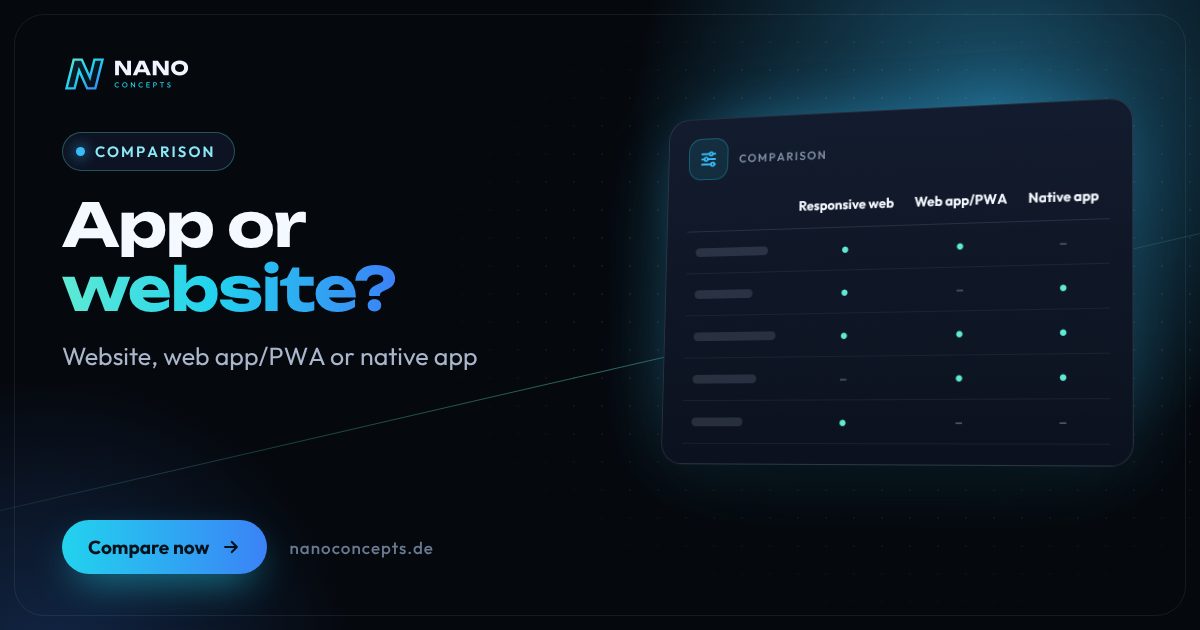
App or website? For most companies, a responsive website is enough at first: it gets found through Google, works on any device and needs no app store. A web app or PWA pays off as soon as users log in and regularly complete tasks – such as bookings, order status or forms. A native app makes sense if you make intensive use of device features such as the camera, Bluetooth, reliable push notifications or offline operation, or if you need a presence in the app store.
Strengths and weaknesses at a glance
Responsive website
A website that automatically adapts to smartphone, tablet and desktop. It informs, convinces and generates inquiries – with no installation at all.
Strengths
- Findable through Google and AI search – the most important channel for new customers.
- No installation and no app store review; changes go live immediately.
- One codebase for all devices and browsers.
- Comparatively low effort to build and maintain.
Weaknesses
- Little access to device features and no presence on the home screen.
- Only of limited use for recurring, logged-in workflows.
- No offline operation without additional technology.
Ideal for: Companies that want to be found, inform and win inquiries.
Web app/PWA
An application in the browser with login, data and features – as a progressive web app (PWA), it can also be installed, used partly offline and send push notifications.
Strengths
- Runs on all platforms from a single codebase, without being forced into an app store.
- Installable on the home screen, with offline cache and web push.
- Updates reach all users immediately.
- Can be tightly connected to your existing website and systems.
Weaknesses
- Limited access to some device features, especially on iOS.
- Push notifications on the iPhone only after installation on the home screen.
- No automatic visibility in the app stores.
Ideal for: Customer portals, booking and service applications, and internal tools with regular use.
Native app
An app for iOS and Android, developed natively or with cross-platform frameworks, installed through the App Store and Google Play.
Strengths
- Full access to camera, Bluetooth, NFC, location and sensors.
- Reliable push notifications and comprehensive offline operation.
- Presence in the App Store and Google Play, a strong brand experience on the home screen.
- Smooth operation even with complex interfaces.
Weaknesses
- Highest effort for development, store publishing and ongoing maintenance.
- Users have to actively install the app – a real hurdle.
- Updates depend on store reviews and on users installing them.
Ideal for: Products with daily use, intensive device use or field service with offline needs.
The most important criteria compared side by side
| Criterion | Responsive website | Web app/PWA | Native app |
|---|---|---|---|
| Main purpose | Inform, get found, win inquiries | Complete tasks, work while logged in | Heavily used products with device features |
| Discoverability | Google and AI search | Via website and links | App Store and Google Play |
| Installation | Not needed | Optional on the home screen | Required via the app store |
| Device features | Very limited | Partial, depending on browser and system | Complete |
| Offline use | No | Partial via cache | Yes, comprehensively plannable |
| Push notifications | No | Web push, on iOS after installation | Yes |
| Updates | Immediate | Immediate | Via store review and user update |
| Effort | Low to medium | Medium | High |
| Typical example | Company website of a skilled-trades business | Customer portal with order status | Service technician app with offline sync |
App or website: the three questions to ask before deciding
Whether you need an app or a website is enough comes down to three questions. First: how often do people use your offering? Someone who looks for a tradesperson once a year won't install an app. Second: does the application need device features such as the camera, Bluetooth or location? Third: where do your users come from – Google, your existing customer relationships or the app store?
If the answers are “rarely,” “no” and “through Google,” a good responsive website is the right investment. The more frequent the usage and the more important device features become, the more a web app or native app makes sense. Many companies start with a website and a web app and only add the native app once actual usage justifies it.
Web app vs. website: what's the difference?
A website informs: services, case studies, contact. A web app lets users get something done: book an appointment, configure a quote, upload documents, check order status. Technically, both run in the browser, but a web app has user accounts, roles, a database and business logic. That makes it a tool that noticeably takes load off processes in your company. Typical examples are booking flows, customer portals or forms that have so far been handled by email and phone.
As a progressive web app, the web app can additionally be installed, loads content from the cache and can send notifications. For many customer portals and employee tools, this is the best compromise: one project, all devices, no store publishing and updates with no waiting time. We go into the exact differences between a PWA and a native app in a separate comparison.
Native app vs. responsive website: when an app is really worth it
A native app is worthwhile if it is used daily or several times a week and works deeply with the device. Typical examples are a service technician app that documents jobs in a basement without network coverage and syncs photos later, a learning app with reminders, or a customer app with a loyalty program. Here, reliability and ease of use are decisive.
The ongoing effort is often underestimated: operating system updates, store guidelines, privacy disclosures and testing on many devices. Cross-platform frameworks or a native wrapper around an existing web app can reduce this effort. Whether a wrapper is enough depends on the real added value: under Apple's guidelines, apps that merely embed a website risk rejection. That's why, before every app project, we check which features can only sensibly be implemented natively.
Start with a strong responsive website if it's about visibility and inquiries – for most companies that is the most effective first step. If recurring workflows with a login come into play, a web app or PWA is usually the most economical solution. We recommend a native app when daily use, device features or offline operation really require it. Nano Concepts develops all three options and will honestly advise you against an app even if a website achieves your goal just as well.
We implement all options
Web Design
Websites that show your brand clearly and guide visitors straight to an inquiry – designed with LOMA DESIGN.
Learn more
Web Applications
Customer portals, dashboards and SaaS platforms that run in the browser – no installation, on any device.
Learn more
Progressive Web Apps
Installable web apps with offline mode and push – one codebase for smartphone, tablet and desktop, no app store required.
Learn more
Mobile Apps
Apps for iOS and Android – from concept and design through development to publishing in the stores.
Learn moreFrequently asked questions
In most cases not as a first step. A fast, mobile-optimized website brings new customers through Google and is enough for information, contact and simple bookings. An app only pays off once customers use your offering regularly and intensively.
A website mainly provides information. A web app offers functions with login, data and workflows, such as a customer portal or a booking system. Both run in the browser, but the web app is much closer to software.
A PWA is a website or web app with additional features: installable, partly usable offline and with push notifications. For pure information pages, that adds little. For applications that users open regularly, a PWA is often a sensible intermediate step before a native app.
Yes, through a PWA or a native wrapper that packages the web app as an installable app. For the app to be accepted in the stores and offer real added value, it should use additional features such as push, offline capability or device access. A mere copy of the website is usually not enough.
A native app is generally much more effort to develop and maintain than a website; a web app usually falls in between. As a guide, our packages start at Starter from €2,500 and Professional from €8,000; larger app projects are quoted individually as Enterprise. The exact quote follows after the free initial consultation.
More comparisons & guides
Native app or progressive web app (PWA) – which is better?
A PWA is enough if your app mainly handles content, forms, bookings or orders, should work without an app store and needs to be available quickly on all devices.
Learn more
Native or cross-platform app: Swift and Kotlin, Flutter, React Native or hybrid?
Cross-platform with Flutter or React Native is the most economical route for most business and consumer apps today, because a shared codebase serves iOS and Android in…
Learn more
WordPress or a website builder like Wix and Jimdo – which is the better fit?
A website builder like Wix or Jimdo is the right choice if you want to run a small website with only a few pages yourself, quickly and without technical effort – the…
Learn more
How much does it cost to publish an app on the App Store and Play Store?
To publish on the Apple App Store, you need a membership in the Apple Developer Program for $99 per year; for the Google Play Store, you pay a one-time $25 for the…
Learn more
How much does a web app cost – and what drives the price?
What a web app costs depends mainly on its scope of features, user roles, data model, integrations with other systems, design ambition and ongoing operation.
Learn more
How to find an app developer: what matters when choosing?
You find the right app developer by first describing your project briefly and then choosing based on experience with comparable apps, neutral technology advice, clear…
Learn moreNeeds analysis: App or website?
Answer a few short questions – we usually get back to you within 24 hours with an initial assessment.
Request a project
