
How much does a customer portal cost – and what does the price depend on?
A customer portal relieves your service team because customers find answers and documents themselves – but it is a software project with login, rights and integrations. This guide shows what determines the cost and how to start small without having to rebuild later.
What a customer portal costs depends mainly on what your customers are supposed to do in it – retrieve documents, track orders, create tickets, view invoices or place orders – how many user groups with which rights there are and which systems it is connected to. Other price drivers are security and data protection, data migration, the usability concept and ongoing operation. At Nano Concepts, customer portals with login, roles and core features typically start with the Professional package from €8,000; portals with ERP integration, many users or high security requirements are quoted individually as Enterprise projects. The exact quote follows after the free initial consultation.
What does a customer portal cost? It depends on the benefit
A customer portal is a protected area where customers do themselves what they would otherwise call or write to you about. What that means in practice determines the effort: a portal where clients upload and retrieve documents is considerably smaller than one where retailers see prices, order, track deliveries and download invoices. So do not begin with features but with the goal: which inquiries and manual tasks should disappear?
A portal differs from a simple member area on a website in that it is an application with its own logic: it shows data from your systems, knows roles and triggers processes. The transition is fluid, and the decision strongly affects the price. A login with protected content is built quickly; a portal with order status, approvals and system integration is a development project of its own.
- Document exchange with clients, tenants or patients
- Order and status tracking for customers
- Support tickets, knowledge base and inquiries
- Viewing invoices, contracts and approvals
- B2B ordering portal with customer-specific prices and reordering
Standard software or a custom-built portal?
Standard solutions, such as portal modules of a CRM or helpdesk system, are set up quickly and usually charge by licenses per user or package. They fit well if your process matches the standard. Limits appear with special rights, individual processes, the wish for your own design or the connection of several systems. Then additional costs arise for customization, which shrinks the price advantage.
Custom development is more expensive at first but fits your processes exactly, belongs to you and can be extended in a targeted way. A middle path often makes sense: proven building blocks for standard topics such as login or document management, combined with custom logic for what makes your business. Compare the total cost over several years including licenses, customization and operation – not just the price at project start.
Features, roles and rights: the biggest cost lever
The user groups and their rights have the greatest influence on effort. A portal in which each customer only sees their own data is simple. As soon as a customer has several employees with different permissions, has to model locations or group structures, or your own employees need different views depending on their department, the rights logic grows considerably. Every rule has to be designed, built and tested.
Then come the features themselves: uploading and approving documents, email notifications, search and filters, comments or messages, export, multiple languages and an administration area for your team. Each one is manageable on its own, but together they make up the scope. Prioritize honestly: what is indispensable at launch, and what can follow once real users have gained first experience?
- User groups: customer, customer’s employees, internal staff, administrators
- Rights concept with separation of data per customer
- Document management with upload, approval and versions
- Notifications, search and filters
- Administration area for your team
Integrations and data migration: where effort hides
A customer portal is only as useful as its data. If orders come from the ERP, contacts from the CRM and documents from an archive, these systems have to be connected – in real time or through regular synchronization. The effort depends on how good the interfaces of the systems are and how clean the data is. Older systems or Excel lists in particular often cause more work than expected at the beginning.
Then there is data migration: existing customers, documents and histories have to be transferred. We have experience from projects such as a real-estate CRM portal with onOffice integration or a B2B wholesale portal with ERP connection. It is important to clarify early which system is the leading one and which data the portal only displays or may also change. This decision saves laborious corrections later.
Security, data protection and accessibility belong in the budget
A customer portal holds sensitive data – that is why security and data protection are not extras. They include secure login, with two-factor authentication on request, a well-thought-out rights concept, encrypted transmission, logging of important actions, regular updates and backups. Under the GDPR, the legal basis, a deletion concept, ways to provide information and, with external service providers, a data processing agreement also have to be clarified.
If your portal is aimed at consumers and contracts are concluded through it, it may also be covered by the German Accessibility Strengthening Act (BFSG), which has applied since June 28, 2025; microenterprises are exempt for services. Independently of that, a well-usable interface is worthwhile, because a portal that customers do not like to use does not relieve your service. This does not replace legal advice – have your obligations reviewed case by case.
Plan the costs: start small, include operation and further development
The most economical route is a lean start: an MVP with the one function that brings the greatest benefit, such as document exchange or order status. It goes live sooner, provides experience with real customers and prevents building features nobody uses. Our packages give an orientation: customer portals typically start with the Professional package from €8,000; large portals with system integration and many users are quoted individually as Enterprise projects.
Include operation from the start: hosting, maintenance, updates, support and, where applicable, licenses for additional services. Add further development, because the best improvements come from feedback. Also plan the rollout: customers have to be invited, guided and convinced of the benefit. A simple sign-up process and short guides increase usage more than any additional feature.
These factors determine the cost
Purpose and range of features
Document exchange, order tracking, tickets or orders differ greatly in development effort.
User groups, roles and rights
The more finely it is regulated who sees and may change what, the more laborious concept, implementation and tests become.
Standard software or custom build
Licenses and customization in the standard compete against a higher one-time investment with a tailor-made solution.
Integrations
Connecting to ERP, CRM, document archive or accounting depends on the quality of the existing systems.
Data migration
Existing customers, documents and histories must be cleaned and transferred.
Security and data protection
Two-factor login, logging, encryption, a deletion concept and data processing agreements are basic equipment.
Usability concept and accessibility
A clear, accessible interface decides whether customers really use the portal.
Operation and further development
Hosting, maintenance, support and new features are ongoing after launch.
Your take-away checklist
- Define the goal: which inquiries and manual tasks should the portal remove?
- Sketch the user groups and their rights
- Determine the one core function for launch (MVP)
- Name the systems from which the portal takes data or into which it writes
- Clarify data quality and the leading system for each type of data
- Record security and data protection requirements: two-factor login, deletion concept, data processing agreement
- Plan the rollout: how are customers invited, guided and trained?
- Include ongoing costs and further development in the budget
Our packages as a guide
Professional
For complex web applications, portals and tailor-made software solutions.
InquireEnterprise
For large projects, system landscapes and long-term development partnerships.
Request a quoteIndicative prices, net of VAT – you will receive your exact quote after the free initial consultation. Pricing & packages in detail
How we support you
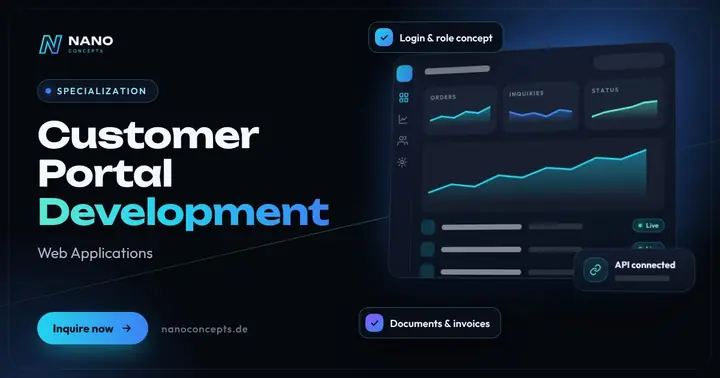
Customer Portal Development
A protected self-service area where your customers retrieve orders, invoices, documents and tickets themselves.
Learn more
Web Applications
Customer portals, dashboards and SaaS platforms that run in the browser – no installation, on any device.
Learn more
API & Backend Development
APIs and backends that connect ERP, CRM, store and apps – automatic data exchange instead of retyping.
Learn more
Web Security
Find and fix vulnerabilities – for websites, online stores, customer portals and custom web applications.
Learn moreFrequently asked questions
There is no serious flat figure because range of features, roles and rights, integrations, data migration and security requirements vary greatly. At Nano Concepts, customer portals typically start with the Professional package from €8,000; larger portals are quoted individually as Enterprise projects. The exact quote follows after the free initial consultation.
A member area usually offers login and protected content. A customer portal is an application with roles, processes and data from your systems in which customers handle tasks themselves. The effort, and therefore the price, is correspondingly higher.
Standard software is set up quickly but reaches its limits with special processes and integrations. A custom build fits your processes exactly, costs more at first and belongs to you. A mix of proven building blocks and custom logic often makes sense.
That depends on the range of features, rights and integrations. A lean start with one core function is considerably faster than a portal with several system connections. We give you a realistic schedule after clarifying the requirements in the initial consultation.
Security depends on concept and operation: secure login, well-thought-out rights, encrypted transmission, logging, updates and backups. The requirements of the GDPR must also be observed. During development we plan these points in from the start.
There are costs for hosting, maintenance, updates, support and, where applicable, licenses for additional services; further development comes on top. How high these items are depends on scope and number of users. A good quote shows the ongoing costs separately from development.
More guides & comparisons
How much does a booking system cost – and what does the price depend on?
What a booking system costs depends on what is booked – appointments, tables, rooms, courses or equipment – how complex the rules are and whether a standard solution is…
Learn more
How much does it cost to have software developed?
The cost of software development depends on the feature scope, the number of user roles, integrations with existing systems, security and data protection requirements,…
Learn more
How can you use AI in a company in a GDPR-compliant way?
AI can be used in a GDPR-compliant way in a company if there is a legal basis for the processing, a data processing agreement is in place with the AI provider,…
Learn more
PHP or Node.js – which backend technology is right for your project?
PHP is the pragmatic choice for classic websites, online stores, CMS projects and structured business applications: mature, with frameworks such as Laravel and Symfony,…
Learn more
Native app or progressive web app (PWA) – which is better?
A PWA is enough if your app mainly handles content, forms, bookings or orders, should work without an app store and needs to be available quickly on all devices.
Learn more
React or Next.js – which setup is right for your web application?
“React or Next.js” is not a question of opposites: Next.js is a framework built on top of React that adds routing, server-side rendering and a ready-made build setup.
Learn moreNeeds analysis: Customer portal cost
Answer a few short questions – we usually get back to you within 24 hours with an initial assessment.
Request a project
