
WordPress or Webflow – or maybe Framer?
Whether it's “WordPress or Webflow” or “Webflow or Framer,” the question comes down to open-source flexibility versus hosted design tools. We compare all three systems from a business perspective.
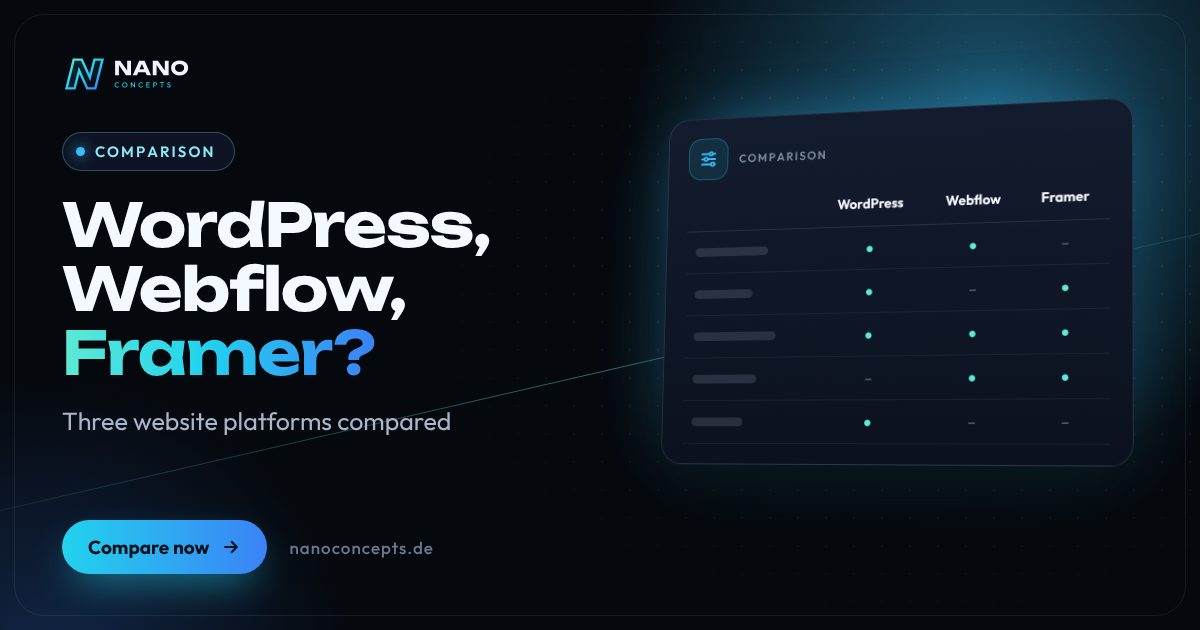
In the “WordPress or Webflow” comparison, WordPress is the right choice if you need full control over hosting and data, a large extension ecosystem or a store with WooCommerce. Webflow suits design-driven marketing websites with a structured CMS, where hosting and system maintenance should be handled by the provider. Framer is strongest for quickly built, visually sophisticated landing pages and smaller websites. The more complex your features, interfaces and data storage become, the more everything points to WordPress or a custom solution.
Strengths and weaknesses at a glance
WordPress
An open-source CMS that you run with a hosting provider of your choice. Themes, the block editor and a very large selection of plugins cover almost any type of website – from a company site to a store.
Strengths
- Full control over hosting, data and code – you can freely choose a server location in Germany.
- A very large ecosystem of plugins, themes and service providers, including for stores with WooCommerce.
- No lock-in to a platform provider; moving to another host is possible at any time.
- Multilingual setups, member areas, bookings or integrations can be added.
Weaknesses
- Updates, backups and security are your responsibility or that of your service provider.
- Quality and load time depend heavily on theme and plugin choices.
- Visual page builders such as Elementor are convenient but can weigh on code and performance.
Ideal for: Companies that prioritize independence, extensibility and data sovereignty.
Webflow
A hosted platform with a visual editor that generates clean HTML and CSS. CMS, interactions and hosting come from a single provider.
Strengths
- Precise design in the browser with control over layout, responsive behavior and animations.
- The provider takes care of hosting, the SSL certificate and platform updates.
- A structured CMS with collections for a blog, case studies or job postings.
- Editors change text and images directly on the page.
Weaknesses
- Platform lock-in: a code export does not include working CMS content.
- Logins, complex functions or deep integrations are only possible to a limited extent or with additional services.
- Ongoing subscription costs per website; data processing at the provider must be reviewed for data protection compliance.
Ideal for: Marketing websites with high design standards and teams that don't want to manage servers.
Framer
Originally a prototyping tool, now a design-focused website builder. Pages are created much like in a graphics program and published directly with the provider.
Strengths
- A very fast path from design to published page; the way of working is familiar to designers.
- Animations and modern effects without programming.
- CMS, localization and hosting are integrated.
- Ideal for quickly testable campaign and product pages.
Weaknesses
- Less suited to large websites with many content types, roles and interfaces.
- No traditional code export; the website stays tied to the platform.
- A smaller ecosystem of extensions and service providers than WordPress.
Ideal for: Startups, product launches and landing pages that need to convince quickly and visually.
The most important criteria compared side by side
| Criterion | WordPress | Webflow | Framer |
|---|---|---|---|
| System type | Open-source CMS, self-hosted | Hosted design and CMS platform | Hosted, design-oriented website builder |
| Design freedom | High, depending on theme or custom development | Very high, visual in the browser | Very high, especially for animations |
| CMS & content | Very flexible, any content types | Structured collections with plan limits | Simple CMS for blog and lists |
| Extensions | Very large plugin ecosystem | Apps, integrations and code embeds | Smaller plugin selection |
| Store | Extensive with WooCommerce | Built-in store features for smaller catalogs | Via external services |
| Hosting & data | Freely selectable, e.g. servers in Germany | With the provider | With the provider |
| Maintenance | Updates yourself or via maintenance contract | Platform updates by the provider | Platform updates by the provider |
| Vendor lock-in | Low | High | High |
| Ideal for | Company websites, stores, complex projects | Design-driven marketing websites | Landing pages and launch pages |
WordPress vs. Webflow: control or convenience?
The most important difference between WordPress and Webflow isn't design but the operating model. WordPress is open source: you choose the host, server location and extensions yourself and can move the website at any time. In return, updates, backups and security have to be organized – in-house or through a maintenance contract. With a lean theme and a few plugins, this effort stays very manageable.
Webflow is a hosted platform. The provider takes care of servers, the SSL certificate and system updates, and designers work visually on the layout directly. The flip side is lock-in: the website lives on the platform, the CMS can't simply be taken along, and functionality ends where the provider offers no solution. For marketing websites this is rarely a problem, but for growing platforms it is.
Webflow or Framer: what's the difference?
Webflow and Framer are often mentioned in the same breath, but they set different priorities. Webflow works close to HTML and CSS, with the box model, classes and a structured CMS. That takes more onboarding but makes larger websites with many pages and content types possible. For web designers who value cleanly structured classes and components, Webflow is therefore often the obvious choice. Multilingual setups and content management can also be built systematically there.
Framer feels more like a design tool. Layouts are created freely on the canvas, animations are quick to implement, and a page is online in no time. For a product landing page or a startup website, that is a real advantage. As soon as many content types, roles or interfaces are required, however, Framer hits its limits sooner than Webflow.
Webflow or Elementor – and what about Wix or Shopify?
Elementor is not a system of its own but a visual page builder for WordPress. It offers design convenience similar to Webflow and keeps the openness of WordPress. The price is often more code and longer load times. For long-lived company websites, we therefore prefer the native block editor or a lean, custom-developed theme.
Wix is a website builder for beginners that offers less design depth than Webflow but is very easy to use – more on this in our comparison “WordPress or website builder.” Shopify belongs to a different category: it is a store platform and plays to its strengths when online sales are the main focus. If selling is your main goal, settle the store question first.
Data protection and maintenance for WordPress, Webflow and Framer
With Webflow and Framer, the website and form data reside with the platform provider. Review the data processing agreement, server locations and embedded services such as fonts, analytics or form backends. Cookie consent and the privacy policy must match the technology actually in use. With WordPress, you decide where the data is stored, but you also bear responsibility for a secure configuration.
When it comes to maintenance, it's the other way around: hosted platforms take system updates off your hands, whereas a WordPress installation has to be maintained regularly. With a few well-maintained plugins and a maintenance contract, this effort stays manageable. For all three systems it is important to settle responsibilities for content, updates and emergencies in advance. This overview does not replace legal advice.
For most companies with growth plans, a need for integrations or a store, WordPress is the more future-proof foundation – provided it is implemented lean and kept up to date. Webflow is a strong option for design-driven marketing websites without in-house server management, Framer for fast landing pages and launches. Nano Concepts advises neutrally: together with our partner agency LOMA DESIGN, we determine which system fits your content, your team and your data protection requirements, and deliver design and development from a single source.
We implement all options
Web Design
Websites that show your brand clearly and guide visitors straight to an inquiry – designed with LOMA DESIGN.
Learn more
WordPress Development
WordPress websites with a custom theme and bespoke plugins – fast, secure and easy to maintain.
Learn more
Web Development
Websites with real functionality: calculators, forms, customer portals and integrations – cleanly programmed and fast.
Learn more
Headless CMS
Maintain content centrally and publish it to your website, app and other channels – with a fast front end and clear editorial workflows.
Learn moreFrequently asked questions
Neither system is better across the board. WordPress offers more control, extensibility and free choice of hosting, but requires regular maintenance. Webflow takes hosting and system updates off your hands and offers plenty of design freedom, but ties you to the platform.
For a company website with several sections, a blog and case studies, Webflow is usually the sturdier choice because its CMS is more structured. Framer is particularly well suited to lean websites and landing pages that need to go live quickly and look visually sophisticated.
Yes, but it is a migration, not a one-click export. Content is transferred, and design and functionality are rebuilt in WordPress. To preserve rankings, URLs should be planned and old addresses redirected to the new ones with 301 redirects.
A privacy-compliant setup is generally possible, but it depends on the contract, server locations and embedded services. Review the data processing agreement, data transfers and cookie consent case by case. This note does not replace legal advice.
Costs depend less on the system than on the number of pages, design, content and functions; with Webflow and Framer, ongoing platform subscriptions are added. Our packages start at Starter from €2,500 and Professional from €8,000. You receive the exact quote after the free initial consultation.
More comparisons & guides
WordPress or a custom-coded website – which is worth it?
WordPress is the efficient choice for classic business websites that editors maintain themselves and that get by with proven features.
Learn more
WordPress or a website builder like Wix and Jimdo – which is the better fit?
A website builder like Wix or Jimdo is the right choice if you want to run a small website with only a few pages yourself, quickly and without technical effort – the…
Learn more
WordPress or TYPO3 – which CMS is right for your company?
WordPress is the right choice for most business websites, blogs and stores, up to mid-sized companies (Mittelstand): quick to set up, easy to use and backed by the…
Learn more
How much does a website cost – and what does the price depend on?
What a website costs depends mainly on scope, design ambition, content, features such as appointment booking or a shop, and the technical system.
Learn more
How long does it take to build a website?
How long it takes to build a website depends mainly on scope, features and how quickly texts, images and approvals are ready.
Learn more
What do you need for your own website?
For your own website you need five building blocks: a domain as the address, hosting as the storage location, the website itself – built with a CMS, a site builder or…
Learn moreNeeds analysis: WordPress, Webflow, Framer?
Answer a few short questions – we usually get back to you within 24 hours with an initial assessment.
Request a project
