
What do you need for your own website?
Anyone planning a website for the first time quickly runs into terms like DNS, web space or CMS. Here we explain step by step what you really need to build a website and put it online – and what you can safely leave out.
For your own website you need five building blocks: a domain as the address, hosting as the storage location, the website itself – built with a CMS, a site builder or custom-coded –, content such as text, images and a logo, and legal texts including a legal notice (Impressum) and a privacy policy. An SSL certificate for the encrypted connection is standard today and is already included with many hosts. You generally do not need your own server for this.
Do I need a domain for a website?
Technically, a website can also run at an address provided by the vendor, for example as a subpage of a site builder. For a business, though, your own domain is indispensable: it looks professional, stays with you if you switch providers and enables matching email addresses such as info@yourcompany.de. For businesses in Germany, a .de domain is usually the obvious choice.
When registering, make sure the domain is registered in your company's name and not to an agency or a former employee. Before choosing, also check whether the name might infringe trademark or name rights of third parties. Short, easy-to-spell domains without special characters make it easier for customers to recommend you on the phone or in conversation.
Do you need a server for a website?
You do not need a server of your own in the basement. Websites live with a host that provides storage space, computing power and internet connectivity. For most company websites, a web hosting package or managed hosting, where the provider takes care of the operating system and server maintenance, is enough. Your own virtual or dedicated server only pays off with special performance or security requirements.
Such requirements include web apps with many simultaneous users, custom databases for customer portals or strict security specifications. With website builders and hosted e-commerce platforms, hosting is already included in the subscription. For a business website, choose a provider with a data center in the EU and conclude a data processing agreement with it.
What do I need to host a website?
For hosting you need a contract with a provider, a connection between your domain and the hosting via DNS records, and an SSL certificate. Many hosts offer free certificates that renew automatically. For WordPress and similar systems, a database and a current PHP version are added, which your hosting must support.
Just as important as the start is ongoing operation: regular backups stored in a separate location, updates for the CMS and extensions, and monitoring to check that the website is reachable. Clarify before choosing who takes on these tasks – you yourself, the host or an agency. A maintenance contract settles these points in a binding way.
- Hosting contract with a data center in the EU
- DNS records for domain and email
- SSL certificate with automatic renewal
- Database and current PHP version (for a CMS)
- Backups stored in a separate location
- Data processing agreement
What is the website built with: site builder, CMS or custom?
Site builders are quick to set up and suit simple pages, but they tie you to one provider. A content management system such as WordPress is flexible, widely used and can be supported by many service providers. Custom-coded websites or headless solutions offer the most freedom in load time, design and features, but need specialists for further development.
The right choice depends on who maintains the content and what the website should be able to do in the future. If your team regularly publishes news, a simple editing interface matters more than fancy effects. If the website is to work together with your CRM, a booking system or a customer portal, it is worth considering a custom solution.
Content: text, images, logo and legal texts
The technology is set up quickly; the content decides success. You need texts about your services, a short introduction of your company, contact details, meaningful photos and a good-quality logo. Real pictures of your team and your work usually come across as more credible than interchangeable stock photos. With third-party images, be sure to check the usage rights.
For business websites in Germany, a legal notice (Impressum) and a privacy policy are mandatory; if you use cookies or external services that require consent, a consent banner is added. We explain what to bear in mind in detail in the guide “What legal requirements must a website meet in Germany?” This note gives only an overview and does not replace legal advice.
Do you need a business registration for a website?
In Germany, you do not need a business registration (Gewerbe) for the website itself – you can run a private website about your hobby, your club or your family without registering a business. What matters is what you do with the website. If you sell products through it, offer services or regularly earn money, for example with ads or affiliate links, a business registration may become necessary.
Members of the liberal professions such as doctors, architects or tax advisors do not register a business but still need a legal notice with professional-law information for their website. If in doubt, clarify the question with the trade office or your tax advisor. This section gives only a general overview and does not replace legal or tax advice in a specific individual case.
What do you need to publish a website?
To publish, you upload the finished website to the hosting or release it in the CMS, connect the domain via DNS and activate the SSL certificate. Afterward you should test all pages on smartphone and desktop, try out forms and check that the messages actually arrive in your inbox. Only then is the website ready for visitors.
So that Google finds your website, set up Search Console and submit an XML sitemap. For a relaunch, redirects from old to new addresses are part of the process. If you have your website built by us, we take care of these steps at launch – you receive a finished, reachable and measurable website without having to deal with the technology.
What to look out for
Domain
Your address on the internet – registered to your company, short and easy to remember.
Hosting
The storage location of the website, ideally with a data center in the EU, backups and a data processing agreement.
SSL certificate
Provides the encrypted connection and is the basis for trust and secure forms.
CMS, site builder or code
The technology used to build and maintain the website – matched to your team and your goals.
Content
Texts, photos, logo and contact details that convince visitors.
Legal texts
Legal notice (Impressum), privacy policy and, if needed, a consent banner.
Maintenance
Updates, backups and monitoring so the website stays secure and reachable.
Your take-away checklist
- Preferred domain checked and registered to your company
- Hosting with an EU data center and data processing agreement chosen
- SSL certificate active and renewed automatically
- Technology decided: site builder, CMS or custom development
- Texts, photos and logo prepared
- Legal notice (Impressum) and privacy policy created
- Backups and updates organized
- Search Console set up and sitemap submitted
How we support you
Web Design
Websites that show your brand clearly and guide visitors straight to an inquiry – designed with LOMA DESIGN.
Learn more
Web Development
Websites with real functionality: calculators, forms, customer portals and integrations – cleanly programmed and fast.
Learn more
WordPress Development
WordPress websites with a custom theme and bespoke plugins – fast, secure and easy to maintain.
Learn more
Databases & Cloud
Data architecture, migration and cloud hosting – high-performing, secure and, on request, in German data centers.
Learn moreFrequently asked questions
You need a domain, hosting, a technical foundation such as WordPress, a site builder or custom code, as well as content and legal texts. An SSL certificate for the secure connection is also required. If you have the website built for you, the agency takes care of technology and setup.
No, generally not. Web hosting or managed hosting is enough for most company websites. Your own servers only pay off for web apps, many simultaneous users or special security requirements.
With many site builders, yes; the website then runs at an address belonging to the provider. For businesses this is not recommended because it looks unprofessional and the address is lost if you switch providers. Your own domain is the solid foundation.
Not for the website itself. In Germany, a business registration can become necessary if you regularly sell or earn money through the website with the intention of making a profit. Clarify your individual case with the trade office or a tax advisor – this note does not replace legal advice.
You need the finished website, hosting, a domain connected via DNS and an active SSL certificate. Before launch, the legal notice (Impressum), privacy policy and forms should be checked. Then set up Search Console so that Google finds the website.
That depends on scope, design and features. Our packages offer guidance: Starter from €2,500, Professional from €8,000, Enterprise priced individually. After the free initial consultation you receive a transparent quote, preferably at a fixed price for a clearly defined scope.
More guides & comparisons
How much does a website cost – and what does the price depend on?
What a website costs depends mainly on scope, design ambition, content, features such as appointment booking or a shop, and the technical system.
Learn more
How long does it take to build a website?
How long it takes to build a website depends mainly on scope, features and how quickly texts, images and approvals are ready.
Learn more
How to set up a cookie banner correctly: what to consider legally and technically
A cookie banner is in order when non-essential cookies and similar technologies are set only after active, informed consent.
Learn more
WordPress or a website builder like Wix and Jimdo – which is the better fit?
A website builder like Wix or Jimdo is the right choice if you want to run a small website with only a few pages yourself, quickly and without technical effort – the…
Learn more
WordPress or a custom-coded website – which is worth it?
WordPress is the efficient choice for classic business websites that editors maintain themselves and that get by with proven features.
Learn more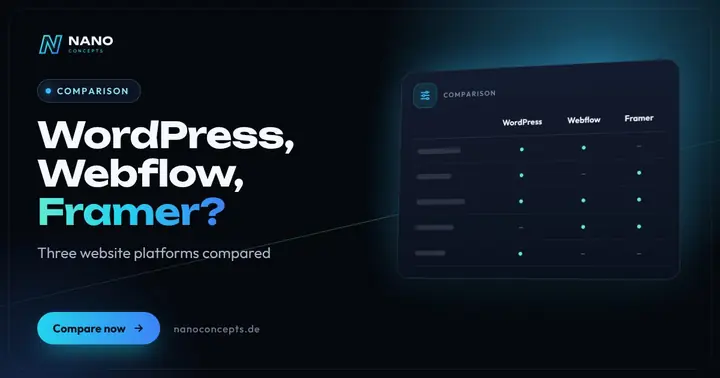
WordPress or Webflow – or maybe Framer?
In the “WordPress or Webflow” comparison, WordPress is the right choice if you need full control over hosting and data, a large extension ecosystem or a store with…
Learn moreNeeds analysis: What does a website need?
Answer a few short questions – we usually get back to you within 24 hours with an initial assessment.
Request a project
