
How to set up a cookie banner correctly: what to consider legally and technically
A banner that only informs but still loads tracking scripts immediately protects nobody – and not you. Here you can read what a cookie banner must achieve, what the technical implementation looks like and which mistakes occur most often.
A cookie banner is in order when non-essential cookies and similar technologies are set only after active, informed consent. Visitors must be able to decide against consent as easily as for it, purposes and providers must be recognizable, and the decision must be revocable at any time and provable. Technically necessary cookies need no consent. In Germany, the basis is mainly Section 25 of the German Telecommunications and Digital Services Data Protection Act (TDDDG) and the GDPR. This guide gives an overview as of October 2026 and does not replace legal advice.
When do you need a cookie banner – and when not?
What matters is not whether a website uses “cookies” but what for. Technically necessary storage, for example for the shopping cart, login or the security of the site, needs no consent. Consent is, however, required for everything that is not strictly necessary: audience measurement, marketing and advertising pixels, remarketing and embedded third-party content, if information is stored on or read from the device in the process.
This applies not only to cookies but also to similar techniques such as the browser’s local storage or fingerprinting. A website that uses only necessary technology can do without a banner; it still needs a complete privacy policy. So first get an overview of which services your site actually embeds – it is often more than one thinks.
The legal bases at a glance
In Germany, Section 25 of the TDDDG regulates when information may be stored on or read from the end device: in principle only with consent, unless the storage is strictly necessary so that a service requested by the user can be provided. If personal data is processed in the process, the GDPR also applies, setting requirements for voluntariness, information, specificity and provability of consent.
Valid consent is voluntary, informed, tied to specific purposes and given by an unambiguous active act. The European Court of Justice and the Federal Court of Justice have ruled on pre-ticked boxes that these do not constitute valid consent. The legal situation and the interpretation by the supervisory authorities continue to develop; for your individual case, please turn to a data protection or legal adviser.
What a compliant banner looks like
On the first layer, the visitor must understand what it is about: which technologies are used for what, and who is responsible? The option to refuse should be as easy to reach as consent. In the view of the German supervisory authorities, this means in practice a button for refusing that is designed equivalently to the button for accepting, not hidden in a text link or a grey field.
On the second layer, visitors can switch categories or individual services on and off. Defaults must be set to “off”, except for necessary functions. The privacy policy and legal notice (Impressum) must also be reachable without answering the banner. The decision must be changeable at any time later, for example through a permanently visible link in the footer. The banner should also be operable by keyboard and screen reader.
- First layer: clear explanation, purposes, controller
- Equivalently designed buttons for accepting and refusing
- Second layer: selection by category or individual service
- No pre-selected boxes for non-essential services
- Links to privacy policy and legal notice without forcing a decision
- Permanent link to change or withdraw consent
Technical implementation: load scripts only after consent
The most common mistake lies not in the text but in the technology: the banner appears, but analytics or advertising scripts already load on page view. That makes the consent worthless. Non-essential scripts may start only after the visitor has agreed. You achieve this through a consent solution that blocks scripts, or through a tag manager that ties triggers to consent.
Embedded content such as videos or maps should also be loaded only after consent, for example via a placeholder with a click. Fonts and scripts that you deliver locally avoid transfers to third parties from the outset. If you use Google services, check whether their consent mode is correctly connected to the banner. Check the implementation in a new browser window with the developer tools: before the decision, no requests may go to advertising or analytics services.
Documentation, withdrawal and ongoing maintenance
You must be able to prove that and how visitors consented. Good consent solutions log the decision with the time and the version of the banner. The list of services in use, in the banner and in the privacy policy, must match reality. When a new tool is embedded, such as a chat widget or a pixel, updating both places belongs to the same work step.
Plan regular checks, because websites change: plugins are updated, services change their behavior, marketing adds scripts. A scan of the website for cookies set and third parties called helps to discover deviations. Withdrawal must be as easy as consent; after a withdrawal, the site should switch the corresponding services off again.
Common mistakes – and how Nano Concepts helps
Typical mistakes are a banner without an equivalent refuse option, scripts that load before consent, outdated service lists, a banner that covers the legal notice and privacy policy, and a design pattern that pushes people to agree. Sometimes the privacy policy also does not match what the site actually embeds. Such deviations can lead to complaints, warning letters or claims for damages.
Nano Concepts sets up the consent solution technically cleanly: we inventory the embedded services, block non-essential scripts until consent, design the banner to match your brand and check the result in the browser. This is part of our website projects (Starter from €2,500, Professional from €8,000) and can also be requested for existing sites; the quote follows the free initial consultation. Please clarify the legal assessment and the wording with your data protection or legal adviser.
What to look out for
Services in use
Audience measurement, advertising pixels, embedded videos and maps determine whether and which consents are needed.
Consent solution
A ready-made consent tool or a custom implementation differ in functionality, proof and maintenance effort.
Banner design
Equivalent buttons, clear texts and purpose selection are prerequisites for valid consent.
Technical blocking
Non-essential scripts may be loaded only after consent – the banner alone is not enough.
Proof and withdrawal
Decisions must be documented and changeable at any time.
Third-country transfers
Services that process data outside the EU require additional legal review.
Accessibility
The banner must be operable by keyboard and screen reader and must not make the page unusable.
Ongoing maintenance
New plugins and tools require that banner, service lists and privacy policy be adjusted.
Your take-away checklist
- Record all cookies, scripts and embedded services of the website
- Separate necessary from non-essential services
- Compare the privacy policy with the services actually embedded
- Design the banner with equivalent accept and reject buttons
- Block non-essential scripts until consent
- Build a permanent link to change or withdraw consent
- Check in a new browser window that nothing loads before the decision
- Plan regular checks and clarify the legal assessment with a specialist adviser
How we support you

Web Development
Websites with real functionality: calculators, forms, customer portals and integrations – cleanly programmed and fast.
Learn more
WordPress Development
WordPress websites with a custom theme and bespoke plugins – fast, secure and easy to maintain.
Learn more
Accessible Website
Websites that work with keyboard, screen reader and magnification – built to WCAG, as a new build or a rebuild.
Learn more
Technical SEO Audit
A review of your website's crawling, indexing, structure and load time – with a prioritized action plan and implementation.
Learn moreFrequently asked questions
You need a consent prompt as soon as you use non-essential cookies or similar technologies, such as audience measurement, advertising pixels or embeds with data transfer. If your site uses only necessary technology, no banner is required. This guide does not replace legal advice.
The German supervisory authorities expect that refusing can be done as easily as agreeing, in practice with an equivalent button on the first layer. The interpretation may continue to develop; if in doubt, your data protection adviser will clarify it.
No. Cookies and similar technology that are strictly necessary for a service expressly requested by the user, for example for the shopping cart, login or security, do not require consent. You must still provide information about them in the privacy policy.
Audience measurement generally requires consent. Fonts can be embedded locally so that no data goes to third parties. Videos and maps should be loaded only after consent or a click. The exact assessment depends on the specific service and configuration.
You must be able to prove that valid consent existed for as long as you process the data on that basis. Good consent solutions log time, decision and banner version. Please clarify specific retention periods with your data protection adviser.
A plugin is a good starting point but is enough only if it is configured correctly and actually blocks the non-essential scripts. After setup, check in the browser that nothing loads before consent. We are happy to take over the technical setup and the check.
More guides & comparisons
How much does a website cost – and what does the price depend on?
What a website costs depends mainly on scope, design ambition, content, features such as appointment booking or a shop, and the technical system.
Learn more
How long does it take to build a website?
How long it takes to build a website depends mainly on scope, features and how quickly texts, images and approvals are ready.
Learn more
What do you need for your own website?
For your own website you need five building blocks: a domain as the address, hosting as the storage location, the website itself – built with a CMS, a site builder or…
Learn more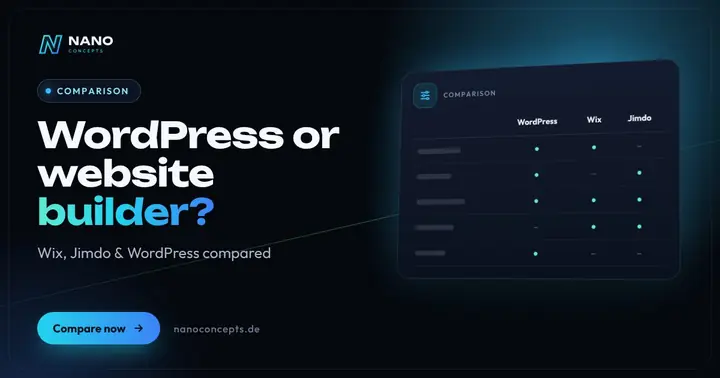
WordPress or a website builder like Wix and Jimdo – which is the better fit?
A website builder like Wix or Jimdo is the right choice if you want to run a small website with only a few pages yourself, quickly and without technical effort – the…
Learn more
Wix or WordPress – which system is the better foundation for your company website?
Wix is the right choice if you want to build and maintain a manageable company website yourself, quickly, and do not want to take responsibility for technology, hosting…
Learn more
WordPress or TYPO3 – which CMS is right for your company?
WordPress is the right choice for most business websites, blogs and stores, up to mid-sized companies (Mittelstand): quick to set up, easy to use and backed by the…
Learn moreNeeds analysis: Set up a cookie banner
Answer a few short questions – we usually get back to you within 24 hours with an initial assessment.
Request a project
