
WordPress or a custom-coded website – which is worth it?
The question “WordPress or custom website?” comes up with almost every relaunch. Here you will learn what really sets the three approaches apart and when each path pays off for your business.
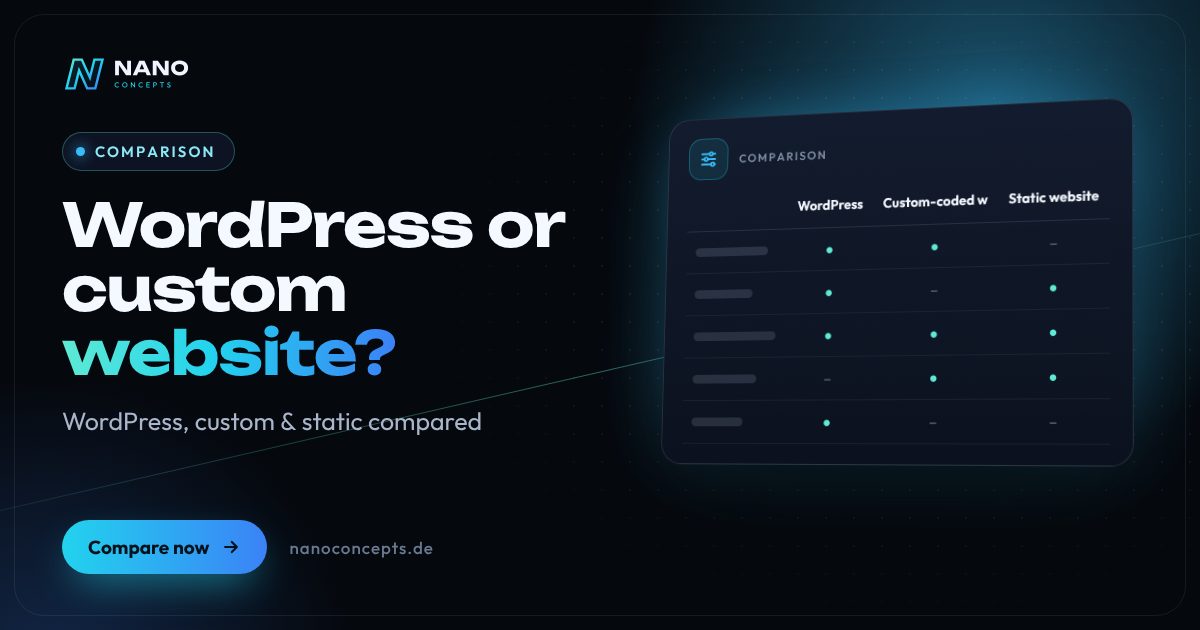
WordPress is the efficient choice for classic business websites that editors maintain themselves and that get by with proven features. A custom-coded website is worth it if business logic, integrations, performance or a distinctive user experience are the focus, which a standard CMS could only reproduce with many plugins. Static websites built from HTML or a static site generator are especially fast, secure and low-maintenance when content rarely changes or a headless CMS takes over editing. For Google, what counts is not the system but quality, structure and load time.
Strengths and weaknesses at a glance
WordPress
Proven open-source CMS with block editor, themes and plugins. You maintain the content yourself; features mostly come from ready-made extensions.
Strengths
- Quick to implement, many features available immediately
- Convenient content editing without programming skills
- Large market of service providers, little dependence on individuals
- Mature ecosystem of SEO tools
Weaknesses
- Performance and security depend heavily on the theme and plugins
- Regular updates to the core, theme and plugins required
- Custom logic becomes laborious as complexity grows
Ideal for: Business websites, guides and blogs with standard features and regular content updates.
Custom-coded website
Website whose code is built specifically for your requirements, for example with Laravel, Next.js or another framework – often combined with a headless CMS for content editing.
Strengths
- Features, design and data model exactly according to your requirements
- No unnecessary code, very good load times possible
- Deep integration of interfaces, configurators or customer portals
- Smaller attack surface than a widely used standard CMS
Weaknesses
- Higher effort for concept and development
- New features require development instead of plugin installation
- Clean documentation needed to avoid dependence on a single service provider
Ideal for: Websites with their own business logic, integrations or high demands on performance and user experience.
Static website (HTML/static site generator)
Fully generated HTML pages without a database, written by hand or produced with static site generators such as Hugo, Astro or Eleventy and delivered via a CDN.
Strengths
- Very fast load times, ideal for Core Web Vitals
- Minimal attack surface with no database and no admin login
- Simple, inexpensive hosting and hardly any maintenance
- Versionable and reproducible via Git
Weaknesses
- Content editing without a headless or Git-based CMS only with developer help
- Dynamic features only through external services or APIs
- Less convenient for content that changes very frequently
Ideal for: Company websites, landing pages and documentation with a manageable change frequency and high speed requirements.
The most important criteria compared side by side
| Criterion | WordPress | Custom-coded website | Static website (HTML/static site generator) |
|---|---|---|---|
| Project start | Fast | Longer, including concept | Fast to medium |
| Content editing | Convenient in the editor | Depends on the CMS connection | Via headless CMS or developer |
| Flexibility | High within the system | Unrestricted | High in design, limited for dynamic features |
| Load time | Good with clean implementation | Very good possible | Very good |
| Security | Good with consistent maintenance | High, own responsibility | Very high, hardly any attack surface |
| Maintenance effort | Regular updates required | Depends on the architecture | Low |
| Interfaces & logic | Via plugins, limited | Integrable as desired | Via APIs and external services |
| Dependence | Low, large service provider market | Higher, documentation important | Low with standard generators |
| SEO potential | High | High | High |
WordPress vs. custom website: when is standard enough?
WordPress covers most of what a business website needs: service pages, a blog, contact forms, multilingual support and SEO basics. The advantage lies in speed – much of it doesn't have to be developed, only configured and designed. It becomes critical when another plugin is added for every requirement. Beyond a certain point, coordinating extensions costs more time than targeted custom development.
A custom-coded website is not an end in itself. It pays off when the website is part of your business model: product configurators, price calculations, customer areas, connections to ERP or CRM, or a user experience meant to stand out clearly from the competition. A headless CMS is usually used for content editing, so your team can still change texts and images themselves.
WordPress or HTML: the underrated static website
Many company websites change only a few times a year. For them, a static website is often the most elegant solution: pages are generated in advance and delivered as finished HTML – no database, no plugins, no login that can be attacked. Modern static site generators such as Hugo, Astro or Eleventy turn this into a professional system with templates, components and automatic publishing.
The catch is maintenance. Without additional tools, every text change needs a developer. A headless CMS or a Git-based editor solves this: editors maintain content in the browser, and the site is rebuilt automatically. Forms, search or bookings are integrated via APIs or external services. This way, a static website combines high speed with convenient operation.
SEO and load time: is a custom website better for Google?
Google doesn't rate a CMS, but content, structure, load time, mobile usability and technical cleanliness. A poorly built custom website doesn't rank better than a well-maintained WordPress site. The advantage of custom and static solutions is that they get by without superfluous code, so the Core Web Vitals – that is, load time, responsiveness and layout stability – can be optimized more precisely.
WordPress can be just as fast if the theme, plugins, images and caching are consistently optimized. With all three approaches, what matters is a well-thought-out SEO foundation: clean URL structure, internal linking, structured data, meaningful page titles and descriptions and, in a relaunch, gap-free 301 redirects. If you master these basics, you are well positioned with any of the three paths.
WordPress alternatives in 2026: which CMS options exist
If you're looking for a WordPress alternative, there is plenty of choice today. Headless CMSs such as Strapi, Directus or Payload can be self-hosted, while hosted systems such as Storyblok or Contentful offer convenient editing interfaces as a service. For smaller websites, flat-file CMSs such as Kirby or Statamic, which don't need a database, are interesting. Classic alternatives such as TYPO3 or Contao fit large, highly structured websites better.
The choice of system should be guided by editorial processes, integrations and in-house know-how, not by trends. Check who maintains the content, how often content changes, which systems are connected and who will look after the website in the long term. Costs depend on scope and features; at Nano Concepts, Starter from €2,500, Professional from €8,000 and Enterprise priced individually serve as a guide, with the exact quote following after the initial consultation.
For a classic business website with regular content updates, WordPress is usually the most economical solution. If content rarely changes and maximum loading speed counts, a static website with a headless CMS is a strong alternative. As soon as business logic, integrations or a distinctive user experience make the difference, a custom-coded website is worthwhile. Nano Concepts implements all three approaches – together with our partner agency LOMA DESIGN, design and content from a single source as well – and recommends the path that fits your goals and your team.
We implement all options

Web Development
Websites with real functionality: calculators, forms, customer portals and integrations – cleanly programmed and fast.
Learn more
Web Design
Websites that show your brand clearly and guide visitors straight to an inquiry – designed with LOMA DESIGN.
Learn more
WordPress Development
WordPress websites with a custom theme and bespoke plugins – fast, secure and easy to maintain.
Learn more
Headless CMS
Maintain content centrally and publish it to your website, app and other channels – with a fast front end and clear editorial workflows.
Learn moreFrequently asked questions
Not automatically. It is better if your requirements go beyond what WordPress delivers with a few well-maintained plugins – for example with configurators, customer portals or complex interfaces. For classic company websites, WordPress is usually quicker and cheaper to implement.
Google doesn't favor any system. Custom and static websites can often be optimized more easily for very good load times because no superfluous code is loaded. With a lean theme, few plugins and good caching, however, WordPress also achieves very good scores.
Yes, if a CMS is connected. For custom and static websites, this is usually a headless CMS in which you edit texts, images and pages in the browser. Without a CMS, changes are only possible with developer support – for pages that rarely change, that can still make sense.
There is no one best alternative across the board; it depends on the use case. For headless projects, Strapi, Directus, Payload or Storyblok are common, for smaller websites flat-file CMSs such as Kirby or Statamic, for large portals TYPO3. Static websites with generators such as Hugo or Astro are also a strong option.
Custom websites generally require more concept and development effort, but can be leaner to operate. The costs depend on page count, design, features and interfaces. Our packages serve as a guide: Starter from €2,500, Professional from €8,000 and Enterprise priced individually – the exact quote follows after the free initial consultation.
More comparisons & guides
WordPress or Webflow – or maybe Framer?
In the “WordPress or Webflow” comparison, WordPress is the right choice if you need full control over hosting and data, a large extension ecosystem or a store with…
Learn more
WordPress or a website builder like Wix and Jimdo – which is the better fit?
A website builder like Wix or Jimdo is the right choice if you want to run a small website with only a few pages yourself, quickly and without technical effort – the…
Learn more
WordPress or TYPO3 – which CMS is right for your company?
WordPress is the right choice for most business websites, blogs and stores, up to mid-sized companies (Mittelstand): quick to set up, easy to use and backed by the…
Learn more
How much does a website cost – and what does the price depend on?
What a website costs depends mainly on scope, design ambition, content, features such as appointment booking or a shop, and the technical system.
Learn more
How long does it take to build a website?
How long it takes to build a website depends mainly on scope, features and how quickly texts, images and approvals are ready.
Learn more
What do you need for your own website?
For your own website you need five building blocks: a domain as the address, hosting as the storage location, the website itself – built with a CMS, a site builder or…
Learn moreNeeds analysis: WordPress or custom website?
Answer a few short questions – we usually get back to you within 24 hours with an initial assessment.
Request a project
