
What is deployment?
Deployment is the process of making software available in a target environment, such as a test server or the live system, so that users can use it. It covers transferring the code, configuration, database changes and starting the application—ideally automated and with a way back.
Deployment: definition and scope
Deployment (in German: Bereitstellung or Auslieferung) is the step in which a finished software version is brought to where it runs: first to a test or staging environment, finally to the production system that customers and employees actually use. It includes transferring the code, applying the right configuration and, in most cases, changing the database.
Deployment should be distinguished from a release: a release is the decision to make a version available to users, while deployment is the technical process. The two can happen at different times, for example when new features are already delivered but only made visible to users later via a feature flag.
How a deployment works
In the past, a developer copied files to the server via FTP—error-prone and hard to trace. Today a deployment pipeline handles the process: the code is pulled from version control, built, tested automatically and then rolled out. This is the delivery part of CI/CD and makes every version reproducible.
There are several strategies for going live, and they differ in risk and effort. Which one fits depends on how critical the application is and how much downtime the business can tolerate. For small websites, simply switching over during a quiet hour is often enough; shops, portals and systems with many simultaneous users benefit from methods that need no interruption.
- Rolling update: servers are updated one after another, so the system stays available
- Blue-green: the new version runs in parallel and traffic is switched over
- Canary: the new version first reaches only a small share of users
- Rollback: quick return to the last working version
Real-world example: an update to a retailer’s online store
A specialist retailer has a new shipping option added to its online store. Until now, the service provider pushed changes straight to the live server on Friday evenings; if a database step was missing, the store stayed down over the weekend and nobody knew which version was actually running.
With a pipeline, every change is first checked on a staging environment and then rolled out automatically—during the day and without downtime, because the old version keeps running until the switch. If an error appears after going live, a rollback to the previous version is enough instead of a frantic search for the cause.
Common mistakes and implementation
Common mistakes include changes made directly on the live system, manual steps that only one developer knows, missing backups before an update and database changes that cannot be undone. Credentials and configuration do not belong in the code but in protected environment variables.
Nano Concepts sets up deployment pipelines for web applications, online stores and custom software—with a staging environment, automated tests, documented rollback and update windows that fit your business operations. Who triggers which step in an emergency is put in writing, so you do not depend on a single person.
- A staging environment that mirrors production as closely as possible
- Automated tests before every go-live
- A backup before every update that involves database changes
- A documented and rehearsed rollback
- Credentials managed separately from the code
Frequently asked questions about Deployment (software deployment)
Deployment is the technical process of putting a software version onto a system. A release is the business decision to make it available to users. The two often coincide but can be separated, for example when new features are only switched on after delivery.
Not necessarily. With rolling updates or blue-green deployments, the site stays available during the update. Only larger changes to the database structure may require a short maintenance window, ideally scheduled for a quiet time outside business hours.
A rollback returns the application to the last working version after a failed deployment. It is fast when old versions are kept available and database changes are built so that they do not prevent going back.
That depends on the project. Small, frequent releases are usually less risky than rare big updates, because errors are easier to trace. The prerequisites are automated tests and a reliable pipeline.
Matching services
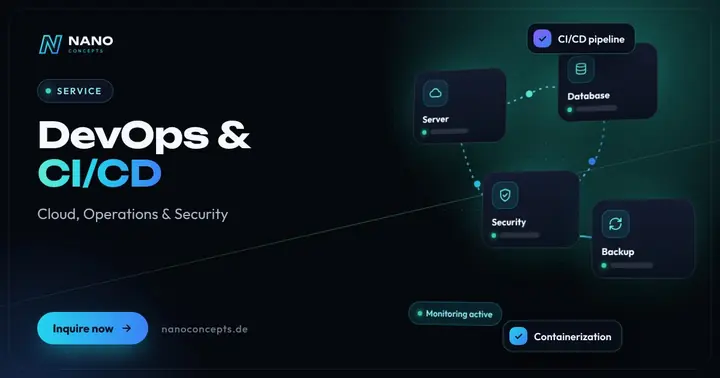
DevOps & CI/CD
Automated tests, builds and deployments – for faster releases and fewer outages in production.
Learn more
Maintenance & Support
Updates, monitoring, backups and further development – so websites, apps and software run reliably.
Learn more
Software Development
Software from requirements to operations – web, mobile and integrations from a single source.
Learn moreRelated terms
Relevant for these industries
Related magazine articles
Cloud Scaling for Platforms: Find Bottlenecks, Control Costs
More servers rarely solve the real problem. How to scale web platforms deliberately: measure bottlenecks, fix the database and cache first, and keep costs and resilience under control from the start.
Read more
Software Maintenance: What a Maintenance Contract Should Include
Software is never finished. Which services a maintenance contract should include, how to separate maintenance, support and further development, and what scope your software really needs.
Read more
Prioritizing Technical Debt: Pay the Interest or Pay It Down?
Technical debt is not a synonym for bad code – it becomes dangerous when it stays invisible. Here is how to assess legacy burdens by impact and effort and reduce them in a plannable way.
Read more
