
What is single sign-on (SSO)?
Single sign-on (SSO) is a login method in which users authenticate once centrally and then access several applications without entering credentials again. An identity service confirms the identity, and the individual applications trust that confirmation.
Single sign-on: definition and benefits
Without SSO, every employee has a separate account with a separate password for every application: email, inventory system, time tracking, ticket system and customer portal. This leads to password fatigue, reused passwords and many support requests about forgotten credentials. SSO bundles the login in one place.
Users sign in once at the central identity service, the identity provider (IdP), such as Microsoft Entra ID, Okta or the open-source service Keycloak. The connected applications, the service providers, receive a confirmation of identity and let the user in. This is more than “same sign-on,” where the same password merely applies everywhere.
How SSO works
Technically, SSO relies on standardized protocols. SAML 2.0 is widespread above all in enterprise applications, OpenID Connect—built on OAuth 2.0—in modern web and mobile applications. Both transmit a signed confirmation of identity along with attributes such as name, email address or group membership.
When a user opens an application, it redirects them to the identity provider. If a session already exists there, the user goes straight back to the application without entering anything. Otherwise, the login takes place—ideally with two-factor authentication—and then applies to all connected applications.
Real-world example: offboarding in a mid-sized company
A machine builder with 80 employees uses a dozen applications. When someone leaves the company, the IT team has to block twelve accounts individually; in practice, a forgotten access easily stays active, for example in the customer portal or ticket system, and nobody notices.
With SSO, the account is deactivated centrally, and new logins are immediately impossible in all connected applications; existing sessions expire shortly afterwards, depending on configuration. New employees get the right access immediately through groups, and two-factor authentication can be enforced in one place.
Benefits, limits and common mistakes
SSO increases convenience and security because fewer passwords are in circulation and rules apply centrally. At the same time, the identity provider becomes a critical point: if it fails or an account is compromised, many applications are affected at once. This dependency has to be secured. Typical mistakes:
- Running SSO without two-factor authentication for the central account
- Forgetting an emergency access (break-glass account) for when the identity service is down
- Connecting applications without assigning roles and permissions cleanly
- Long session lifetimes, so access lingers after someone leaves
- Letting old local accounts keep running in parallel
What businesses should look out for
Clarify in advance which applications support SSO (SAML or OpenID Connect), who maintains the identities and how roles are assigned. If you already use Microsoft 365, you usually already have an identity service in house with Entra ID. Nano Concepts connects customer portals, apps and web applications to your identity service via OpenID Connect or SAML.
Frequently asked questions about Single sign-on (SSO)
Properly implemented, yes, and often more secure than many individual passwords. Prerequisites are two-factor authentication for the central login, secured administrator accounts and short session lifetimes. Because one account opens many applications, it has to be especially well protected.
SSO is the goal: sign in once, get access everywhere. OAuth 2.0, by contrast, governs authorization—which rights an application receives. For login, OpenID Connect is built on top of it, which, alongside SAML, is one of the common protocols for SSO.
All that support a standard such as SAML 2.0 or OpenID Connect—which is the case for most modern business applications. For custom-built software, the connection can be added; older systems without support need an interim solution or stay outside.
With few users and applications, a password manager and two-factor authentication are often enough. SSO pays off once many applications and changing staff come together, or when you want to prove and block access centrally.
Matching services

Web Security
Find and fix vulnerabilities – for websites, online stores, customer portals and custom web applications.
Learn more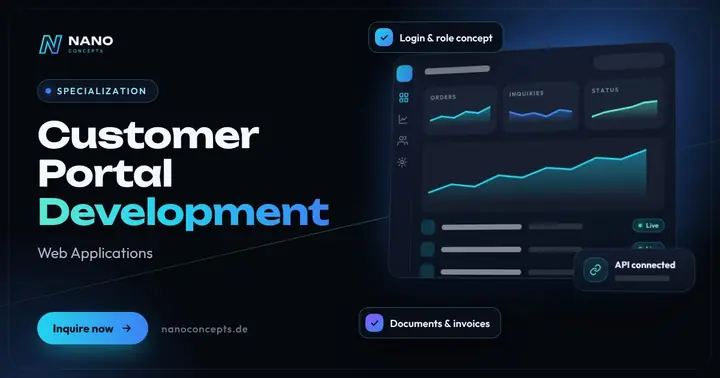
Customer Portal Development
A protected self-service area where your customers retrieve orders, invoices, documents and tickets themselves.
Learn more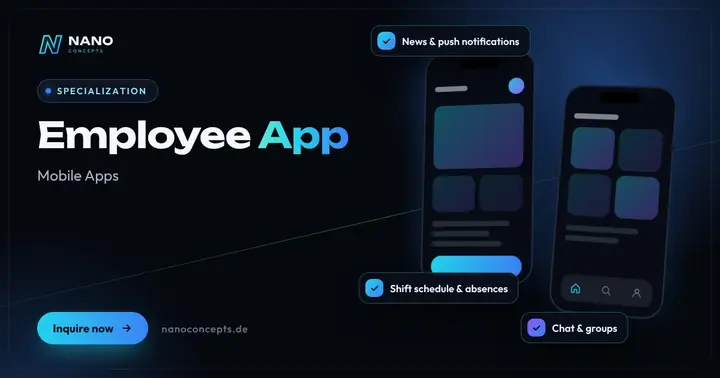
Employee App
Your own app for your team: news, chat, shift schedules, forms and documents – also for employees without a desk or PC.
Learn moreRelated terms
Relevant for these industries
Related magazine articles
Software Maintenance: What a Maintenance Contract Should Include
Software is never finished. Which services a maintenance contract should include, how to separate maintenance, support and further development, and what scope your software really needs.
Read more
GDPR-Compliant Tracking: Consent, Data Flows and Trust
Tracking and data protection aren’t mutually exclusive: which services need consent, how to document data flows and how to implement the technology so it does what your privacy policy promises.
Read more
Web Security: OWASP Top 10 and a Pragmatic Checklist for Teams
Most security vulnerabilities follow familiar patterns. With the OWASP Top 10 as a guardrail and a prioritized checklist, you close typical gaps before they become a problem.
Read more
