
Shopify or WooCommerce – which online store platform fits your business better?
Both systems power a great many online stores, yet they work in fundamentally different ways: Shopify is a hosted service, WooCommerce is an extension for WordPress. This comparison shows where they differ in daily use, customization and growth.
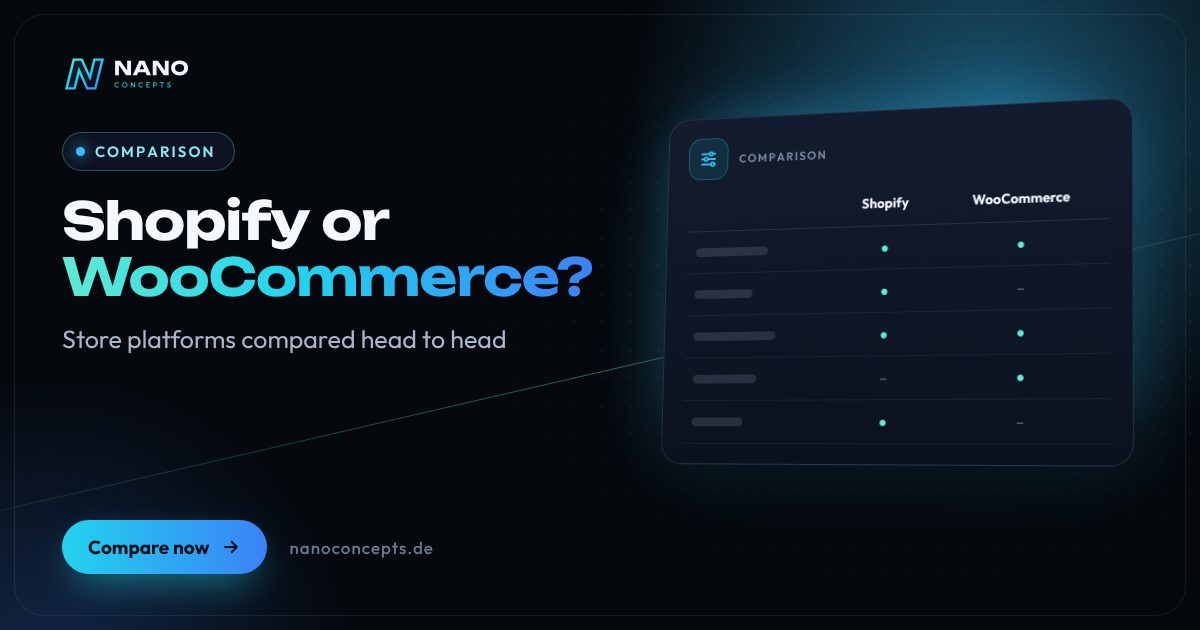
Shopify fits if you want to start selling quickly with little technical effort: hosting, security and checkout come from one provider, but you rent the platform and stay bound by its rules. WooCommerce fits if your store should be closely tied to content and SEO, extended individually or fully under your own control – in that case you handle operation, updates and security yourself or through a service provider. In essence, you are choosing between convenience and speed on one side and control and independence on the other.
Strengths and weaknesses at a glance
Shopify
A hosted store platform on a subscription basis. The provider supplies the technology, hosting, security updates and checkout; extensions come through the app store.
Strengths
- Fast start: product management, inventory tracking and payment processing are usable right away
- The provider handles hosting, security updates and scaling during traffic peaks
- A standardized, widely proven checkout with numerous payment methods
- A large app store for marketing, shipping, reviews and integrations
Weaknesses
- Ongoing subscription fees plus paid apps; depending on the payment provider, transaction fees may apply
- Deep customization, especially of the checkout, is only possible to a limited extent
- Platform lock-in: themes, apps and settings cannot be transferred to another system
Ideal for: Merchants and brands that want to sell quickly, prefer to manage little technology and can live well with the platform's standard workflows.
WooCommerce
A free open-source store plugin for WordPress. You run the store yourself with a hosting provider of your choice and extend it with plugins or custom development.
Strengths
- Full control over code, data and hosting location – you can move at any time
- Store and content in one system: blog, guides and landing pages with WordPress's SEO strengths
- Highly extensible: plugins, interfaces to inventory management and ERP, custom features
- No license fee for the store core; costs arise for hosting, extensions and maintenance
Weaknesses
- Operation, updates, backups and security are your responsibility or that of a service provider
- Performance depends heavily on hosting, theme and plugin choices
- Many plugins from different vendors have to work together – this increases maintenance and testing effort
Ideal for: Companies that combine a store with content and SEO, have individual requirements, or prioritize data ownership and independence from the provider.
The most important criteria compared side by side
| Criterion | Shopify | WooCommerce |
|---|---|---|
| Operating model | Hosted service on subscription | Self-hosted on WordPress |
| Getting started | Quick start, guided setup | More setup, but free configuration |
| Maintenance & security | Largely handled by the provider | Your responsibility or a service provider |
| Customization | Good via themes and apps, checkout limited | Virtually unlimited through code and plugins |
| Content & SEO | Solid basics, blog is a side feature | Strong thanks to WordPress, full technical control |
| Data ownership & migration | Data can be exported, platform and app lock-in | Full control over data and hosting |
| Cost structure | Subscription plus apps, possibly transaction fees | Hosting, extensions, maintenance and development |
| Traffic peaks | Infrastructure scales on the provider's side | Depends on hosting and optimization |
| ERP & inventory integration | Via apps and interfaces | Via plugins and custom interfaces |
| Best suited for | Fast, standard-oriented stores | Content-driven, individual stores |
Shopify or WooCommerce: rent it or run it yourself?
The fundamental difference lies in the operating model. Shopify is a rental solution: you pay for a ready-made platform where hosting, security patches and store software come together. That relieves you day to day but limits your room to maneuver – you work within what the platform and its app market allow. WooCommerce, by contrast, is an extension of the free software WordPress that you run on a server of your choice. Every adjustment is within reach, but every mandatory task is yours as well.
In practice, one simple question often decides: who takes care of the technology? If your team has neither the time nor the appetite for updates and troubleshooting, a hosted platform is attractive. If you already have a WordPress website, a service provider behind you, or special requirements for workflows and data, WooCommerce is often the better fit. Both can be run professionally – just with a different division of tasks.
Which system is better for SEO and content?
Search engine optimization depends less on the store system than on clean technology, fast load times, good product copy and a clear site structure. Both systems allow meta tags, redirects and structured data. WooCommerce benefits from WordPress being a content system at heart: guides, category copy and editorial content can be maintained next to the store without detours. With Shopify, a blog is possible too, but the URL structure is partly fixed.
If you want to build reach with content – such as buying guides, comparisons and advice articles – WooCommerce gives you more freedom. If you mainly sell through ads, marketplaces and social media, you will hardly notice the difference. More important than the system in both cases is the execution: a well-thought-out category structure, your own copy instead of manufacturer descriptions and good performance on smartphones.
Legal compliance and payment methods in the German market
Anyone selling to consumers in Germany must implement mandatory legal information, price indications, the right of withdrawal, a privacy policy and a clearly labeled order completion correctly. Both systems offer building blocks for this, but the responsibility stays with you as the merchant. Have your legal texts prepared by a specialized provider or a law firm and check that checkout and order button suit the German market. This does not replace legal advice.
For payment methods, German customers mainly expect invoice, PayPal, direct debit and credit card. Shopify and WooCommerce can be connected to common payment providers; what differs is how much you can shape the checkout yourself. Before deciding, check whether your preferred payment methods, your shipping carrier and your accounting can be connected, and factor in the fees charged by payment providers.
When neither Shopify nor WooCommerce is the right choice
If your requirements go well beyond the standard – such as customer-specific price lists, complex B2B approval workflows, deep ERP integration or multiple country and currency stores – it is worth looking at alternatives such as Shopware or a headless architecture. Switching between the systems is also possible, but it means a relaunch with data migration of products, customers and orders, redirects and testing.
That is why you should write down, before deciding, which features you need today and which will likely be added in the coming years: customer groups, marketplace connections, subscriptions, a configurator, additional languages. Choose the system that covers this list with as few detours as possible. That way you avoid having to plan an expensive platform switch after a short time.
Choose Shopify if you want to start quickly, hand off the technology and sell with a standardized workflow. Choose WooCommerce if your store should be closely tied to content and SEO, gain individual features or stay entirely under your control. If you have complex B2B processes or deep ERP connections, we will also look at Shopware or a custom solution. Nano Concepts advises you independently of the system, builds the store and, if you wish, takes over maintenance and further development.
We implement both approaches

Shopify Store Development
Shopify stores in your brand's design – set up with payment, shipping, taxes and apps, ready for the German market.
Learn more
WooCommerce Store Development
Online stores on WordPress with WooCommerce – custom design, Germany setup, payment, shipping and integrations from a single source.
Learn more
E-Commerce & Online Stores
Online stores with Shopify, WooCommerce or Shopware – including payment, shipping and integration with your inventory management.
Learn more
Shopify Migration
Moving your store to Shopify – with products, customers, order history and clean redirects for old URLs.
Learn moreFrequently asked questions
That depends on your scenario. Shopify involves ongoing subscription fees, plus paid apps and, depending on the payment provider, transaction fees. WooCommerce has no license fee for the store core, but hosting, extensions, maintenance and development add up. If you commission us to build it, our packages serve as a guide: Starter from €2,500, Professional from €8,000 and Enterprise on request.
For a quick start without technical knowledge, Shopify is usually more convenient because hosting and security are included. WooCommerce is also suitable for beginners if a service provider handles setup and maintenance. What matters is less the system than the question of who takes care of technology, updates and support.
Yes. Products, customers and orders can usually be exported and imported into the new system, while design and features are rebuilt. With 301 redirects from the old URLs and carried-over metadata, rankings are largely preserved. Plan the switch as a relaunch with a test phase.
Both can handle large catalogs but need the right configuration: with WooCommerce hosting, database and caching, with Shopify suitable plans and apps. For complex B2B requirements such as customer-specific pricing or approval workflows, it is also worth looking at Shopware or a custom solution.
Yes, in both cases. As a merchant you must provide and keep up to date your legal notice (Impressum), privacy policy, terms and conditions, withdrawal information and a consent solution for cookies and tracking. The systems provide building blocks but no legal guarantee. This does not replace legal advice.
More comparisons & guides
Shopware or Magento (Adobe Commerce) – which e-commerce platform fits?
In the “Shopware or Magento” comparison, Shopware 6 is the more pragmatic choice for most mid-sized retailers in German-speaking countries: modern architecture, a…
Learn more
How much does Shopify cost per month and per sale?
Shopify charges a monthly subscription fee, the amount of which depends on the plan you choose and on whether you pay monthly or annually; Shopify publishes current…
Learn more
How much does an online store cost – one-time and monthly?
The cost of an online store consists of the one-time setup – design, store system, product data, payment and shipping integration, legally compliant processes – and…
Learn more
How long does it take to build an online store?
How long it takes to build an online store depends mainly on the size of your product range, the e-commerce platform, integrations and the condition of your product data.
Learn more
WordPress or a website builder like Wix and Jimdo – which is the better fit?
A website builder like Wix or Jimdo is the right choice if you want to run a small website with only a few pages yourself, quickly and without technical effort – the…
Learn more
n8n, Make or Zapier – which automation tool is right for you?
Zapier is the easiest way to get started, with one of the largest catalogs of ready-made app connections, but it becomes expensive at high volumes because every…
Learn moreNeeds analysis: Shopify or WooCommerce?
Answer a few short questions – we usually get back to you within 24 hours with an initial assessment.
Request a project
