
Which CMS is best for my website?
Your choice of CMS determines how easily you can maintain content, how securely the website runs and how expensive later extensions become. Here you will find an honest decision guide – including how to find out which CMS another website uses.
There is no single best CMS – it depends on who maintains the content, how big the website will become and which features it needs. For small and mid-sized company websites, WordPress is usually the most flexible choice, while TYPO3 plays to its strengths on large, multilingual sites with many editors. Website builders such as Webflow or Wix suit quick, manageable projects, and a headless CMS suits content that should appear on a website, an app and other channels.
Which CMS options are there? The main categories
Anyone asking “What CMS options are there?” quickly runs into dozens of names. It's more helpful to sort them into four groups: self-hosted open-source systems such as WordPress, TYPO3, Joomla, Drupal or Contao; website builders as a rental solution, such as Wix, Jimdo, Squarespace or Webflow; headless CMS platforms such as Strapi, Storyblok or Contentful, which only manage content and deliver it via an API; and e-commerce systems that also come with content pages.
Each group has its own cost model. Open-source systems are license-free but need hosting, updates and maintenance. Website builders charge a monthly fee and take the technology off your hands, but tie you to the vendor. Headless solutions offer the greatest freedom but require development for the frontend. So the question isn't only which CMS is the best, but which operating model suits you.
- Self-hosted open source: WordPress, TYPO3, Joomla, Drupal, Contao
- Website builders: Wix, Jimdo, Squarespace, Webflow
- Headless CMS: Strapi, Storyblok, Contentful
- E-commerce systems with content pages: Shopify, Shopware, WooCommerce
Which CMS for a small website?
For a small website with just a few pages – say home, services, about us and contact – you don't need a complex system. What matters is how often you want to change content yourself. If you only occasionally adjust opening hours or copy, a lean WordPress setup or a website builder will do fine. If content almost never changes, even a static one-page site without a CMS can be the fastest and most secure solution.
For small businesses, WordPress has the advantage that the website can be extended later – with a blog, booking function, multilingual support or a store – without switching systems. A website builder is more convenient at the start but hits limits with custom requirements, load-time optimization or a later move. So clarify up front where your website should stand in two to three years.
Which CMS for beginners?
For beginners, what matters most is that the interface is easy to understand and little can go wrong. Website builders such as Wix or Jimdo are strong here: you drag elements into place with the mouse, and the provider handles hosting and security. WordPress is also beginner-friendly when it's set up properly – with a lean theme, a few vetted plugins and clear editor permissions.
The most common beginner mistake isn't the wrong system but an overloaded installation: dozens of plugins, a heavy theme and no updates. That's how security vulnerabilities and slow load times arise. If an agency sets up the website and you only maintain text and images, you get the best of both worlds – a solid technical foundation and a simple editing interface.
WordPress vs. TYPO3, Joomla and Webflow
WordPress or TYPO3? WordPress is the most widely used CMS in the world, has a huge ecosystem of themes and plugins and can be implemented comparatively quickly. TYPO3 is widespread in German-speaking countries, mainly among large companies, universities and public authorities. It stands out with fine-grained editor permissions, multilingual support and many websites in a single installation, but needs specialized developers and more onboarding time.
WordPress or Joomla? Joomla comes with more built-in structure for user management and multilingual support, but has a smaller community and fewer extensions. WordPress or Webflow? Webflow is a website builder with plenty of design freedom for designers, hosting included. In return you remain tied to the platform, and with a US provider you should check data protection questions such as server location and data processing.
- WordPress: flexible, wide choice, regular updates required
- TYPO3: strong for large, multilingual portals with many editors
- Joomla: well structured, but a smaller ecosystem
- Webflow: design freedom and hosting included, but platform lock-in
When a headless CMS is the better choice
A headless CMS separates content management from presentation. Editors maintain text, images and product information in one place, and the content is delivered via an API to the website, app, customer portal or display. This pays off if you serve multiple channels, have high demands on load time and security, or your website is closely interlinked with your own software.
The price is higher development effort: the frontend is custom-programmed, for example with React or Next.js. For a classic company website with a few editors, that is often overkill. A middle path is headless WordPress – the familiar editing interface is kept, while the output is delivered through a modern, fast frontend that can be designed freely.
Which CMS is this website using? How to find out
Seen a website you like and wondering which CMS is behind it? The source code often gives it away: in your browser, choose “View page source” and look for a “generator” entry or typical paths such as “/wp-content/” for WordPress or “/typo3temp/” for TYPO3. Browser extensions such as Wappalyzer or services such as BuiltWith also detect many systems automatically.
It isn't entirely reliable: professionally maintained websites often hide such clues, and headless sites only reveal the frontend framework. And even if you know the system, it says little about quality – design, load time and usability come from the implementation, not from the CMS alone. So it's better to ask who built the website and how it is maintained.
These criteria help you decide
Who maintains the content?
One editor or ten, beginner or pro – the operating concept and permission management depend on it.
Scope and growth
A few pages, a blog, multilingual support or hundreds of subpages call for systems of different capability.
Features and integrations
Booking, a members area, a store or connections to CRM and ERP should be possible without makeshift workarounds.
Security and maintenance
Self-hosted systems need regular updates. Website builders take care of that, but limit you in return.
Data protection and hosting
Server location, data processing and embedded services should match your GDPR requirements.
Independence
Check whether you can take your content and design with you if you switch providers.
Total cost
License, hosting, extensions, maintenance and development effort add up to the real cost over several years.
Your take-away checklist
- Note the website's goals and most important features
- Decide who maintains the content and how often
- Estimate languages, number of pages and planned growth
- List the integrations you need (CRM, store, booking)
- Clarify hosting and data protection requirements
- Check the system's export and migration options
- Define maintenance and updates in a binding agreement
How we support you
WordPress Development
WordPress websites with a custom theme and bespoke plugins – fast, secure and easy to maintain.
Learn more
Headless CMS
Maintain content centrally and publish it to your website, app and other channels – with a fast front end and clear editorial workflows.
Learn more
Web Development
Websites with real functionality: calculators, forms, customer portals and integrations – cleanly programmed and fast.
Learn more
Software Selection Consulting
Criteria catalog, weighted scoring and hands-on tests: we guide your software selection, vendor-neutral, through to the decision.
Learn moreFrequently asked questions
For most small and mid-sized company websites, WordPress is a good default because it is flexible, widespread and easy to extend. For very large, multilingual sites with many editors, TYPO3 may be a better fit, and for multiple output channels a headless CMS. What matters are your requirements, not the popularity of the system.
Yes, if it is set up properly. With a lean theme, a few vetted plugins and suitable editor permissions, even beginners can safely maintain text and images. What matters is that updates and backups are done regularly – by yourself or through a maintenance contract.
A website builder is ready to go faster and takes the technology off your hands, but limits design, features and a later move. WordPress offers more freedom and you keep full control over content and code, but it requires upkeep. For companies that want to grow, WordPress is usually the more future-proof choice.
Check the page source for a “generator” entry or typical paths such as “/wp-content/”. Browser extensions such as Wappalyzer or services such as BuiltWith often show the system in use directly. For headless websites or hidden details, however, reliable detection is not always possible.
Not necessarily. If content rarely changes, a lean, static website is fast, secure and low-maintenance; the service provider then handles any changes. If you want to publish content regularly yourself, such as news or offers, you are better served by a CMS.
Yes, but a switch takes effort: content is migrated, design and features are rebuilt and redirects are set up so rankings are preserved. The better structured your content is, the easier the move. That's why a thorough decision at the start is worthwhile.
More guides & comparisons
How much does a website cost – and what does the price depend on?
What a website costs depends mainly on scope, design ambition, content, features such as appointment booking or a shop, and the technical system.
Learn more
How long does it take to build a website?
How long it takes to build a website depends mainly on scope, features and how quickly texts, images and approvals are ready.
Learn more
What do you need for your own website?
For your own website you need five building blocks: a domain as the address, hosting as the storage location, the website itself – built with a CMS, a site builder or…
Learn more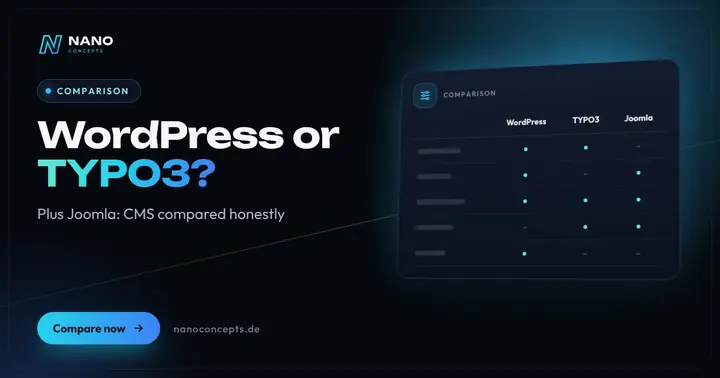
WordPress or TYPO3 – which CMS is right for your company?
WordPress is the right choice for most business websites, blogs and stores, up to mid-sized companies (Mittelstand): quick to set up, easy to use and backed by the…
Learn more
WordPress or a custom-coded website – which is worth it?
WordPress is the efficient choice for classic business websites that editors maintain themselves and that get by with proven features.
Learn more
WordPress or Webflow – or maybe Framer?
In the “WordPress or Webflow” comparison, WordPress is the right choice if you need full control over hosting and data, a large extension ecosystem or a store with…
Learn moreNeeds analysis: Which CMS is the best?
Answer a few short questions – we usually get back to you within 24 hours with an initial assessment.
Request a project
