
Custom software or SaaS – when does which solution pay off for your company?
Buy or build – this question comes up with CRM, order processing, customer portals and almost every specialist application. This comparison shows which factors support the decision and how to avoid wrong turns.
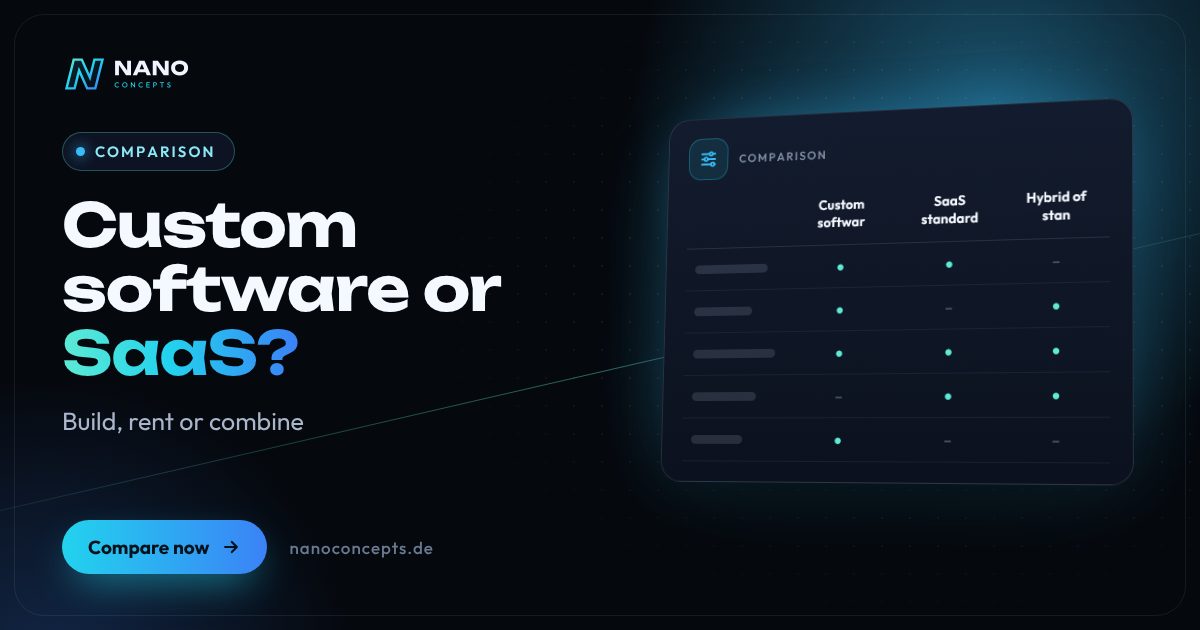
Standard software as a service (SaaS) is the right choice if your process is common in your industry and a ready-made solution covers it well: fast start, low initial risk, operation by the provider. Custom software pays off if your workflows are a competitive advantage, cannot be squeezed into standard tools, or you want to control data, interfaces and further development yourself. A hybrid is often sensible: standard software as the core, extended by custom modules and interfaces.
Strengths and weaknesses at a glance
Custom software
Software developed precisely for your processes. It determines scope of functions, interface and integrations; the extent of your usage rights is regulated by contract.
Strengths
- Tailor-made for your workflows: no compromises and no unused features
- Your own interfaces to ERP, accounting, store or machines can be planned freely
- Further development according to your needs rather than a vendor's roadmap
- No per-user license fees to a manufacturer; data and process know-how stay with you
Weaknesses
- Higher initial investment and a longer time until productive use
- Operation, updates and further development have to be organized for the long term
- Quality and documentation depend heavily on the development partner – choosing well is crucial
Ideal for: Companies with special processes, high integration needs, or the goal of turning software into a competitive advantage.
SaaS standard solution
Ready-made software that you use on subscription and that the provider operates, maintains and develops further. Adjustments are made through settings, templates and interfaces.
Strengths
- Quick to get started, without development of your own
- Low initial risk: you can test before committing
- The provider handles operation, security updates and further development
- Proven functions that many other companies already use
Weaknesses
- Ongoing subscription costs that can rise with the number of users and scope of features
- Your processes have to adapt to the software, not the other way around
- Dependence on the provider for prices, features, data export and the product's lifespan
Ideal for: Companies with industry-standard workflows that want to get started quickly and without their own IT.
Hybrid of standard and customization
A standard solution forms the core; custom extensions, automations and interfaces close the gaps to your processes.
Strengths
- A proven core without rebuilding the basic functions
- Customization only where it brings real benefit
- Interfaces connect standard tools into one seamless workflow
- Gradual expansion is possible and the investment is spread out
Weaknesses
- Depends on the interfaces and extension options of the standard product
- Multiple systems mean more coordination on updates and responsibilities
- Changes by the vendor can affect your own extensions
Ideal for: Companies that want to use standard software but need special processes or integrations in a few places.
The most important criteria compared side by side
| Criterion | Custom software | SaaS standard solution | Hybrid |
|---|---|---|---|
| Fit to your processes | Very high, tailored to your processes | Limited to feature scope and settings | High where extensions exist |
| Speed of getting started | Planning and development phase needed | Quick start | Medium, depending on extension scope |
| Cost structure | Project investment plus operation and maintenance | Ongoing subscription, usually per user | Subscription plus development of extensions |
| Dependence on the vendor | Low with clear usage rights and documentation | High for prices, features and term | Medium |
| Interfaces & integration | Freely plannable | Depends on available interfaces | Via interfaces and custom modules |
| Data ownership | Full control over data storage | Depends on provider and contract | Partly with the provider, partly with you |
| Operation & updates | To be organized yourself or by a service provider | Handled by the provider | Shared between provider and service partner |
| Further development | According to your priorities | According to the vendor's roadmap | Core by roadmap, extensions by priority |
| Best suited for | Special processes, competitive advantage | Industry-standard workflows | Standard with a few special requirements |
Buy or build: the questions that support the decision
The starting point is not technology but process. If your workflow is standard for your industry – writing invoices, managing appointments, creating quotes – a ready-made solution is usually the sensible choice. If it is instead the reason customers buy from you, you should not squeeze it into the logic of someone else's product. Also ask yourself how many systems have to be connected and how often your requirements change.
A useful test: list your ten most important requirements and check how many of them a standard product meets without detours. If it covers the vast majority, much speaks for SaaS. If the decisive requirements remain open or you end up with awkward workarounds using spreadsheets and add-on tools, take a look at custom software or a hybrid solution.
Comparing costs properly: subscription, project and operation
SaaS looks cheaper because the initial investment is small. Over the years, however, user licenses, add-on modules and integration costs add up, and switching providers causes effort of its own. Custom software first requires a project budget, followed by operation, hosting, maintenance and further development. So do not compare the price of the first year, but the total cost over the period in which you plan to use the solution.
Our packages give guidance for development projects: Starter from €2,500, Professional from €8,000 and Enterprise on request – depending on scope, interfaces and complexity. An MVP or a first process building block can be a good way to limit risk: you start small, learn in operation and expand afterwards. We prepare a specific quote after the free initial consultation.
Dependence, data ownership and exit: what should be regulated by contract
With SaaS, you use software that does not belong to you. That is not a drawback as long as the terms are right. Before signing, check how you can export your data, in which format and under what conditions, where the data is stored, whether a data processing agreement exists, and how price changes and notice periods are handled. Without an export option, a later switch quickly becomes expensive.
Custom software involves a dependence as well: on the development partner. So agree in writing which usage rights you receive, whether source code and documentation are handed over, and how maintenance and further development are regulated. Clean documentation and common technologies make sure you can change partners if necessary. This does not replace legal advice.
The middle path: use standard software, close gaps selectively
Between buying and building lies a broad field. Many companies do well using an established product for CRM, accounting or project management and closing the gaps individually: with interfaces, automations, a customer portal or a dashboard that combines data from several systems. That way you keep the proven core and invest only where standard falls short.
The reverse path also occurs: a spreadsheet solution or a grown legacy system is replaced by a custom application because error-proneness and dependence on individual people have become too great. In both cases, what matters is a clear target picture and the willingness to proceed in small steps instead of replacing everything at once.
Use SaaS if your workflows are standard for your industry and you want to start quickly, without your own IT and with manageable risk. Choose custom software if your processes are unique, many interfaces are needed, or data and further development should be in your hands. The middle path of a standard core with targeted extensions often fits best. Nano Concepts helps with software selection, develops custom solutions and interfaces, and will also recommend a standard product when that is enough.
We implement all options
Custom Software
Software built around your workflows instead of standard tools with compromises – for replacing Excel, internal tools and specialized business applications.
Learn more
Software Selection Consulting
Criteria catalog, weighted scoring and hands-on tests: we guide your software selection, vendor-neutral, through to the decision.
Learn more
SaaS Development
Your software as a subscription product: multi-tenant, with self-service sign-up, automated billing and stable operation in the EU.
Learn more
Technology Consulting
Software selection, architecture, code review and a digitalization roadmap – independent and implementation-oriented.
Learn moreFrequently asked questions
At the start, usually yes, because design and development have to be paid for, while SaaS begins with a subscription. Over several years the picture can flip if per-user licenses, add-on modules and workarounds pile up. So compare the total cost over the planned period of use.
When your processes are a competitive advantage, standard solutions only fit with laborious detours, many systems need to be connected, or you want to control further development and data yourself. For industry-standard workflows, a proven standard solution is often the better choice.
Yes, that is a common path. The prerequisites are a clean data export and clear documentation of the processes you modeled in the standard tool. That way the later replacement is not a restart but a planned move.
That is governed by the contract. Different models are common, from exclusive usage rights to handing over the source code. Clarify usage rights, documentation and maintenance in writing beforehand. This does not replace legal advice.
When you use SaaS, you rent a provider's software for your own workflows. When you develop your own SaaS product, you build a solution that you offer to your customers as a service yourself – a product project with its own operation, multi-tenancy and billing. We can support both.
More comparisons & guides
Fixed price or time and materials – which is better for software projects?
A fixed price fits when scope and requirements are clearly described before the project starts – you get budget certainty, and changes are handled through change orders.
Learn more
Cloud, SaaS or on-premise – where should your software run?
SaaS fits if mature off-the-shelf software exists for your process and you don't want any operating effort.
Learn more
Contract for work (Werkvertrag) or service contract (Dienstvertrag) in software development?
Under a contract for work (Werkvertrag, §§ 631 et seq.
Learn more
How is software depreciated in Germany – and does a one-year useful life apply?
For tax purposes, the BMF circular (issued by the German Federal Ministry of Finance) on the useful life of computer hardware and software allows software to be…
Learn more
How much does a programmer cost per hour?
What a programmer costs per hour depends on experience, specialization, form of employment and billing model – a flat hourly rate says little without the scope of work.
Learn more
How much does an ERP system cost?
What an ERP system costs depends on the license model (purchase or subscription per user), the number of users and modules, the need for customization, data migration,…
Learn moreNeeds analysis: Custom software or SaaS?
Answer a few short questions – we usually get back to you within 24 hours with an initial assessment.
Request a project
