
ChatGPT, Claude or Gemini – which AI is right for your company?
“ChatGPT or Claude?” “ChatGPT or Gemini?” – these questions come up in almost every company. This comparison puts the three AI assistants into context objectively, without a benchmark race and with a focus on integration and data protection (as of October 2026).
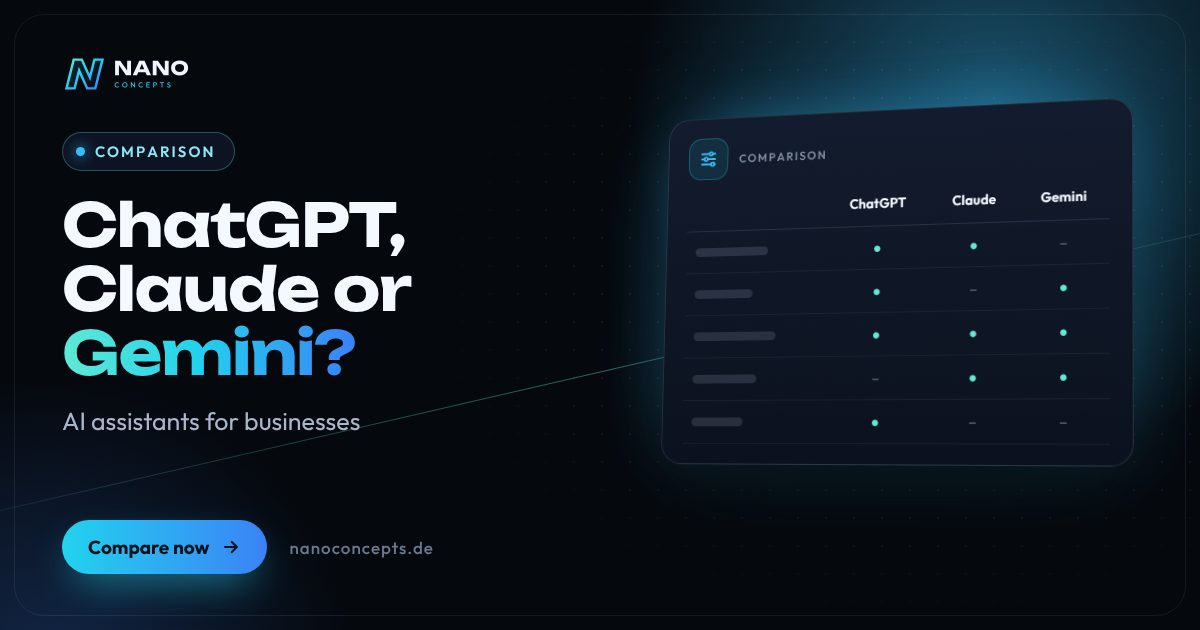
With ChatGPT, Claude or Gemini, the deciding factor is less the “best” model than where the AI should work and how your data is protected. Gemini fits especially well if your team works in Google Workspace; ChatGPT offers a very broad range of features and is the best known among employees; Claude stands out above all for long documents, careful writing and programming tasks. For company data, you should use Business or Enterprise plans or the API with a data processing agreement (DPA), not private free accounts. All three can be integrated into your own applications via API – a combination often makes sense.
Strengths and weaknesses at a glance
ChatGPT
OpenAI's AI assistant, available as a chat application for individuals and teams and through the OpenAI API. It combines text, images, voice, research and custom assistants in a single interface.
Strengths
- A very broad range of features: writing, data analysis, image generation, voice mode and web research in a single interface.
- High name recognition – many employees already know how to use it.
- Custom GPTs and projects enable reusable assistants for typical tasks.
- Large ecosystem of integrations; OpenAI models are also available through Microsoft Azure.
Weaknesses
- Many models, modes and plans – choosing for business use requires some explanation.
- Private accounts are often used alongside work accounts, which leads to shadow IT without clear rules.
- Rapid product change: features and names change often, and training has to keep up.
Ideal for: Companies looking for a versatile all-round assistant for many departments.
Claude
Anthropic's family of AI models, available as a chat application for teams and businesses, through the Claude API and via cloud platforms such as AWS Bedrock and Google Vertex AI.
Strengths
- Strong at analyzing long documents such as contracts, manuals or tender documents.
- Careful, well-structured writing and precise execution of complex instructions.
- Powerful in software development, including with the coding tool Claude Code.
- Also usable within existing cloud contracts and in EU regions via AWS Bedrock and Google Vertex AI.
Weaknesses
- No image generation of its own – a separate tool is needed for graphics and photos.
- Less well known among employees than ChatGPT; rollout takes a bit more training.
- No office suite of its own: connections to email, calendar and documents run through connectors.
Ideal for: Teams with lots of writing and document work, software development and demanding analyses.
Gemini
Google's family of AI models, integrated into Google Workspace, available as a standalone app and, for developers, through Google AI Studio and Vertex AI in Google Cloud.
Strengths
- Deep integration into Gmail, Docs, Sheets, Drive and Meet – the AI works where the data already lives.
- Multimodal: processes text, images, audio and video, including image and video generation.
- Very large context window for extensive documents and datasets.
- Usable through Vertex AI with EU cloud regions and Google Cloud's administration tools.
Weaknesses
- The greatest benefit comes within the Google ecosystem; in Microsoft 365 environments this integration is missing.
- Different privacy terms depending on access – private app, Workspace, AI Studio, Vertex AI – require care.
- Frequent renamings and product changes make it harder to keep track of plans and features.
Ideal for: Companies that already work with Google Workspace or Google Cloud.
The most important criteria compared side by side
| Criterion | ChatGPT | Claude | Gemini |
|---|---|---|---|
| Provider | OpenAI | Anthropic | |
| Typical strength | Versatile all-round assistant | Long documents, writing, programming | Google Workspace integration, multimodality |
| Image generation | Yes | No, image analysis only | Yes |
| Office integration | Connectors, e.g. to Microsoft 365 and Google Drive | Connectors, e.g. to Microsoft 365 and Google Workspace | Native in Google Workspace |
| API & cloud | OpenAI API, Microsoft Azure | Claude API, AWS Bedrock, Google Vertex AI | Gemini API, Google Vertex AI |
| Business plans | Business and Enterprise plans | Team and Enterprise plans | Via Google Workspace and Google Cloud |
| Training on company data | Not by default in Business plans and API | Not by default in commercial plans and API | Not by default in Workspace and Vertex AI |
| Data protection checkpoints | Plan, DPA, data residency options | Plan, DPA, choice of cloud region | Access type, DPA, data region |
| Ideal for | Broad use across many departments | Knowledge work, analysis, development | Companies with Google Workspace |
ChatGPT vs. Claude vs. Gemini: which is better for businesses?
The honest answer to “ChatGPT or Claude – which is better?” is: it depends on the task. The models from all three providers are close together on many general tasks, and rankings change with every new model version. Other questions matter more for your decision: where does your team work, what data is to be processed, and which features are needed every day?
Test the candidates with real, anonymized tasks from your daily work: answer a customer inquiry, summarize a contract document, explain an Excel analysis. Evaluate quality of results, usability and rework. A structured test with a few employees over a couple of weeks tells you more about the benefit in your company than any public benchmark. Document the results in writing so that the decision remains traceable.
Data protection: how companies use AI assistants safely
Free or private accounts are unsuitable for company data because control, contracts and central administration are missing. All three providers offer Business or Enterprise plans and APIs where inputs are by default not used for training and a data processing agreement under Art. 28 GDPR can be concluded. In addition, check storage locations, retention periods, admin functions and single sign-on.
Internal rules are just as important: which data may go into the AI, and which may not? Personal customer data, health data or trade secrets require special care. Since February 2025, the EU AI Act also requires companies to ensure sufficient AI literacy among their employees. A short AI policy plus training creates clarity. This overview does not replace legal advice.
AI integration via API: bringing AI into your own processes
The biggest lever often isn't in the chat window but in integration: an AI chatbot answers customer questions based on your knowledge base, an automation reads incoming invoices, an assistant drafts quotes from CRM data. All three providers offer APIs for this that can be built into web apps, workflows and backends. Employees don't have to learn a new tool, because the AI works in the background of the applications they already use.
We recommend planning such integrations in a vendor-neutral way. An intermediary layer in your own backend keeps prompts, logging and data protection rules centralized and lets you switch the model if needed. That way you can use a cheaper model for simple tasks and a more powerful one for demanding analyses, without rebuilding the application.
ChatGPT or Copilot, Perplexity – and GitHub Copilot or Claude Code?
Microsoft 365 Copilot is interesting for companies that work deeply in Outlook, Teams, Word and SharePoint, because the AI accesses your Microsoft 365 data there using existing permissions. Perplexity specializes in research with source citations and complements a general assistant rather than replacing it. If you use several tools, you should avoid duplicate licenses and define clearly which tool is meant for which task.
For development teams, the question is “GitHub Copilot or Claude Code.” GitHub Copilot is tightly integrated into editors and GitHub and offers a choice of several models, including models from OpenAI, Anthropic and Google. Claude Code works agentically in the terminal and the development environment and takes on larger, multi-step tasks in code. Many teams use both – with clear rules for code review and access rights.
If your company works in Google Workspace, Gemini is the obvious starting point. For broad use across many departments, ChatGPT is a solid choice; for document-heavy knowledge work and software development, Claude is worth considering. In any case: a Business plan or API with a data processing agreement, clear internal rules and a test with real tasks. Nano Concepts supports you neutrally – from selection and AI policy to integrating chatbots and AI agents into your existing systems.
We implement all options
AI Consulting
Potential analysis, prioritized AI use cases and a realistic roadmap – from a team that also implements AI.
Learn more
AI Integration & Chatbots
Chatbots, assistants and AI workflows that answer inquiries, analyze data and qualify leads.
Learn more
AI Chatbot for Websites
An AI chatbot that answers visitor questions based on your content, captures inquiries and hands them over to your team.
Learn more
AI Agent Development
AI agents that independently prepare and complete tasks across CRM, email and business systems – with approvals.
Learn moreFrequently asked questions
That depends on the task. ChatGPT offers the broader range of features, with image generation, voice mode and many integrations. Claude is especially strong with long documents, demanding writing and programming. Test both with real tasks from your company.
If your team uses Gmail, Docs and Drive, there is a lot to be said for Gemini, because the AI works directly inside those applications. In Microsoft environments or with mixed software, ChatGPT is often more flexible. With both, it is important to use a business account rather than private accounts.
In principle yes, if you use Business plans or the API with a data processing agreement, training on your data is excluded and you set internal rules on what data may be entered. Personal and confidential data should only be processed after careful review. This note does not replace legal advice.
Microsoft 365 Copilot is integrated into Outlook, Teams, Word and Excel and accesses company data in Microsoft 365 using your existing permissions. ChatGPT is a standalone assistant with a broad feature set that can access such data through connectors. For companies that are heavily Microsoft-centric, Copilot can be the more obvious choice.
Yes. Through an intermediary layer in your own backend, several models can be connected and selected depending on the task. This reduces dependence on a single provider and lets you weigh cost and quality per use case.
More comparisons & guides
How much does an AI chatbot for a website cost?
An AI chatbot for a website involves one-time costs for the concept, a knowledge base built from your content, conversation design, the design of the chat window,…
Learn more
How much does AI cost for businesses?
The cost of AI in a company arises on three levels: licenses for ready-made AI assistants such as ChatGPT or Claude, usually billed per user per month; usage-based fees…
Learn more
How much does an AI phone assistant cost – and what determines the price?
What an AI phone assistant costs depends on call volume, the scope of tasks (answering calls, booking appointments, giving information), the connection to calendar, CRM…
Learn more
WordPress or a website builder like Wix and Jimdo – which is the better fit?
A website builder like Wix or Jimdo is the right choice if you want to run a small website with only a few pages yourself, quickly and without technical effort – the…
Learn more
n8n, Make or Zapier – which automation tool is right for you?
Zapier is the easiest way to get started, with one of the largest catalogs of ready-made app connections, but it becomes expensive at high volumes because every…
Learn more
Cloud, SaaS or on-premise – where should your software run?
SaaS fits if mature off-the-shelf software exists for your process and you don't want any operating effort.
Learn moreNeeds analysis: ChatGPT, Claude or Gemini?
Answer a few short questions – we usually get back to you within 24 hours with an initial assessment.
Request a project
