
What is IT field service?
IT field service refers to IT services that technicians provide directly on site—such as installations, hardware replacement, troubleshooting or maintenance of workstations, POS systems, printers and network hardware. It complements remote support wherever hands-on work is required.
IT field service: definition
Many IT problems can be solved via remote maintenance. But a defective laptop, a new printer or a failed switch requires someone on site. That is exactly the job of field service: qualified technicians who travel to the location and carry out work on hardware and infrastructure.
Field service often works on behalf of companies with many locations, IT service providers or manufacturers that provide warranty and service work. The technician is often the face of IT for the user—expertise and a friendly manner go hand in hand.
Typical field service tasks
In industry jargon, many activities are summarized under the acronym IMAC: install, move, add, change—that is, installing, relocating, expanding and modifying workstations. On top of this come repairs in the event of a fault, often referred to as break-fix. During rollouts, field service teams also handle the installation of new devices in large numbers.
- Setting up and replacing PCs, laptops and monitors
- Installing printers, POS systems and peripherals
- Troubleshooting and hardware replacement based on tickets
- Connecting and testing network and Wi-Fi components
- Relocating workstations and offices
- Preventive maintenance and documentation
How field service assignments are managed
An assignment usually starts with a ticket at the service desk. If the problem can’t be solved remotely, dispatch schedules a technician—matched by qualification, region and the response time agreed in the service level agreement (SLA). Spare parts are provided in advance or brought along. Good dispatching shortens travel routes and avoids wasted trips.
On site, the technician documents working time, tasks and materials, often in a mobile app, and has the assignment signed off. This data flows back into the ticketing system so that clients can see the status at any time. If the technician gets stuck, they can call in specialists from 2nd or 3rd level.
Benefits, limits and a real-world example
External field service saves companies from having their own technicians at every location and makes capacity flexible—especially during peaks such as rollouts. The limit lies in coordination: without clear processes, access arrangements and documentation, duplicated work and waiting times arise.
Example: one morning, a retail chain reports a defective receipt printer in one of its branches. The service desk checks remotely and dispatches a technician from the region, who swaps in the replacement device, tests it and reports the branch as operational again.
Nano Concepts offers field service across Germany together with its IT service partners—with partner teams on site. If needed, we also build the right software, such as a mobile app for service technicians with offline sync.
Frequently asked questions about IT field service
Remote support solves problems via remote access, phone or chat. Field service comes into play when physical work is necessary—such as swapping devices, laying cables or installing hardware. The two complement each other in multi-level IT support. Often, the issue is first checked remotely before a technician is sent out.
A service level agreement sets out in binding terms which services are provided within what time frame—for example, how soon a technician must be on site after a fault is reported. It creates planning certainty for both sides.
Yes, especially when there is no in-house IT department or locations are widely spread out. Instead of keeping staff on hand, assignments are commissioned as needed and billed based on effort or an agreed framework.
Matching services
Field Service
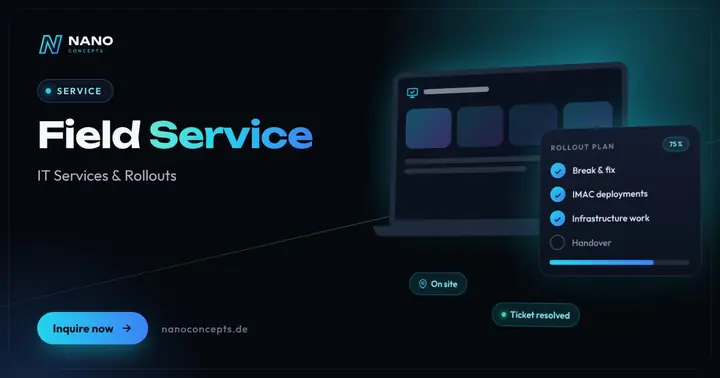
On-site IT technicians for break & fix, IMAC and infrastructure – across Germany on request, cleanly documented.
Learn more
IT Rollouts
Hardware, workstation and branch rollouts plus Windows migration – across Germany with partner teams on site.
Learn more
IT Support
Helpdesk, level 1 to level 3 support and workplace services – remote and on site from a single source.
Learn moreRelated terms
Relevant for these industries
Related magazine articles

Windows 11 Migration for Businesses: How to Get It Right
Windows 10 left regular support on October 14, 2025. Here’s how to plan the move to Windows 11 with an inventory, testing and waves – without disrupting day-to-day business.
Read more
Outsourcing Field Service: When External IT Technicians Pay Off
Your own technicians at every location? For many companies, that’s not cost-effective. Here’s when external field service teams are the better choice, which billing models exist and what to put in the contract.
Read more
IT Rollout Planning: A 7-Step Checklist
Whether it's 50 workstations or 50 stores, a rollout stands or falls with its planning. These seven steps, with an effort table, a practical example and a checklist, keep devices on schedule and your business running.
Read more
