
In-house IT or outsourcing – what makes more sense for your company?
Who looks after the computers, the network, the servers and the cloud? This question determines the availability, security and cost of your IT. Here you will find strengths, weaknesses and criteria for in-house, outsourcing and mixed models.
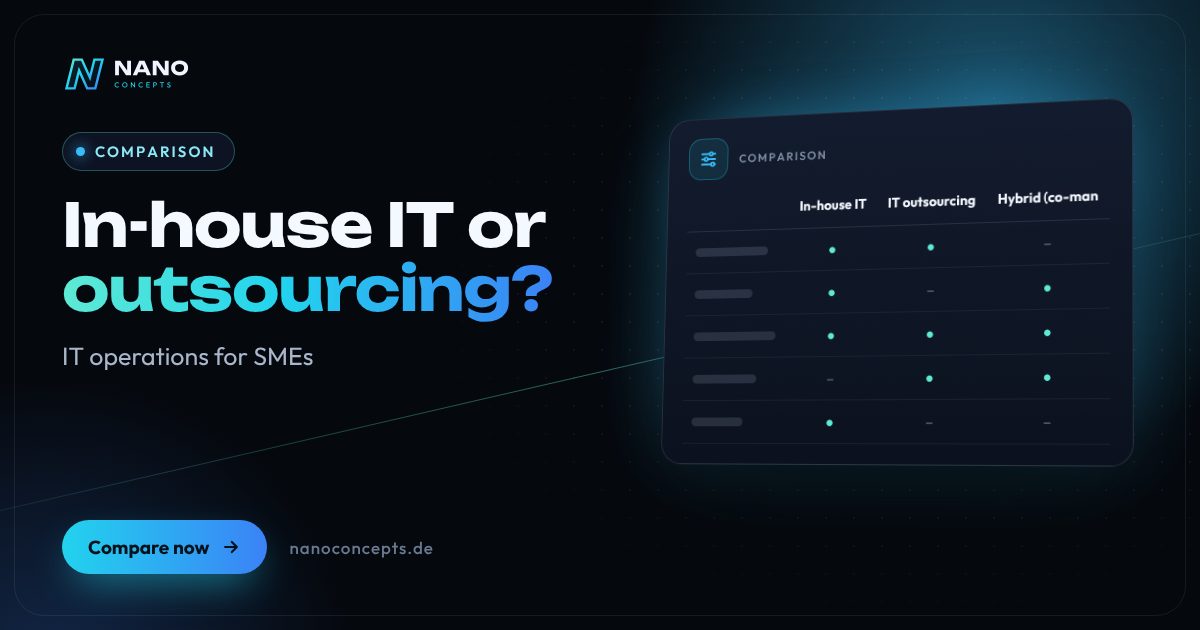
An in-house IT department pays off if IT demands a lot of on-site coordination, expertise about your internal workflows and daily availability on an ongoing basis, and there is enough work for a team. Outsourcing fits if you want predictable support, cover during vacation and illness and broad specialist knowledge without recruiting skilled staff yourself. For many mid-sized companies a hybrid is ideal: a permanent contact person in the company, supplemented by external specialists and service for operations.
Strengths and weaknesses at a glance
In-house IT
Your own employees look after workstations, network, servers and applications. They know your company in detail and are on site every day.
Strengths
- Short distances and fast response to problems on the premises
- Deep knowledge of your processes, software and peculiarities
- Direct control over priorities, access and decisions
- A good basis for internal development and your own IT strategy
Weaknesses
- Personnel costs run regardless of workload, and skilled staff are hard to win and keep
- Dependence on individuals: if someone drops out, cover and documentation are missing
- A small team cannot cover every specialist area at once, such as security, cloud, network and applications
Ideal for: Larger companies or businesses with complex, business-critical IT that offers enough work for a dedicated team on a permanent basis.
IT outsourcing
An external service provider takes over operation, support and care of your IT – by remote maintenance and, when needed, on site, based on agreed services and response times.
Strengths
- Predictable costs through agreed services instead of fixed personnel costs
- Access to broad specialist knowledge and cover during vacation and illness
- Quickly scalable for rollouts, relocations, new locations or peaks
- Good providers bring standardized processes, documentation and monitoring
Weaknesses
- Dependence on the service provider; quality and availability must be regulated by contract
- Less in-depth knowledge of internal specifics, especially at the beginning
- Data protection and access rights require clear rules and a data processing agreement
Ideal for: Small and mid-sized companies without their own IT department, multi-site businesses and anyone who wants to book rollouts and support flexibly.
Hybrid (co-managed IT)
An internal contact person steers IT in the company, while external service providers take over defined areas such as help desk, servers, security or rollouts.
Strengths
- The internal contact person secures context and prioritization
- External specialists fill knowledge gaps and capacity peaks
- A clear division of tasks makes costs and responsibility traceable
- More resilience than a one-person IT
Weaknesses
- The interfaces between internal and external have to be clearly defined and maintained
- Responsibilities can blur if roles are not documented
- Requires an internal person with steering and decision-making competence
Ideal for: Mid-sized companies with a small internal IT that need relief and specialist knowledge.
The most important criteria compared side by side
| Criterion | In-house IT | Outsourcing | Hybrid |
|---|---|---|---|
| Cost logic | Fixed personnel costs | Service-based, regulated by contract | Fixed base plus services as needed |
| Response time | Short when on site | According to agreed service hours | Short internally, externally per contract |
| Breadth of expertise | Limited by team size | Broad through several specialists | Broad through combination |
| Knowledge of your workflows | Very high | Grows with the collaboration | High through the internal contact person |
| Cover & resilience | Depends on team size | Generally given | Good |
| Scalability (rollouts, locations) | Limited | Flexible | Flexible for peaks |
| Steering & control | Direct | Via contract and reporting | Shared |
| Data protection organization | Regulated internally | Data processing agreement required | Partly a data processing agreement |
| Best suited for | Large or particularly critical IT | Small and mid-sized businesses | Mid-sized companies with small IT |
Comparing costs properly: a salary is not the total cost
A salary is only part of the cost of an in-house IT position. On top come employer contributions, workplace, training, tools, cover and the time spent on recruiting. If you employ only one administrator, you also carry the risk of vacation, illness and resignation. With outsourcing you pay for agreed services; check scope, response times and contract term closely there so that offers are truly comparable.
For IT service there is no flat price tag at Nano Concepts: we prepare an individual quote based on scope, locations and time windows. That makes sense because needs and assignments differ greatly – a single rollout has different requirements than ongoing support. Ask every provider which services are included and what is charged on top.
Response time, on-site visits and availability
One argument for in-house IT is proximity: when the printer fails or a workstation goes down, someone is there. However, modern service providers solve many problems quickly by remote maintenance, without travel. Only hardware replacement, network cabling or installations need physical presence. What matters, therefore, are the agreed service hours, availability and the question of who can be on site at short notice if needed.
With several locations, the calculation shifts: a single employee cannot be everywhere at once. This is where a service provider with partner teams and a nationwide deployment model helps, coordinating rollouts, replacement projects and on-site service. Nano Concepts, headquartered in Dudenhofen near Speyer, carries out IT assignments and rollouts across Germany with partner teams.
Data protection, security and contracts in outsourcing
As soon as a service provider has access to systems containing personal data, a data processing agreement under Art. 28 GDPR is generally required. This includes clear rules for access rights, logging, subcontractors and deletion. Just as important is a service contract with a description of services, response times, availability, notice periods and the handover of documentation at the end of the contract. This does not replace legal advice.
Depending on the industry and company size, additional requirements for IT security and reporting channels may apply, for example through the European NIS2 directive or requirements from customers and insurers. You should check this case by case. A reputable provider documents its measures and supports you in this – but responsibility for IT security cannot be fully outsourced.
The middle path: what to keep in-house and what to outsource
Most companies do best with a split. Decisions, priorities and knowledge of the business processes stay internal, often with one person as IT lead. Tasks that require specialist knowledge or capacity and can be standardized well are outsourced: help desk, remote maintenance, server and network operation, security updates, backups, rollouts of new workstations and migrations.
A good way in is to switch in stages: first a clearly bounded area such as a Windows migration, a support hotline or the new equipment of a location, then evaluate the experience and only afterwards outsource more. That way you test collaboration and quality without committing fully right away, and you gain a solid basis for deciding which further areas can be outsourced.
In-house IT pays off if the requirements are large and permanent enough to keep a team busy. For most small and mid-sized companies, outsourcing or a hybrid is more economical and more robust, because cover, specialist knowledge and scalability are already included. Keep in-house what concerns processes and decisions, and outsource operations, support and rollouts. Nano Concepts offers IT support, remote service and rollouts across Germany with partner teams – as an individual quote based on scope, locations and time windows.
We implement all options
IT Outsourcing
Your external IT department: help desk, operations, device management and on-site service – with dedicated contacts.
Learn more
IT Support
Helpdesk, level 1 to level 3 support and workplace services – remote and on site from a single source.
Learn more
Remote IT Support
Fast IT help via remote access, phone and ticket – from 1st-level support to troubleshooting, with response times per SLA.
Learn more
IT Rollouts
Hardware, workstation and branch rollouts plus Windows migration – across Germany with partner teams on site.
Learn moreFrequently asked questions
For small and mid-sized companies often yes, because you do not have to keep a full-time position busy and cover and specialist knowledge are part of the service scope. This does not hold across the board: with very high, permanent demand, an in-house team can be more economical. Compare total cost and scope of services, not just salary and monthly price.
Well suited are help desk and remote maintenance, operation of servers and network, updates and backups, workstation rollouts, relocations, migrations and on-site assignments at several locations. Strategic decisions and business processes are better kept in-house.
If the service provider gets access to personal data in the course of its work, yes – under Art. 28 GDPR. The agreement regulates purpose, access, technical and organizational measures and subcontractors. This does not replace legal advice.
Look for clearly described services, response and service times, documentation, fixed contacts, a cover arrangement and references for similar businesses. It is best to start with a limited project to test quality and collaboration.
Yes. Rollouts, replacement projects, Windows migrations or on-site assignments can be commissioned individually without outsourcing your entire IT. We prepare the quote individually based on scope, locations and time windows.
More comparisons & guides
How much does IT support cost for businesses?
The cost of IT support depends mainly on the number of workstations and devices, the desired service and response times, the share of on-site visits and the complexity…
Learn more
IT security for small businesses: what really matters?
Small businesses can reach solid basic protection with a few consistently implemented measures: regular and tested backups, timely updates for systems and programs,…
Learn more
How much does an IT rollout cost – and what determines the price?
What an IT rollout costs cannot be stated as a flat figure: the price depends on the number of devices and locations, the extent of preparation and configuration, the…
Learn more
WordPress or a website builder like Wix and Jimdo – which is the better fit?
A website builder like Wix or Jimdo is the right choice if you want to run a small website with only a few pages yourself, quickly and without technical effort – the…
Learn more
n8n, Make or Zapier – which automation tool is right for you?
Zapier is the easiest way to get started, with one of the largest catalogs of ready-made app connections, but it becomes expensive at high volumes because every…
Learn more
Cloud, SaaS or on-premise – where should your software run?
SaaS fits if mature off-the-shelf software exists for your process and you don't want any operating effort.
Learn moreNeeds analysis: In-house IT or outsourcing?
Answer a few short questions – we usually get back to you within 24 hours with an initial assessment.
Request a project
