Specialization · IT Support

Remote IT Support: Help via Remote Access Instead of Waiting for a Technician

Most IT problems in the office can be solved without anyone traveling: a locked password, Outlook freezing, a printer that won't print. With remote IT support, we connect to your device via remote access after your approval, fix the problem and document it – we agree response times in the SLA.

Initial consultation freeQuote transparent, fixed price if preferredArea IT Support
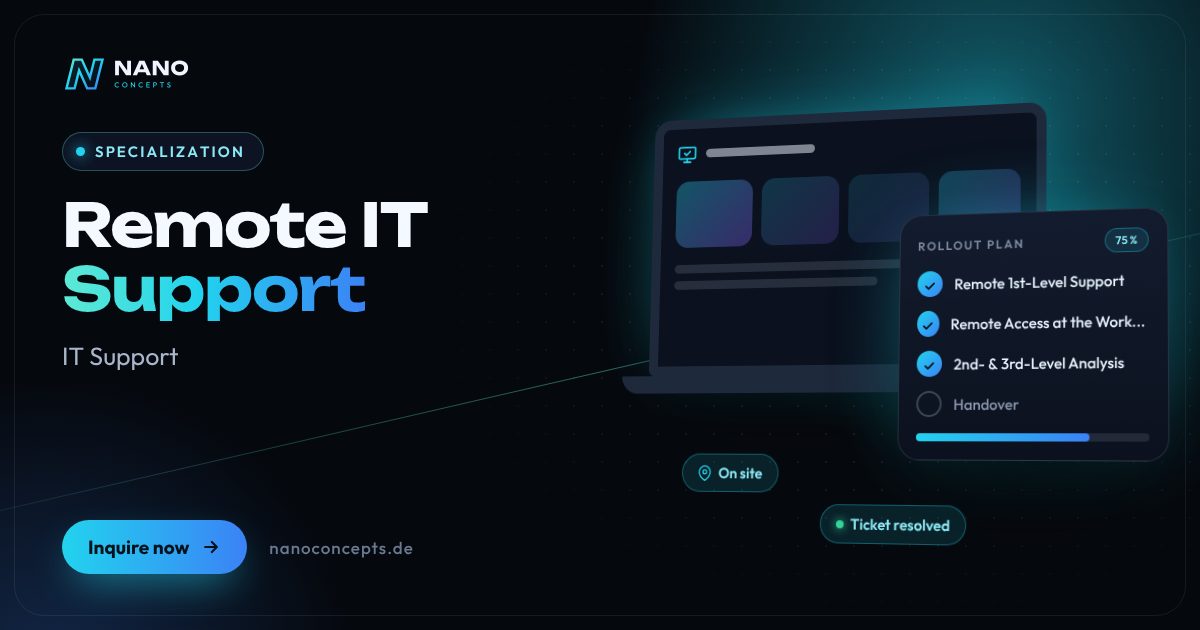
Featured image: Remote IT Support
Short & clear

Remote IT support is IT help by phone, ticket and remote access software: after the user's approval, a technician connects to the computer and solves problems such as locked accounts, Outlook or printer errors directly on the screen. Nano Concepts offers remote IT support from 1st level to in-depth troubleshooting, with support hours and response times set by agreement in the SLA. We agree the billing model individually – you receive an individual quote based on scope, locations and time windows.

Remote IT support with Nano Concepts

Remote IT support solves IT problems where they arise – on your employees' screens, but without travel. A colleague gets in touch by phone, email or ticket and approves the remote session, and our technician sees what they see. Locked accounts, problems with Outlook or Teams, missing network drives, printer errors or a hung update are often fixed this way in a short time. For companies, that means less downtime and no waiting for an on-site appointment for problems that don't need one.

01

Our remote IT support service begins at 1st level: we accept requests, prioritize them and solve standard problems directly. Anything that needs more analysis goes, with all the information, to experienced colleagues at 2nd and 3rd level – for example for permissions, network errors or problems with business applications. We additionally support managed devices via Microsoft Intune, so settings, software and updates can be distributed even without a session on the computer. If a problem can only be solved on site after all, technicians from our IT service partners RELEDER and FAIMA IT Services take over.

02

Security takes priority with remote access: we work with established remote access software over encrypted connections, sessions start only after the user's approval and are documented in the ticket. We assign access to named individuals and only as far as necessary. We agree support hours, response times and billing individually and record them in the SLA – matching how critical your systems are. Whether you hand over the entire support or only 1st level remotely is up to you.

Story

Remote IT support in 9 slides

Just swipe through: what Remote IT support delivers, what we build for you, and how other companies benefit.

01 / 09

Specialization · IT Support

Remote IT Support. On site when it counts.

Remote IT support is IT help by phone, ticket and remote access software: after the user's approval, a technician connects to the computer and solves problems such as locked accounts …

  • Free initial consultation
  • Across Germany with partner teams
  • Reply usually within 24 hours
nanoconcepts.de
02 / 09

How you can tell

Does this sound familiar?

Typical signs that Remote IT support is worth it:

  1. 01Employees wait hours or days for help with simple IT problems.
  2. 02For small things, someone has had to travel so far, which costs time and money.
  3. 03Many employees work from home or at different locations.
  4. 04IT requests come in by word of mouth and get lost without a ticketing system.
nanoconcepts.de
03 / 09

Your benefit

What you get out of it.

Help Without TravelMany problems are solved before a technician could even set off.
Less DowntimeEmployees get back to work faster instead of waiting for an on-site appointment.
Response Times per SLASupport hours and response times are agreed in writing and match your requirements.
nanoconcepts.de
04 / 09

Scope of services

What we handle for you.

Fast IT help via remote access, phone and ticket – from 1st-level support to troubleshooting, with response …

  1. Remote 1st-Level Support
  2. Remote Access at the Workstation
  3. 2nd- & 3rd-Level Analysis
  4. Microsoft 365 & Accounts
  5. Remote Device Management
  6. Ticketing System & Reporting
nanoconcepts.de
05 / 09

Use cases

Here's what that looks like in practice.

Industry & ManufacturingA manufacturer has administrative and planning workstations supported via remote access; shop-floor computers are …
Retail & E-CommerceA multi-store retailer receives remote support for the back-office PCs of all stores, so problems are solved without …
LogisticsA logistics company has dispatchers supported remotely in shift operations, for example with locked accounts or …
nanoconcepts.de
06 / 09

Process

A clear process. No surprises.

  1. 01
    Inventory ReviewWe record users, devices, systems and typical requests and clarify which …
  2. 02
    Define the SLASupport hours, response times, priorities and escalation paths are agreed …
  3. 03
    SetupThe ticketing system, remote access software and access rights are set up …
  4. 04
    Launch for Your TeamYour employees learn how to request support; from then on, requests run …
nanoconcepts.de
07 / 09

Common question

Good question. Clear answer.

How much does remote IT support cost?

Nano Concepts

Costs depend on the number of users and devices, support hours, agreed response times and the support levels taken over.

All questions & answers
nanoconcepts.de
08 / 09

Engagement

Remote or on site.

Remote IT support works regardless of location by phone, ticket and remote access; if an on-site assignment is needed after all, the partner teams of RELEDER and FAIMA IT Services take care of it across Germany.

TeamViewerAnyDeskMicrosoft IntuneMicrosoft 365Microsoft Entra IDZammadJira Service ManagementPowerShell
nanoconcepts.de
09 / 09

Let's get started

Unlock your full potential.

Tell us about your project – we usually get back to you within 24 hours with an initial assessment.

TOGETHER. DIGITAL. SUCCESSFUL.

nanoconcepts.de
01 / 09

Typical signs that Remote IT support is worth it

  • Employees wait hours or days for help with simple IT problems.
  • For small things, someone has had to travel so far, which costs time and money.
  • Many employees work from home or at different locations.
  • IT requests come in by word of mouth and get lost without a ticketing system.
  • You want to hand off 1st-level support and relieve your internal IT team.
Scope of services

What we deliver for you

Fast IT help via remote access, phone and ticket – from 1st-level support to troubleshooting, with response times per SLA.

Remote 1st-Level Support

Intake by phone, email or portal, initial analysis and resolution of standard problems such as passwords, accounts and Office questions.

Remote Access at the Workstation

After the user's approval, we connect and fix errors directly on the screen – documented in the ticket.

2nd- & 3rd-Level Analysis

More complex errors in permissions, network, servers or business applications are analyzed and fixed remotely.

Microsoft 365 & Accounts

Help with Outlook, Teams, OneDrive and SharePoint as well as management of accounts, groups and multi-factor authentication.

Remote Device Management

Software, updates and settings for managed devices are distributed centrally, for example via Microsoft Intune.

Ticketing System & Reporting

Every request is traceable in the ticketing system; regular reports show recurring problems and improvements.

Your benefits

Why companies choose us

Help Without Travel

Many problems are solved before a technician could even set off.

Less Downtime

Employees get back to work faster instead of waiting for an on-site appointment.

Response Times per SLA

Support hours and response times are agreed in writing and match your requirements.

Traceably Documented

Every session and every solution is recorded in the ticket – helpful for recurring problems.

Use cases

Remote IT support in your industry

Here's what Remote IT support looks like in typical industries – concrete examples from everyday business.

Industry & Manu­fac­turing

A manufacturer has administrative and planning workstations supported via remote access; shop-floor computers are looked after on site by partner technicians when needed.

Learn more

Retail & E-Commerce

A multi-store retailer receives remote support for the back-office PCs of all stores, so problems are solved without anyone having to leave the shop.

Learn more

Logistics

A logistics company has dispatchers supported remotely in shift operations, for example with locked accounts or printing problems with delivery notes.

Learn more

Healthcare & Care

A medical practice receives remote access support for reception and administrative computers; sessions start only after approval, and access stays limited to what is necessary.

Learn more

Real Estate

A property management company with several offices uses one central remote IT support instead of its own provider for each location.

Learn more

Finance & Insurance

An insurance office has problems with its broker management software and Microsoft 365 solved via remote access, including documented sessions.

Learn more

Services & Consulting

A consulting firm with many employees working from home receives remote support for notebooks, VPN and video conferencing – wherever work is done.

Learn more

Skilled Trades

A skilled-trades business receives help for office PCs and construction-site tablets via remote access, without someone in the office having to play technician.

Learn more

Startups

A startup outsources 1st-level support remotely and gets a uniform support channel for its distributed team in several cities.

Learn more

Education & Research

An educational institution has teachers and administration supported remotely with problems with notebooks, learning platform access and presentation equipment.

Learn more

Tourism & Hospitality

A hotel receives remote support for front-desk and office PCs, so problems at check-in are fixed quickly.

Learn more

Media & Creative Industries

An agency has problems with licenses, cloud storage and workstations solved via remote access, without interrupting ongoing projects.

Learn more
Process

How your project works

  1. Inventory ReviewWe record users, devices, systems and typical requests and clarify which support levels we take on.
  2. Define the SLASupport hours, response times, priorities and escalation paths are agreed in writing.
  3. SetupThe ticketing system, remote access software and access rights are set up and aligned with your security requirements.
  4. Launch for Your TeamYour employees learn how to request support; from then on, requests run through the agreed channel.
  5. Reporting & ImprovementRegular reports show recurring problems, from which we derive improvements.

Technologies & tools

TeamViewerAnyDeskMicrosoft IntuneMicrosoft 365Microsoft Entra IDZammadJira Service ManagementPowerShell
FAQ

Frequently asked questions about Remote IT support

Costs depend on the number of users and devices, support hours, agreed response times and the support levels taken over. You receive an individual quote based on scope, locations and time windows. Because there is no travel, remote support is the most economical route for many requests.

We agree the billing model individually – for example by effort or as ongoing support with a defined scope of services. Which variant fits depends on how often your team needs support. In the free initial consultation, we compare the options transparently.

1st level is the first point of contact: it accepts requests, logs them in a ticket and solves standard problems such as password resets or Office questions directly via remote access. What can't be solved there goes, with all the information, to 2nd or 3rd level. Remote means all of this happens without travel, by phone, ticket and remote access.

That depends on the software and the rules. We use established remote access solutions with encrypted connections, start sessions only after the user's approval and document every access. Access is assigned to named individuals and limited to what is necessary; we take your security requirements into account during setup.

We agree response times individually by priority and record them in the SLA – a total outage is treated differently from a request for a new printer. After the inventory review and the setup of the ticketing system and remote access, which takes a few days to a few weeks depending on the environment, your team can use the support right away.

Then a technician from our IT service partners RELEDER or FAIMA IT Services takes over the assignment on site. We coordinate the appointment and materials and document the result, so you have a seamless support channel.

Related

Related services

Digital Glossary

Terms related to Remote IT support, briefly explained

Magazine

Read more

14 · Scenario · approx. 50 seconds

The nephew does the IT

Peter's IT is run by his nephew – when he has time. Then on Tuesday everything stops. With IT service up to 3rd level, remote or on site, IT simply works.

ServiceIT service & supportForLaw firms, practices & SMEs
Read transcript

Peter’s IT department?
His nephew.
When he has time.
Passwords on the monitor.
Updates? Pending for weeks.
Documentation: none.
Tuesday: nothing works.
Five people. Zero work.
Here’s what’s going wrong.
Every hour of downtime costs real money.
NANO CONCEPTS takes over the IT.
Support up to 3rd level.
Remotely or on site.
And suddenly:
IT that just works.
Peter gets to work.
The nephew is back to gaming.
And the IT? Just works.

Get the right quote in 60 seconds

Needs analysis: Remote IT Support

Answer a few short questions – we usually get back to you within 24 hours with an initial assessment.

Request a project