Specialization · Web Security

Secure WordPress: security check, hardening and safe logins

WordPress can be secured well if it is maintained consistently and set up correctly – and that is exactly where many websites fall short. We check your WordPress installation, close security gaps and harden logins, plugins and servers for the long term.

Initial consultation freeQuote transparent, fixed price if preferredArea Web Security
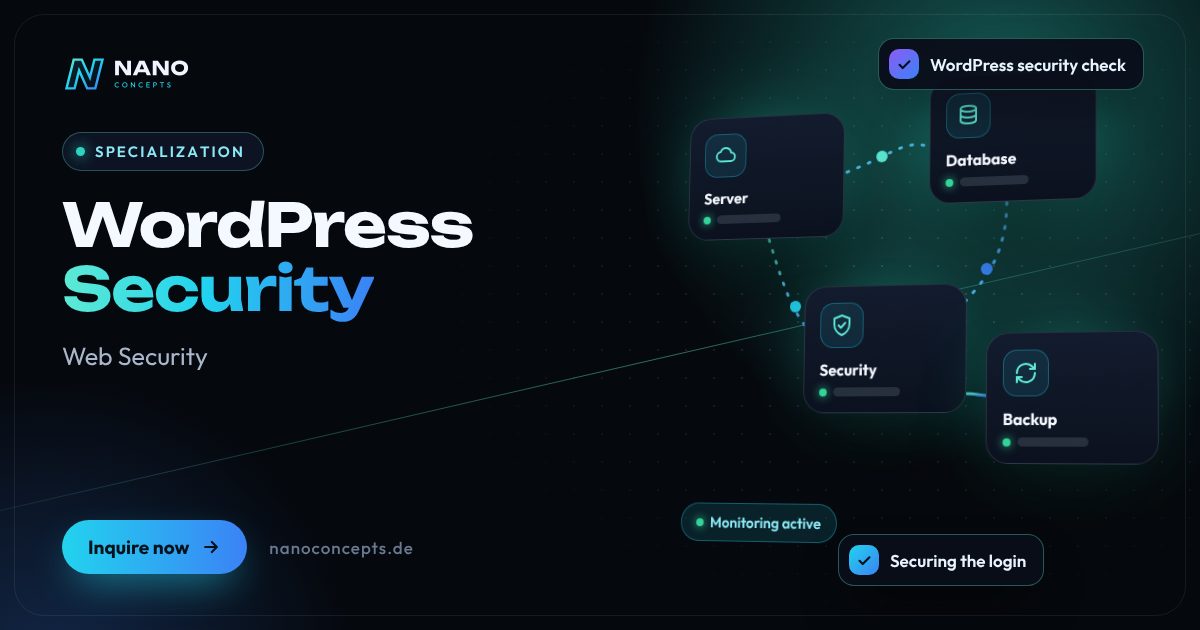
Featured image: WordPress Security
Short & clear

Securing WordPress means specifically checking an existing WordPress website for security vulnerabilities and hardening it: up-to-date software, secure logins with two-factor authentication and limited login attempts, clean roles and permissions, vetted plugins, reliable backups, as well as hardened server and header settings. At Nano Concepts, this is a one-time project with a security check, implementation and documentation – ongoing care is handled on request by our WordPress maintenance. For a typical company website, depending on scope, this can fall under the Starter package from €2,500; the exact quote follows after the free initial consultation.

WordPress security with Nano Concepts

If you want to secure WordPress, you don't have to understand every plugin yourself – but someone should know exactly what is running on the website. We start with a WordPress security check: versions of WordPress, themes and plugins, known WordPress vulnerabilities, user accounts and permissions, login protection, backups and server and hosting settings. This produces a prioritized list that we then work through. At the end, your website is demonstrably hardened, and you receive documentation of what was set up and what to watch for in the future.

01

The most important lever is the login. We set up two-factor authentication for administrators and editors, limit automated login attempts, remove orphaned accounts and assign roles according to the principle of granting only as much access as necessary. Then we clean up: unused plugins and themes are removed, critical extensions are replaced, and new ones are chosen based on maintenance status and origin. At the server level, we take care of TLS encryption, security headers, restrictive file permissions and protected configuration files – on Apache servers, for example, via .htaccess, and on other servers via the appropriate configuration.

02

The distinction matters: with us, securing WordPress is a one-time project with a clear result – security check, hardening, documentation. For the website to stay secure, regular updates, backups and checks are needed afterward; on request, our ongoing WordPress maintenance takes care of that. If your website has already been hacked, we start with the cleanup and then secure it. Because we also develop custom WordPress plugins and themes, we fix vulnerabilities directly in the code when needed, rather than just installing additional security plugins.

Story

WordPress security in 9 slides

Just swipe through: what WordPress security delivers, what we build for you, and how other companies benefit.

01 / 09

Specialization · Web Security

WordPress Security. Secure. Fast. Stable.

Securing WordPress means specifically checking an existing WordPress website for security vulnerabilities and hardening it: up-to-date software, secure logins with two-factor authentication …

  • Free initial consultation
  • Transparent, fixed price if you like
  • Reply usually within 24 hours
nanoconcepts.de
02 / 09

How you can tell

Does this sound familiar?

Typical signs that WordPress security is worth it:

  1. 01WordPress, your theme or individual plugins haven't been updated for months.
  2. 02Several people use the same admin login, or former employees still have an account.
  3. 03Your hosting provider or a security plugin reports numerous failed login attempts.
  4. 04Nobody knows exactly which plugins are installed, what they are needed for and whether the …
nanoconcepts.de
03 / 09

Your benefit

What you get out of it.

Entry points closedTypical weaknesses of WordPress websites are eliminated before automated attacks find them.
Secure without losing convenienceYour team keeps working as usual – with two-factor login, but without cumbersome hurdles in …
A clear status and clear documentationYou know which plugins are running, who has which permissions and where your backups are …
nanoconcepts.de
04 / 09

Scope of services

What we deliver for you.

Security check and hardening for WordPress: secure logins, vetted plugins, reliable backups and server settings.

  1. WordPress security check
  2. Securing the login
  3. Roles & permissions
  4. Cleaning up plugins & themes
  5. Server & header hardening
  6. Backups & monitoring
nanoconcepts.de
05 / 09

Use cases

Here's what that looks like in practice.

Real EstateA real estate office with several editors gets two-factor login and clear roles, so that listing maintenance and …
Finance & InsuranceAn insurance broker has its WordPress website with calculators and inquiry forms secured before launching an online …
Industry & ManufacturingA machine builder secures its multilingual WordPress website with a dealer download area, so only approved partners can …
nanoconcepts.de
06 / 09

Process

A clear process. No surprises.

  1. 01
    Initial consultation & accessWe clarify goals and scope, obtain your authorization and receive …
  2. 02
    WordPress security checkWe review versions, plugins, themes, accounts, login protection, backups …
  3. 03
    Backup & test environmentBefore every change we create a full backup; we test larger interventions …
  4. 04
    HardeningWe implement the measures: updates, login protection, roles, plugin …
nanoconcepts.de
07 / 09

Common question

Good question. Clear answer.

How can I secure WordPress?

Nano Concepts

The most important measures are regular updates of WordPress, themes and plugins, secure logins with two-factor authentication and limited login attempts, sparingly assigned permissions and reliable backups.

All questions & answers
nanoconcepts.de
08 / 09

Packages

Three packages. One plan.

  • Starterfrom €2,500Ideal for landing pages, simple web applications and prototypes.
  • Professionalfrom €8,000For complex web applications, portals and tailor-made software …
  • EnterpriseCustomFor large projects, system landscapes and long-term development …

Non-binding guidance – you will receive your quote after the free initial consultation. View pricing

nanoconcepts.de
09 / 09

Let's get started

Unlock your full potential.

Tell us about your project – we usually get back to you within 24 hours with an initial assessment.

TOGETHER. DIGITAL. SUCCESSFUL.

nanoconcepts.de
01 / 09

Typical signs that WordPress security is worth it

  • WordPress, your theme or individual plugins haven't been updated for months.
  • Several people use the same admin login, or former employees still have an account.
  • Your hosting provider or a security plugin reports numerous failed login attempts.
  • Nobody knows exactly which plugins are installed, what they are needed for and whether the backups work.
  • Your WordPress website processes inquiries, orders or customer data and has never been specifically tested for security vulnerabilities.
Scope of services

What we deliver for you

Security check and hardening for WordPress: secure logins, vetted plugins, reliable backups and server settings.

WordPress security check

Review of core, themes, plugins, user accounts, login protection, backups and hosting – with a prioritized findings list in plain language.

Securing the login

Two-factor authentication, limits on login attempts, secure password rules and, on request, an additionally protected admin area.

Roles & permissions

Each person gets only the permissions they really need; orphaned and shared accounts are dissolved.

Cleaning up plugins & themes

Outdated, insecure or unused extensions are updated, replaced or removed; we choose new ones based on maintenance status and origin.

Server & header hardening

TLS encryption, security headers, restrictive file permissions, protected configuration files and interfaces switched off that you don't need.

Backups & monitoring

Automatic, externally stored backups with test restoration, plus notifications about suspicious changes or known vulnerabilities.

Your benefits

Why companies choose us

Entry points closed

Typical weaknesses of WordPress websites are eliminated before automated attacks find them.

Secure without losing convenience

Your team keeps working as usual – with two-factor login, but without cumbersome hurdles in everyday use.

A clear status and clear docu­menta­tion

You know which plugins are running, who has which permissions and where your backups are stored.

One contact for code and server

We fix vulnerabilities in custom plugins and themes as well as in the server configuration – not just with an add-on plugin.

Use cases

WordPress security in your industry

Here's what WordPress security looks like in typical industries – concrete examples from everyday business.

Industry & Manu­fac­turing

A machine builder secures its multilingual WordPress website with a dealer download area, so only approved partners can retrieve technical documents.

Learn more

Retail & E-Commerce

A retailer with a WooCommerce store gets hardened customer logins, updated extensions and tested backups before the holiday season.

Learn more

Logistics

A logistics company secures its WordPress website with application and quote forms, so that uploaded documents are stored in a protected way.

Learn more

Healthcare & Care

A practice has its WordPress website hardened and checked to see where form entries are stored and who has access to them.

Learn more

Real Estate

A real estate office with several editors gets two-factor login and clear roles, so that listing maintenance and administration are cleanly separated.

Learn more

Finance & Insurance

An insurance broker has its WordPress website with calculators and inquiry forms secured before launching an online campaign.

Learn more

Services & Consulting

A tax advisory firm has its WordPress website secured and the login of all employees switched to two-factor authentication.

Learn more

Skilled Trades

A tradesperson's business whose website ran for years without updates gets current plugins, secure access and automatic backups.

Learn more

Startups

A startup that built its marketing website quickly with lots of plugins has it checked and tidied up before launch.

Learn more

Education & Research

An educational institution with course booking in WordPress cleanly separates the permissions of teachers, administration staff and administrators.

Learn more

Tourism & Hospitality

A vacation rental business secures its WordPress website with a booking plugin against automated login attempts and spam inquiries.

Learn more

Media & Creative Industries

An online magazine with many guest authors gets two-factor login, restricted author permissions and notifications about unusual changes.

Learn more
Process

How your project works

  1. Initial consultation & accessWe clarify goals and scope, obtain your authorization and receive controlled access to WordPress and hosting.
  2. WordPress security checkWe review versions, plugins, themes, accounts, login protection, backups and server settings and create a prioritized action list.
  3. Backup & test environmentBefore every change we create a full backup; we test larger interventions on a copy of the website first.
  4. HardeningWe implement the measures: updates, login protection, roles, plugin cleanup, server and header hardening, and monitoring.
  5. Acceptance & handoverYou receive documentation and a walkthrough; on request, the website then moves into our ongoing WordPress maintenance.

Technologies & tools

WordPressWordfenceTwo FactorLimit Login Attempts ReloadedUpdraftPlusWP-CLILet's EncryptCloudflareContent-Security-Policyfail2ban
FAQ

Frequently asked questions about WordPress security

The most important measures are regular updates of WordPress, themes and plugins, secure logins with two-factor authentication and limited login attempts, sparingly assigned permissions and reliable backups. On top of that come a thoughtful choice of plugins and hardened server and header settings. We check what has already been implemented on your website and close the gaps.

The WordPress core is actively maintained and regularly receives security updates. Typical risks arise around it: from outdated or poorly maintained plugins and themes, weak credentials and missing updates. With consistent upkeep and clean configuration, a WordPress website can be secured well.

The cost depends on the condition of the website, the number of plugins and whether custom extensions or a store are involved. Depending on scope, a security check and hardening of a typical company website can fall under the Starter package from €2,500, and larger WooCommerce stores or multisite installations under the Professional package from €8,000. You will receive the exact quote after the free initial consultation.

After your authorization, we review versions, plugins, themes, user accounts, login protection, backups and server settings and summarize the results in a prioritized list. The check of a typical company website is usually done within a few days, while the duration of the hardening depends on the number and type of findings. We give you the concrete timeframe after the initial consultation.

Particularly effective is two-factor authentication for all accounts with editor or admin rights, combined with a limit on failed login attempts and individual, strong passwords. In addition, the admin area can be restricted to certain networks or protected by an upstream protection layer. Which combination makes sense depends on how many people work on the website and from where.

When securing, we check and harden your website once and document the state reached. WordPress maintenance is the ongoing care afterward: updates, backups, monitoring and a dedicated contact for problems. Usually both make sense – first secure, then maintain regularly.

Related

Related services

Digital Glossary

Terms related to WordPress security, briefly explained

Magazine

Read more

21 · Scenario · approx. 50 seconds

The forgotten website

Rainer's website dates from 2019 and was never touched – now it shows strangers' ads and the browser warns visitors. With updates, backups and monitoring, it is back in safe hands.

ServiceWebsite maintenance & securityForAnyone with a website
Read transcript

Rainer’s website: from 2019.
Since then: never touched.
Suddenly: strange ads.
The browser warns: “Not secure.”
Search results warn visitors.
The contact form: nothing but spam.
Here’s what’s going wrong.
A website is not a one-off project.
LOMA DESIGN × NANO CONCEPTS take over the upkeep.
Updates. Backups. Monitoring.
And suddenly:
Website in good hands.
Website secure.
Inquiries, not spam.

Get the right quote in 60 seconds

Needs analysis: WordPress Security

Answer a few short questions – we usually get back to you within 24 hours with an initial assessment.

Request a project