Specialization · IT Rollouts

IT Rollout Project Management: Many Sites, One Point of Contact

In rollouts across many sites, success is decided not by the individual technician but by the project management behind them. We take on inventory, rollout plan, scheduling, logistics, steering of the on-site teams, acceptance and reporting – across Germany together with our IT service partners RELEDER and FAIMA IT Services.

Initial consultation freeQuote transparent, fixed price if preferredArea IT Rollouts
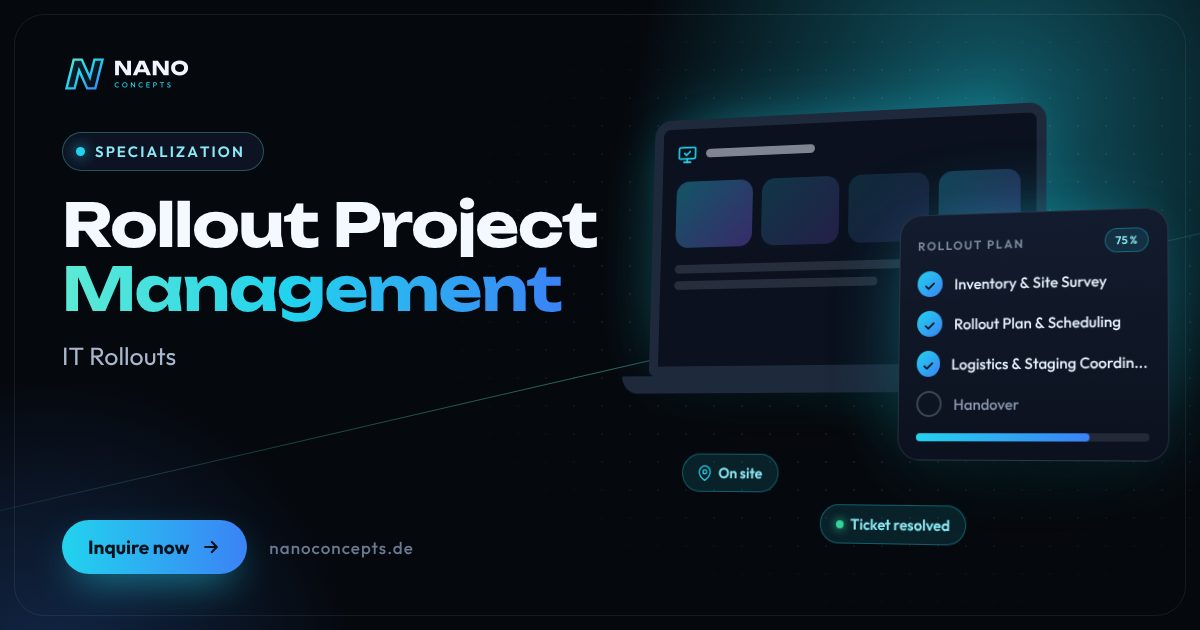
Featured image: Rollout Project Management
Short & clear

Rollout project management is the planning and control of a hardware or software rollout across many sites: inventory, rollout plan with waves and dates, logistics and staging, dispatch of technicians, acceptance protocols, return of old devices and reporting. Nano Concepts handles this project management centrally, while partner teams from RELEDER and FAIMA IT Services carry out the on-site work across Germany. Costs depend on the number of sites, devices and scope of services; you will receive a quote after the free initial consultation and the analysis of your project.

IT rollout project management with Nano Concepts

Rollout project management answers a question that arises in every larger IT project: who keeps the overview when new hardware or software is to arrive at many sites at the same time? We take over project management for your IT rollout – from inventory through rollout plan and scheduling to acceptance at the last site. On site, technicians from our IT service partners RELEDER and FAIMA IT Services are deployed across Germany according to your plan. You have one central point of contact who holds suppliers, partner teams, sites and your IT together.

01

It starts with the inventory: which devices are where, who uses them, and what are the particularities of each site – opening hours, access, network, contacts? From this comes a rollout plan with a pilot site, waves and dates, coordinated with branch managers, practices or school authorities. We coordinate ordering, staging and delivery so that prepared devices are in the right place on the right day. Before every deployment we check the prerequisites; during the deployment we steer the technicians and resolve problems through clear escalation paths instead of dragging them along until the next wave.

02

Every site ends with an acceptance protocol: what was installed, which serial numbers are in use, which old devices were taken back, and what happens next with data erasure or disposal? This data comes together in reporting that shows you at any time which sites are done, scheduled or open. As software developers, we provide a custom rollout dashboard for this on request or connect your ticketing system. After each wave we evaluate the experience and adjust schedule and processes so that later sites run even more smoothly than the first.

Story

IT rollout project management in 9 slides

Just swipe through: what IT rollout project management delivers, what we build for you, and how other companies benefit.

01 / 09

Specialization · IT Rollouts

Rollout Project Management. On site when it counts.

Rollout project management is the planning and control of a hardware or software rollout across many sites: inventory, rollout plan with waves and dates, logistics and staging, dispatch of …

  • Free initial consultation
  • Across Germany with partner teams
  • Reply usually within 24 hours
nanoconcepts.de
02 / 09

How you can tell

Does this sound familiar?

Typical signs that IT rollout project management is worth it:

  1. 01Your rollout covers so many sites that your IT has no capacity for planning and coordination …
  2. 02In previous rollouts, technicians stood in front of locked doors or the devices were not on …
  3. 03You only know the project status from phone calls and an Excel list that is never quite up to …
  4. 04Several suppliers, service providers and sites have to work toward a fixed date.
nanoconcepts.de
03 / 09

Your benefit

What you get out of it.

Central ControlSuppliers, partner teams and sites are coordinated by one project management – your IT does …
Predictable DeploymentsAgreed time windows and verified prerequisites avoid wasted trips, missing devices and …
Progress Visible at Any TimeYou know which sites are done, scheduled or open – without status meetings and without …
nanoconcepts.de
04 / 09

Scope of services

What we handle for you.

Project management for rollouts across many sites: plan, dates, logistics, technician dispatch, acceptance and …

  1. Inventory & Site Survey
  2. Rollout Plan & Scheduling
  3. Logistics & Staging Coordination
  4. On-Site Deployment Control
  5. Acceptance & Old Devices
  6. Reporting & Project Closure
nanoconcepts.de
05 / 09

Use cases

Here's what that looks like in practice.

Retail & E-CommerceA retail chain renews point-of-sale and back-office technology in all stores and schedules the deployments before …
LogisticsA logistics provider equips warehouse sites with new scanners, printers and terminals without goods receiving or …
Healthcare & CareA network of medical practices or care facilities receives new workstations and card terminals, scheduled around …
nanoconcepts.de
06 / 09

Process

A clear process. No surprises.

  1. 01
    Kick-off & InventoryWe clarify goals, scope, dates and responsibilities and capture devices …
  2. 02
    Rollout Plan & PilotWaves, time windows and logistics are planned and tested at a pilot site …
  3. 03
    Scheduling & PreparationDates are agreed with each site, devices are prepared in staging and the …
  4. 04
    Execution & ControlPartner teams carry out the rollout on site; we centrally control …
nanoconcepts.de
07 / 09

Common question

Good question. Clear answer.

How much does project management for an IT rollout cost?

Nano Concepts

That depends on the number of sites and devices, the scope of services on site and the time windows.

All questions & answers
nanoconcepts.de
08 / 09

Engagement

Remote or on site.

Project management, planning and reporting are handled centrally by Nano Concepts, with coordination mostly by video and via a shared status dashboard; the work at the sites is carried out by the partner teams from RELEDER and …

Microsoft IntuneWindows AutopilotMicrosoft Configuration ManagerMicrosoft Entra IDJiraMicrosoft TeamsPower BILaravel
nanoconcepts.de
09 / 09

Let's get started

Unlock your full potential.

Tell us about your project – we usually get back to you within 24 hours with an initial assessment.

TOGETHER. DIGITAL. SUCCESSFUL.

nanoconcepts.de
01 / 09

Typical signs that IT rollout project management is worth it

  • Your rollout covers so many sites that your IT has no capacity for planning and coordination alongside day-to-day operations.
  • In previous rollouts, technicians stood in front of locked doors or the devices were not on site in time.
  • You only know the project status from phone calls and an Excel list that is never quite up to date.
  • Several suppliers, service providers and sites have to work toward a fixed date.
  • After the last rollout, acceptance protocols, serial numbers or an overview of the old devices were missing.
Scope of services

What we deliver for you

Project management for rollouts across many sites: plan, dates, logistics, technician dispatch, acceptance and reporting.

Inventory & Site Survey

Capture of devices, users, network, rooms and access rules for each site, with a walkthrough by partner technicians if needed.

Rollout Plan & Scheduling

Pilot site, waves, time windows and teams are planned and agreed on a binding basis with each site, including fallback dates.

Logistics & Staging Coordination

We manage ordering, pre-configuration, labeling and delivery so that every device arrives at the site prepared for the deployment date.

On-Site Deployment Control

Partner teams receive deployment plans, checklists and contacts; problems are routed through fixed escalation paths to the right person and tracked until resolved.

Acceptance & Old Devices

Acceptance protocols with serial numbers and site confirmation, return of old devices and coordination of data erasure, return or disposal.

Reporting & Project Closure

Status per site and wave in a dashboard or report, lessons learned after every wave and complete closing documentation for your IT.

Your benefits

Why companies choose us

Central Control

Suppliers, partner teams and sites are coordinated by one project management – your IT does not have to chase every appointment by phone.

Predictable Deployments

Agreed time windows and verified prerequisites avoid wasted trips, missing devices and technicians standing in front of locked doors.

Progress Visible at Any Time

You know which sites are done, scheduled or open – without status meetings and without reconciling several Excel lists.

Clean Docu­menta­tion

Acceptance protocols, inventory and old-device lists are complete and can be reused for audits, lease returns or asset management.

Use cases

IT rollout project management in your industry

Here's what IT rollout project management looks like in typical industries – concrete examples from everyday business.

Industry & Manu­fac­turing

An industrial company with several plants replaces shop-floor and office clients and needs planning that accounts for shift times, safety briefings and plant ID badges.

Learn more

Retail & E-Commerce

A retail chain renews point-of-sale and back-office technology in all stores and schedules the deployments before opening or after closing, store by store.

Learn more

Logistics

A logistics provider equips warehouse sites with new scanners, printers and terminals without goods receiving or shipping coming to a standstill.

Learn more

Healthcare & Care

A network of medical practices or care facilities receives new workstations and card terminals, scheduled around consultation hours and duty rosters.

Learn more

Real Estate

A real estate company with many administration offices standardizes its workstation technology and has old devices taken back and erased centrally.

Learn more

Finance & Insurance

A bank or insurer rolls out new hardware in its branch offices and needs gap-free acceptance protocols for internal audit and examinations.

Learn more

Services & Consulting

A service provider with branches in several German states equips all offices in parallel with notebooks, docking stations and monitors.

Learn more

Skilled Trades

An association of skilled-trades businesses equips workshop offices and fitters with preconfigured tablets and has the handover logged at each business.

Learn more

Startups

A fast-growing company opens new sites and needs fully set-up workstations by the start date, without its own IT team on site.

Learn more

Education & Research

A school authority has tablets, interactive displays and teacher devices rolled out at several schools and schedules the deployments during school holidays.

Learn more

Tourism & Hospitality

A hotel group renews reception PCs, printers and payment terminals in all of its hotels, coordinated with season and occupancy.

Learn more

Media & Creative Industries

A media company equips editorial offices at several sites with new workstations and plans the changeover around production and broadcast times.

Learn more
Process

How your project works

  1. Kick-off & InventoryWe clarify goals, scope, dates and responsibilities and capture devices, users and particularities of each site.
  2. Rollout Plan & PilotWaves, time windows and logistics are planned and tested at a pilot site before the full-scale rollout begins.
  3. Scheduling & PreparationDates are agreed with each site, devices are prepared in staging and the prerequisites are checked before the deployment.
  4. Execution & ControlPartner teams carry out the rollout on site; we centrally control deployments, escalations and follow-up appointments.
  5. Acceptance & Final ReportProtocols, inventory and old-device lists are consolidated and handed over to your IT with a final report.

Technologies & tools

Microsoft IntuneWindows AutopilotMicrosoft Configuration ManagerMicrosoft Entra IDJiraMicrosoft TeamsPower BILaravelReactPowerShell
FAQ

Frequently asked questions about IT rollout project management

That depends on the number of sites and devices, the scope of services on site and the time windows. We calculate on a project basis and transparently, itemized on request by project management, logistics and deployments of the partner teams. You will receive your quote after the free initial consultation and the analysis of your project.

It includes the inventory of all sites and devices, the division into waves with a pilot site, agreed dates and time windows, logistics for delivery and old devices, as well as clear responsibilities and escalation paths. Added to that are checklists for the technicians and a template for acceptance protocols. Only when these points are in place do the on-site deployments start.

What matters is the number of sites, devices per site, delivery times and the possible time windows. We plan in waves so that the first sites are converted early while the rest are being prepared. After the inventory, we set a schedule with you that includes the pilot, waves and buffers.

Yes – we carry out nationwide rollouts together with our IT service partners RELEDER and FAIMA IT Services. The technicians on site come from the partner network; project management is based at Nano Concepts in Dudenhofen near Speyer and remains your central point of contact for planning, escalation and reports.

Yes. We can take over project management while your IT takes responsibility for individual sites, configurations or acceptances, and deploy partner teams only where capacity is lacking. What matters is a clear division of tasks, which we put in writing at the start of the project.

Every deployment ends with an acceptance protocol: installed devices with serial numbers, work performed, old devices taken back and confirmation by the site. The protocols feed into reporting per site and wave and into closing documentation that your IT can reuse for inventory, leasing or audits.

Related

Related services

Digital Glossary

Terms related to IT rollout project management, briefly explained

Magazine

Read more

08 · Scenario · approx. 50 seconds

120 devices, 6 branches

6 branches, 120 workstations, everything needs replacing – you can't do that on the side. A planned rollout with staging, waves and partner teams on site: by Monday morning every branch is ready.

ServiceIT rollout · Windows 11ForRetail chains & SMEs
Read transcript

This is Andrea, head of IT.
6 branches. 120 workstations.
Everything needs an upgrade.
Just do it yourself on the side?
Updates during business hours.
Checkout down. Customers waiting.
Which device is where?
Endless tickets.
Old devices pile up in the hallway.
Here’s what’s going wrong.
Downtime costs money every hour.
NANO CONCEPTS plans the rollout.
Devices prepped in staging.
Swapped in waves. With partner teams on site.
And suddenly:
It works. Branch by branch.
Monday, 8:00 AM.
All branches ready to go.
Andrea has the full picture.

Get the right quote in 60 seconds

Needs analysis: Rollout Project Management

Answer a few short questions – we usually get back to you within 24 hours with an initial assessment.

Request a project