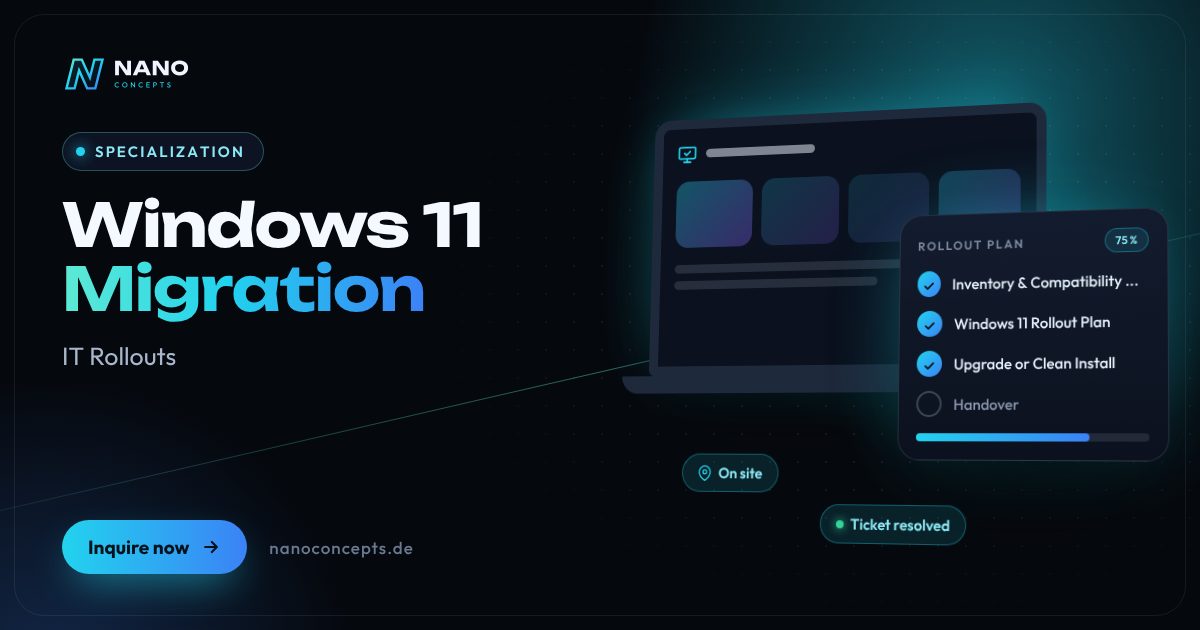
Specialization · IT Rollouts

Windows 11 Migration: Move from Windows 10 to 11 Without Downtime

We plan your switch from Windows 10 to Windows 11, replace unsuitable hardware and migrate user data and applications in manageable waves. Our IT service partners RELEDER and FAIMA IT Services handle the on-site work – across Germany and fully documented.

Initial consultation freeQuote transparent, fixed price if preferredArea IT Rollouts
Featured image: Windows 11 Migration
Short & clear

A Windows 11 migration comprises the inventory of all clients, the review of hardware and business applications, the in-place upgrade or replacement of incompatible devices, the transfer of user data and the enrollment into device management, such as Microsoft Intune. Nano Concepts plans and manages the migration, while our IT service partners RELEDER and FAIMA IT Services handle the on-site work across Germany. Costs depend mainly on the number of devices and the share that has to be replaced – you receive an individual quote based on scope, locations and time windows.

Windows 11 migration with Nano Concepts

For many companies, a Windows 11 migration is no longer an option but a necessity: Microsoft ended regular support for Windows 10 on October 14, 2025, and new security vulnerabilities are no longer patched without paid extended updates. We handle the switch as a service – from the inventory through the upgrade or hardware replacement to the handover at the workstation. Our IT service partners RELEDER and FAIMA IT Services carry out the on-site work across Germany, while planning, management and documentation run through Nano Concepts.

01

It starts with the inventory: which devices meet the requirements such as TPM 2.0, Secure Boot and a supported processor? Which business applications, drivers and peripherals need to be tested? This results in a Windows 11 rollout plan with a pilot group, waves and time windows. We update compatible devices by in-place upgrade or clean install, and replace unsuitable computers with prepared new devices. In managed environments, we rely on Microsoft Intune and Windows Autopilot so that devices are configured uniformly and updates can be controlled centrally from now on.

02

What matters most to companies is that operations keep running. That is why we schedule the switch outside peak times, transfer user data and settings, and check with the users that everything works before the old device leaves. Individual systems that can't be switched right away can be bridged with paid Extended Security Updates (ESU) – as a transition, not a permanent solution. You can read in detail how to prepare the migration internally in our magazine article “Windows 11 Migration for Businesses: How to Get It Right”.

Story

Windows 11 migration in 9 slides

Just swipe through: what Windows 11 migration delivers, what we build for you, and how other companies benefit.

01 / 09

Specialization · IT Rollouts

Windows 11 Migration. On site when it counts.

A Windows 11 migration comprises the inventory of all clients, the review of hardware and business applications, the in-place upgrade or replacement of incompatible devices, the transfer of …

  • Free initial consultation
  • Across Germany with partner teams
  • Reply usually within 24 hours
nanoconcepts.de
02 / 09

How you can tell

Does this sound familiar?

Typical signs that Windows 11 migration is worth it:

  1. 01Your company still has computers running Windows 10.
  2. 02You don't know exactly which devices meet the Windows 11 requirements.
  3. 03Business applications or peripherals have not yet been tested under Windows 11.
  4. 04Your IT team has no capacity to switch many workstations at several locations in parallel.
nanoconcepts.de
03 / 09

Your benefit

What you get out of it.

Security Updates AgainYour clients run on a supported operating system instead of carrying known vulnerabilities …
No Downtime in OperationsWave planning and coordinated time windows ensure that only a few workstations are switched …
Know Early What You NeedThe inventory shows in good time which devices must be upgraded and which replaced – a …
nanoconcepts.de
04 / 09

Scope of services

What we handle for you.

Move from Windows 10 to Windows 11 with inventory, hardware replacement, data transfer and rollout – on site …

  1. Inventory & Compatibility Check
  2. Windows 11 Rollout Plan
  3. Upgrade or Clean Install
  4. Hardware Replacement & Staging
  5. Data & Profile Migration
  6. Intune, Autopilot & Documentation
nanoconcepts.de
05 / 09

Use cases

Here's what that looks like in practice.

Real EstateA property management company with several offices switches all clients to Windows 11 and introduces unified device …
Finance & InsuranceA financial services provider migrates its clients with seamless documentation, so that patch level and device …
Industry & ManufacturingA manufacturer switches administrative PCs and shop-floor computers shift by shift and first tests whether machine …
nanoconcepts.de
06 / 09

Process

A clear process. No surprises.

  1. 01
    Inventory & AnalysisWe record devices, users, software and locations and sort the clients into …
  2. 02
    Tests & Pilot GroupBusiness applications and peripherals are tested, and a pilot group works …
  3. 03
    Wave PlanningWe define waves, dates and teams per location and coordinate them with your …
  4. 04
    On-Site SwitchoverPartner technicians carry out upgrades and device replacement, transfer …
nanoconcepts.de
07 / 09

Common question

Good question. Clear answer.

How much does it cost to switch from Windows 10 to Windows 11?

Nano Concepts

For compatible devices with a valid Windows 10 license, the upgrade itself is generally free of charge.

All questions & answers
nanoconcepts.de
08 / 09

Engagement

Remote or on site.

Inventory, tests and wave planning are handled centrally by Nano Concepts, often remotely via your device management; the on-site switchover is carried out by the partner teams of RELEDER and FAIMA IT Services across Germany.

Windows 11Microsoft IntuneWindows AutopilotMicrosoft Configuration ManagerUSMTMicrosoft Entra IDActive DirectoryPowerShell
nanoconcepts.de
09 / 09

Let's get started

Unlock your full potential.

Tell us about your project – we usually get back to you within 24 hours with an initial assessment.

TOGETHER. DIGITAL. SUCCESSFUL.

nanoconcepts.de
01 / 09

Typical signs that Windows 11 migration is worth it

  • Your company still has computers running Windows 10.
  • You don't know exactly which devices meet the Windows 11 requirements.
  • Business applications or peripherals have not yet been tested under Windows 11.
  • Your IT team has no capacity to switch many workstations at several locations in parallel.
  • Auditors, customers or insurers are asking about the patch level of your systems.
Scope of services

What we deliver for you

Move from Windows 10 to Windows 11 with inventory, hardware replacement, data transfer and rollout – on site across Germany.

Inventory & Compati­bility Check

We record all Windows 10 clients and check TPM 2.0, Secure Boot, processor and memory as well as business applications and peripherals.

Windows 11 Rollout Plan

Pilot group, waves, time windows and responsibilities are defined per location and coordinated with your departments.

Upgrade or Clean Install

Compatible devices are switched over by in-place upgrade or a clean install – depending on their condition and your target configuration.

Hardware Replacement & Staging

We replace incompatible computers with new devices that are preloaded, configured and inventoried in advance.

Data & Profile Migration

User data, settings, printers and applications are carried over so that employees can keep working right away.

Intune, Autopilot & Docu­menta­tion

Enrollment into Microsoft Intune or your existing management, update control and complete documentation including a list of retired devices.

Your benefits

Why companies choose us

Security Updates Again

Your clients run on a supported operating system instead of carrying known vulnerabilities along.

No Downtime in Operations

Wave planning and coordinated time windows ensure that only a few workstations are switched at the same time.

Know Early What You Need

The inventory shows in good time which devices must be upgraded and which replaced – a budget instead of a surprise.

Modern Device Management

With Intune and Autopilot, future updates, new devices and policies can be managed centrally.

Use cases

Windows 11 migration in your industry

Here's what Windows 11 migration looks like in typical industries – concrete examples from everyday business.

Industry & Manu­fac­turing

A manufacturer switches administrative PCs and shop-floor computers shift by shift and first tests whether machine software and label printers run under Windows 11.

Learn more

Retail & E-Commerce

A retail chain migrates back-office computers outside opening hours and replaces older devices that don't meet the Windows 11 requirements.

Learn more

Logistics

A logistics site switches dispatch and the warehouse office without interrupting shift operations or the connection to scanners and scales.

Learn more

Healthcare & Care

A medical practice has us check whether its practice management software and device drivers support Windows 11, and then switches workstation by workstation.

Learn more

Real Estate

A property management company with several offices switches all clients to Windows 11 and introduces unified device management with Intune in the process.

Learn more

Finance & Insurance

A financial services provider migrates its clients with seamless documentation, so that patch level and device inventory can be demonstrated during audits.

Learn more

Services & Consulting

A law or tax firm switches notebooks over the weekend, carries over profiles and business applications and is back at work without interruption on Monday.

Learn more

Skilled Trades

A skilled-trades business replaces outdated office PCs whose processors are not supported and has data and industry software carried over.

Learn more

Startups

A startup uses the switch to set up all notebooks uniformly via Autopilot, so that new devices go straight to employees in the future.

Learn more

Education & Research

A school or academy switches training and administration computers during the holidays so that operations start afterward without delay.

Learn more

Tourism & Hospitality

A hotel switches front-desk and office PCs one after another and first tests the connection to the hotel software and card terminals.

Learn more

Media & Creative Industries

An agency migrates high-performance workstations and checks creative software, plug-ins and drivers for graphics tablets and monitors in advance.

Learn more
Process

How your project works

  1. Inventory & AnalysisWe record devices, users, software and locations and sort the clients into upgrade, adjustment and replacement.
  2. Tests & Pilot GroupBusiness applications and peripherals are tested, and a pilot group works with Windows 11 in advance and gives feedback.
  3. Wave PlanningWe define waves, dates and teams per location and coordinate them with your departments.
  4. On-Site SwitchoverPartner technicians carry out upgrades and device replacement, transfer data and hand the workstation over to the user.
  5. Completion & HandoverExceptions and old devices are documented, and your IT team receives the inventory and a final report.

Technologies & tools

Windows 11Microsoft IntuneWindows AutopilotMicrosoft Configuration ManagerUSMTMicrosoft Entra IDActive DirectoryPowerShellWindows Update for Business
FAQ

Frequently asked questions about Windows 11 migration

For compatible devices with a valid Windows 10 license, the upgrade itself is generally free of charge. Costs arise from the inventory, testing, execution, data transfer and, where applicable, new hardware. You receive an individual quote based on scope, locations and time windows.

Yes, if the device meets the requirements, above all TPM 2.0, Secure Boot and a supported processor. An in-place upgrade is then possible, in which data and programs are preserved; in companies, it is usually distributed centrally via Intune or Configuration Manager. Incompatible devices have to be replaced.

Yes. Windows 10 Pro is updated to Windows 11 Pro on compatible devices, and the edition stays the same. Before the upgrade, business applications, drivers and peripherals should be checked and data backed up.

That depends on the number of devices, locations, share of replacements and available time windows. A single office is often switched quickly; for several locations, we plan in waves. After the inventory, you receive a schedule per wave.

Yes. With Microsoft Intune, upgrades can be distributed centrally, devices set up via Windows Autopilot and policies applied uniformly. If Intune is not yet in use, the migration can be a good occasion to introduce it – we plan that together with your IT team.

For such systems, for example because of a business application, Microsoft offers companies paid Extended Security Updates (ESU), purchased year by year and for no longer than October 2028. They are a bridge, not a permanent solution; we plan with you how these systems will be switched over or isolated later.

Solutions

Windows 11 Migration for your target audience

Related

Related services

Digital Glossary

Terms related to Windows 11 migration, briefly explained

Magazine

Read more

08 · Scenario · approx. 50 seconds

120 devices, 6 branches

6 branches, 120 workstations, everything needs replacing – you can't do that on the side. A planned rollout with staging, waves and partner teams on site: by Monday morning every branch is ready.

ServiceIT rollout · Windows 11ForRetail chains & SMEs
Read transcript

This is Andrea, head of IT.
6 branches. 120 workstations.
Everything needs an upgrade.
Just do it yourself on the side?
Updates during business hours.
Checkout down. Customers waiting.
Which device is where?
Endless tickets.
Old devices pile up in the hallway.
Here’s what’s going wrong.
Downtime costs money every hour.
NANO CONCEPTS plans the rollout.
Devices prepped in staging.
Swapped in waves. With partner teams on site.
And suddenly:
It works. Branch by branch.
Monday, 8:00 AM.
All branches ready to go.
Andrea has the full picture.

Get the right quote in 60 seconds

Needs analysis: Windows 11 Migration

Answer a few short questions – we usually get back to you within 24 hours with an initial assessment.

Request a project