Specialization · Databases & Cloud

Data migration: moving verified, cleansed data into the new system

We transfer customer, item, order and document data from legacy systems, Excel lists or existing databases into your new system. With field mapping, cleansing, trial runs and reconciliation of records and totals before the switchover.

Initial consultation freeQuote transparent, fixed price if preferredArea Databases & Cloud
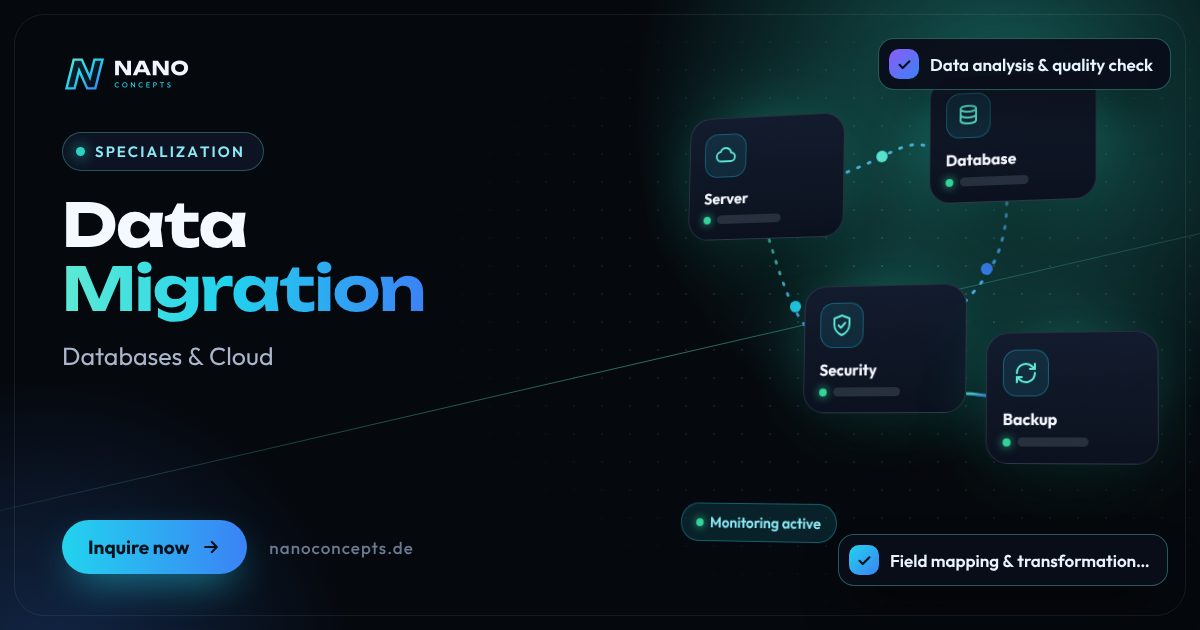
Featured image: Data Migration
Short & clear

A data migration is the planned transfer of data from a source system – such as an old database, industry software or Excel – to a target system, including analysis, field mapping, cleansing, test runs and reconciliation. Nano Concepts carries out data migrations as a project of their own or as part of a software rollout. Manageable migrations are possible in the Starter package from €2,500, more complex ones usually in the Professional package from €8,000; the exact quote follows after the free initial consultation.

Data migration with Nano Concepts

A data migration becomes necessary when something fundamental changes: a new CRM replaces the old one, Excel lists are to move into a proper database, an industry software is being replaced or an application moves from MySQL to PostgreSQL. The risk rarely lies in the copying itself but in the data: different formats, duplicates, empty required fields, orphaned references. It is often exactly these legacy problems that later stall a system rollout. That is why we treat every data migration as a project of its own, with a clear process and a written plan.

01

Our data migration process follows fixed steps: we analyze the source and target systems, create a field mapping, define cleansing and transformation rules and write the migration as a repeatable script – in SQL, Python or through the target system's interfaces. Trial runs with real data follow. Every run is reconciled: do the number of records, totals and spot checks match? Only when your business department signs off on the result do we set the cutover date together. You receive the reconciliation log for every run.

02

For the switchover itself, planning counts: we migrate the existing data in advance, transfer only the changes shortly before the change and switch over at an agreed time with a fallback plan. The migration is also a good opportunity to shed legacy baggage – such as data that should no longer be stored under your deletion policy. We bring experience with grown data sets from our own platforms such as Tarifemaxx.de and from projects like a real estate CRM portal with onOffice integration.

Story

Data migration in 9 slides

Just swipe through: what Data migration delivers, what we build for you, and how other companies benefit.

01 / 09

Specialization · Databases & Cloud

Data Migration. Secure. Fast. Stable.

A data migration is the planned transfer of data from a source system – such as an old database, industry software or Excel – to a target system, including analysis, field mapping …

  • Free initial consultation
  • Transparent, fixed price if you like
  • Reply usually within 24 hours
nanoconcepts.de
02 / 09

How you can tell

Does this sound familiar?

Typical signs that Data migration is worth it:

  1. 01A new CRM, ERP or industry system has been selected, but how to transfer the legacy data is …
  2. 02Important data sits in Excel lists, Access databases or exports that nobody fully understands …
  3. 03Customers or items exist multiple times with different spellings and states.
  4. 04Your application is to move to a different database such as PostgreSQL or replace an outdated …
nanoconcepts.de
03 / 09

Your benefit

What you get out of it.

Clean data in the new systemYour team starts with cleansed, consistent data instead of carrying over the errors of the …
Traceable instead of a black boxMapping, rules and reconciliation logs are documented – you know at any time which record …
A short cutover phaseAdvance migration and delta transfer keep the time window on the cutover date small.
nanoconcepts.de
04 / 09

Scope of services

What we deliver for you.

Data from legacy systems, Excel or SQL databases transferred to the new system – verified, cleansed and …

  1. Data analysis & quality check
  2. Field mapping & transformation rules
  3. Cleansing & duplicate matching
  4. Migration scripts
  5. Trial runs & reconciliation log
  6. Cutover & delta migration
nanoconcepts.de
05 / 09

Use cases

Here's what that looks like in practice.

Healthcare & CareA home care service transfers client and assignment data into new software, with restricted access during the migration …
Real EstateA property management company moves property, unit and tenant data from spreadsheets and old industry software into a …
Finance & InsuranceA financial services provider migrates customer and contract data into a new management system and proves completeness …
nanoconcepts.de
06 / 09

Process

A clear process. No surprises.

  1. 01
    AnalysisWe examine the source and target systems, data volumes and data quality and …
  2. 02
    Mapping & rulesField mapping and cleansing and transformation rules are documented and …
  3. 03
    Scripts & trial runWe develop the migration scripts and carry out trial runs with real data on …
  4. 04
    Reconciliation & sign-offCounts, totals and spot checks are verified against the source until the …
nanoconcepts.de
07 / 09

Common question

Good question. Clear answer.

How does a data migration work?

Nano Concepts

A data migration usually follows five steps: analysis of the source and target systems, field mapping with cleansing rules, development of the migration scripts, trial runs with reconciliation, and finally the switchover on the cutover date.

All questions & answers
nanoconcepts.de
08 / 09

Packages

Three packages. One plan.

  • Starterfrom €2,500Ideal for landing pages, simple web applications and prototypes.
  • Professionalfrom €8,000For complex web applications, portals and tailor-made software …
  • EnterpriseCustomFor large projects, system landscapes and long-term development …

Non-binding guidance – you will receive your quote after the free initial consultation. View pricing

nanoconcepts.de
09 / 09

Let's get started

Unlock your full potential.

Tell us about your project – we usually get back to you within 24 hours with an initial assessment.

TOGETHER. DIGITAL. SUCCESSFUL.

nanoconcepts.de
01 / 09

Typical signs that Data migration is worth it

  • A new CRM, ERP or industry system has been selected, but how to transfer the legacy data is still unresolved.
  • Important data sits in Excel lists, Access databases or exports that nobody fully understands anymore.
  • Customers or items exist multiple times with different spellings and states.
  • Your application is to move to a different database such as PostgreSQL or replace an outdated database system.
  • The vendor of your current software is discontinuing operations, and you need your data in a new system.
Scope of services

What we deliver for you

Data from legacy systems, Excel or SQL databases transferred to the new system – verified, cleansed and traceable.

Data analysis & quality check

We examine the structure, completeness and quality of the source data and show where duplicates, gaps or contradictions lie.

Field mapping & trans­forma­tion rules

Every source field gets its target, including rules for formats, categories, units and derived values – documented and agreed.

Cleansing & duplicate matching

Duplicate customers, outdated records and faulty entries are merged, corrected or removed according to agreed rules.

Migration scripts

Repeatable scripts in SQL or Python, or via the target system's API, so that every trial run proceeds identically.

Trial runs & recon­cilia­tion log

Test migrations with real data, reconciliation of record counts, totals and spot checks, and sign-off by the business department.

Cutover & delta migration

Existing data in advance, changes shortly before the switch, cutover at an agreed time with a documented fallback plan.

Your benefits

Why companies choose us

Clean data in the new system

Your team starts with cleansed, consistent data instead of carrying over the errors of the old system.

Traceable instead of a black box

Mapping, rules and reconciliation logs are documented – you know at any time which record went where.

A short cutover phase

Advance migration and delta transfer keep the time window on the cutover date small.

Repeatable and testable

Script-based migrations can be run as trial runs as often as needed until the result is right.

Use cases

Data migration in your industry

Here's what Data migration looks like in typical industries – concrete examples from everyday business.

Industry & Manu­fac­turing

A manufacturer moves bills of materials, item masters and machine data from a long-grown Access database into a new system.

Learn more

Retail & E-Commerce

A retailer transfers items, variants and customer history from the old inventory management system and standardizes categories and units in the process.

Learn more

Logistics

A logistics company migrates customer, address and rate data from several branch solutions into a shared database with cleansed addresses.

Learn more

Healthcare & Care

A home care service transfers client and assignment data into new software, with restricted access during the migration and a log of every run.

Learn more

Real Estate

A property management company moves property, unit and tenant data from spreadsheets and old industry software into a new portal with CRM.

Learn more

Finance & Insurance

A financial services provider migrates customer and contract data into a new management system and proves completeness through total and spot-check reconciliation.

Learn more

Services & Consulting

An agency merges customer data from an email client, Excel and an old CRM, cleaning up duplicates and outdated contacts along the way.

Learn more

Skilled Trades

A trades business transfers customers, quotes and orders from its previous trade software into a new solution without losing its order history.

Learn more

Startups

A startup moves its application from a hastily built MySQL database to a clean PostgreSQL schema with clear relationships.

Learn more

Education & Research

An education provider migrates participants, courses and certificate records from an old administration system into a new learning platform.

Learn more

Tourism & Hospitality

A hotel transfers guest profiles and booking history from its old hotel software into a new system and merges duplicate profiles.

Learn more

Media & Creative Industries

A publisher migrates its article archive with images, authors and tags from an outdated CMS into a new editorial system.

Learn more
Process

How your project works

  1. AnalysisWe examine the source and target systems, data volumes and data quality and clarify which data is really coming along.
  2. Mapping & rulesField mapping and cleansing and transformation rules are documented and agreed with the business department.
  3. Scripts & trial runWe develop the migration scripts and carry out trial runs with real data on a test environment.
  4. Reconciliation & sign-offCounts, totals and spot checks are verified against the source until the business department approves the result.
  5. Cutover & follow-upExisting data and changes are transferred on the agreed date, then we accompany your team through the first working days.

Technologies & tools

SQLPostgreSQLMySQLMariaDBMicrosoft SQL ServerPythonpandaspgloaderFlywayREST APIs
FAQ

Frequently asked questions about Data migration

A data migration usually follows five steps: analysis of the source and target systems, field mapping with cleansing rules, development of the migration scripts, trial runs with reconciliation, and finally the switchover on the cutover date. What matters is that the migration is repeatable and every run is verified. That way, errors show up in testing, not in live operation.

The effort depends on data volumes, the number of sources and, above all, data quality. A manageable migration, for example from Excel or a single database, is possible in the Starter package from €2,500, while migrations from several legacy systems with extensive cleansing usually fall under the Professional package from €8,000. You will receive the exact quote after the free initial consultation and a first look at your data.

A good plan describes scope and sources, field mapping, cleansing rules, responsibilities, test runs with acceptance criteria, the cutover date with a time window and a fallback plan. It also includes the decision on which legacy data is deliberately not carried over. We create this plan together with your business department.

First the schema is transferred and adapted to the quirks of the target database, for example with data types, character sets and auto-incrementing IDs. Then the data is transferred with tools such as pgloader or custom scripts, and the application's queries are adapted. Finally, we compare record counts and the results of important queries between the old and new database.

A simple transfer can be done in a few weeks. Most of the time usually goes into analysis and cleansing, not the actual transfer. We plan the switchover itself so that it happens in a short, agreed time window.

The migration is a good opportunity for a cleanup. Together with you, we decide which data is transferred, archived or deleted, for example based on your deletion policy. Which retention and deletion obligations apply to you should be assessed by your data protection officer or legal advisor. Our information does not replace legal advice.

Related

Related services

Digital Glossary

Terms related to Data migration, briefly explained

Magazine

Read more

09 · Scenario · approx. 50 seconds

The backup nobody checks

Frank thinks he has a backup – the last one is seven months old and was never tested. Data in the cloud with a data centre in Germany or the EU, automatic backups and monthly restore tests.

ServiceCloud, backup & databasesForOffices, law firms & SMEs
Read transcript

Frank has a server.
And a backup.
Or so he thinks.
Monday morning.
Server dead.
All the plans: gone?
And the backup?
Last backup: 7 months ago.
Never tested.
Here’s what’s going wrong.
One failure, and everything stops.
NANO CONCEPTS moves the data to the cloud.
Data center in Germany or the EU.
Backups: automatic. And tested.
Every month: a test restore.
So it works when it counts.
Frank works from anywhere.
And sleeps soundly.

Get the right quote in 60 seconds

Needs analysis: Data Migration

Answer a few short questions – we usually get back to you within 24 hours with an initial assessment.

Request a project