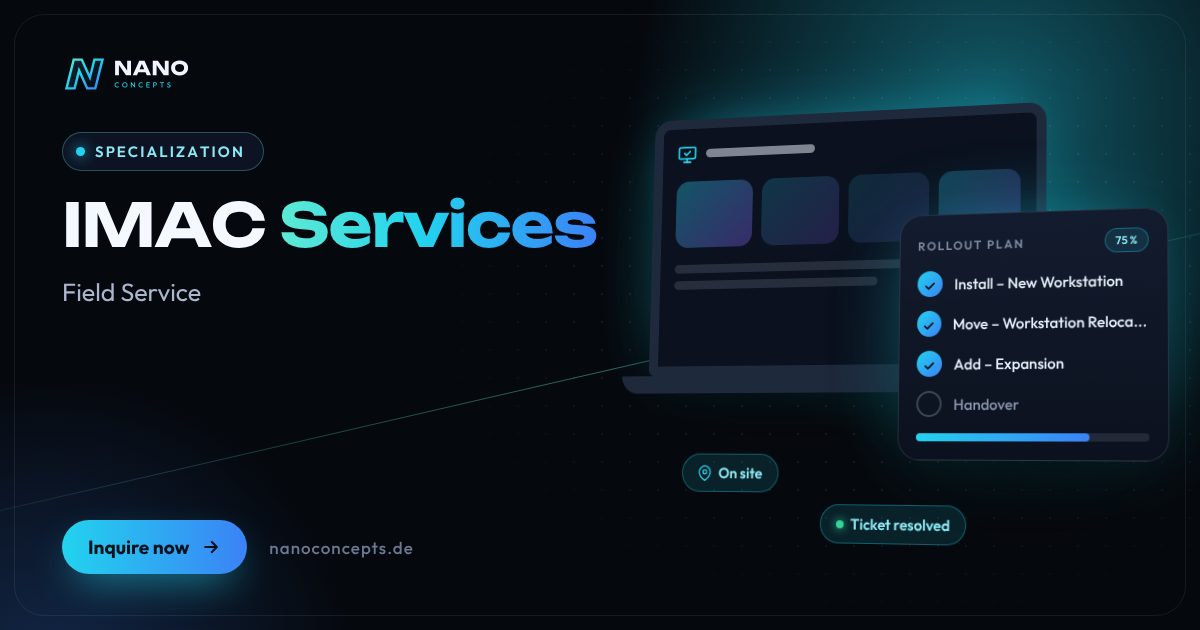
Specialization · Field Service

IMAC Services: Install, Move, Add and Change Workstations

IMAC stands for Install, Move, Add, Change – in other words, all plannable changes to IT workstations. We accept your IMAC orders, coordinate partner technicians across Germany and document every workstation down to the serial number.

Initial consultation freeQuote transparent, fixed price if preferredArea Field Service
Featured image: IMAC Services
Short & clear

IMAC services (Install, Move, Add, Change – extended to IMAC/R or IMAC/RD when removal and disposal are included) cover setting up, relocating, expanding and changing IT workstations as plannable individual orders. Nano Concepts accepts the orders, plans appointments and materials, and carries them out on site across Germany with the IT service partners RELEDER and FAIMA IT Services. Billing is based on order type and quantity – you receive an individual quote based on scope, locations and time windows.

IMAC services with Nano Concepts

IMAC services cover all plannable changes to IT workstations: Install (set up a new workstation), Move (relocate a workstation), Add (add components) and Change (change hardware or configuration). When removal and disposal are also included, the term is IMAC/R or IMAC/RD services. The term has nothing to do with Apple computers – it refers to workstation services for PCs, notebooks, monitors, printers, phones and docking stations. We carry out these orders across Germany together with our IT service partners RELEDER and FAIMA IT Services.

01

Unlike fault resolution (break & fix), IMAC orders can be planned – and that is exactly where the potential lies. Instead of your IT team heading out itself for every new employee, every team move and every additional monitor, you order the assignment through a fixed channel: ticket, form or interface. We check the details, clarify materials and appointment, send a partner technician and report the result back – with a log, photos and serial numbers for your asset management.

02

A functioning IMAC service management needs clear standards: what services belong to an “Install”, what is included in a “Move”, what information must an IMAC service request contain? We work out these service descriptions with you so that orders are comparable, times are plannable and invoices are traceable. As software developers, we can connect IMAC orders directly to your ticketing system or your CMDB (configuration management database) if you wish, so that inventory and reality match. That turns many individual orders into a process that your IT team controls instead of chasing after it.

Story

IMAC services in 9 slides

Just swipe through: what IMAC services delivers, what we build for you, and how other companies benefit.

01 / 09

Specialization · Field Service

IMAC Services. On site when it counts.

IMAC services (Install, Move, Add, Change – extended to IMAC/R or IMAC/RD when removal and disposal are included) cover setting up, relocating, expanding and changing IT workstations as …

  • Free initial consultation
  • Across Germany with partner teams
  • Reply usually within 24 hours
nanoconcepts.de
02 / 09

How you can tell

Does this sound familiar?

Typical signs that IMAC services is worth it:

  1. 01Your IT team spends a lot of time on workstation moves, new employees and device swaps.
  2. 02Remote sites lack their own IT staff for plannable on-site work.
  3. 03After moves and device swaps, your inventory no longer matches reality.
  4. 04Every IMAC order is handled and billed differently.
nanoconcepts.de
03 / 09

Your benefit

What you get out of it.

Relief for Your IT TeamPlannable routine assignments run through us, while your team takes care of projects and …
Clearly Defined ServicesA service catalog makes the scope, schedule and billing of each IMAC order traceable.
Up-to-Date InventoryAfter every assignment, serial numbers, locations and user assignments in your …
nanoconcepts.de
04 / 09

Scope of services

What we handle for you.

Install, Move, Add, Change: set up, relocate, expand and change workstations – as plannable orders with …

  1. Install – New Workstation
  2. Move – Workstation Relocation
  3. Add – Expansion
  4. Change – Modification & Replacement
  5. Remove – Decommissioning & Return
  6. IMAC Service Management
nanoconcepts.de
05 / 09

Use cases

Here's what that looks like in practice.

Finance & InsuranceAn insurance agency has workstations set up for new employees and old devices taken back with a documented handover for …
Industry & ManufacturingAn industrial company has workstations in administration and workshop offices relocated during restructurings and the …
Retail & E-CommerceA multi-store retailer orders the replacement of checkout PCs and label printers as one IMAC order per store – with …
nanoconcepts.de
06 / 09

Process

A clear process. No surprises.

  1. 01
    Define the Service CatalogTogether with you, we define what belongs to Install, Move, Add, Change and …
  2. 02
    Set Up the Ordering ChannelIMAC service requests arrive via ticketing system, form or email and are …
  3. 03
    Plan Appointment & MaterialsWe coordinate appointments with the location and user and clarify which …
  4. 04
    On-Site AssignmentPartner technicians carry out the order, test the function and hand the …
nanoconcepts.de
07 / 09

Common question

Good question. Clear answer.

What does IMAC mean?

Nano Concepts

IMAC stands for Install, Move, Add, Change – that is, setting up, relocating, expanding and changing IT workstations. When removal and disposal are added, the term is IMAC/R or IMAC/RD. The term has nothing to do with Apple iMacs.

All questions & answers
nanoconcepts.de
08 / 09

Engagement

Remote or on site.

The partner teams of RELEDER and FAIMA IT Services carry out IMAC assignments on site; order intake, scheduling and documentation are handled centrally by Nano Concepts – for a single location or nationwide.

ServiceNowJira Service ManagementZammadMicrosoft IntuneWindows AutopilotMicrosoft Entra IDCMDB / asset managementPowerShell
nanoconcepts.de
09 / 09

Let's get started

Unlock your full potential.

Tell us about your project – we usually get back to you within 24 hours with an initial assessment.

TOGETHER. DIGITAL. SUCCESSFUL.
nanoconcepts.de
01 / 09

Typical signs that IMAC services is worth it

  • Your IT team spends a lot of time on workstation moves, new employees and device swaps.
  • Remote sites lack their own IT staff for plannable on-site work.
  • After moves and device swaps, your inventory no longer matches reality.
  • Every IMAC order is handled and billed differently.
  • You are planning an office move or a restructuring involving many workstations.
Scope of services

What we deliver for you

Install, Move, Add, Change: set up, relocate, expand and change workstations – as plannable orders with documentation.

Install – New Workstation

Setup, connection and commissioning of PC or notebook, monitors, docking station and peripherals, including handover to the user.

Move – Workstation Relocation

Dismantling, transport within a site or between sites, reassembly and function test at the new location.

Add – Expansion

Additional monitors, printers, headsets, storage or accessories are added and set up.

Change – Modification & Replacement

Device replacement, hardware upgrades or configuration changes at the workstation, aligned with your standards.

Remove – Decom­mis­sioning & Return

Dismantling workstations that are no longer needed, taking back old devices and handing them over for data erasure or disposal according to your specifications.

IMAC Service Management

Service catalog, ordering channel, appointment scheduling and documentation with serial numbers – optionally connected to your ticketing system or CMDB.

Your benefits

Why companies choose us

Relief for Your IT Team

Plannable routine assignments run through us, while your team takes care of projects and incidents.

Clearly Defined Services

A service catalog makes the scope, schedule and billing of each IMAC order traceable.

Up-to-Date Inventory

After every assignment, serial numbers, locations and user assignments in your documentation are correct.

Uniform Across Germany

Whether headquarters or branch office: all locations get the same process and the same documentation.

Use cases

IMAC services in your industry

Here's what IMAC services looks like in typical industries – concrete examples from everyday business.

Industry & Manu­fac­turing

An industrial company has workstations in administration and workshop offices relocated during restructurings and the assignments in the inventory updated.

Learn more

Retail & E-Commerce

A multi-store retailer orders the replacement of checkout PCs and label printers as one IMAC order per store – with serial numbers reported back.

Learn more

Logistics

A logistics provider has workstations in the warehouse office set up and dismantled when customers change, and scanners and printers reassigned.

Learn more

Healthcare & Care

A group practice has new reception and treatment workstations set up with PC, card reader and printer, scheduled around office hours.

Learn more

Real Estate

A property management company moves within a building and has all workstations dismantled and set up again over one weekend.

Learn more

Finance & Insurance

An insurance agency has workstations set up for new employees and old devices taken back with a documented handover for data erasure.

Learn more

Services & Consulting

A consulting firm orders an IMAC install with a notebook, docking station and two monitors for every new hire, ready on the first day of work.

Learn more

Skilled Trades

A skilled-trades business with several branch offices has office workstations expanded and printers replaced, without its own administration having to haul equipment.

Learn more

Startups

A growing startup has all workstations relocated when moving to larger offices and expanded with additional monitors at the same time.

Learn more

Education & Research

An educational institution has training rooms and administrative workstations rebuilt, expanded and recabled during the holidays.

Learn more

Tourism & Hospitality

A hotel group has reception workstations dismantled and set up again during renovations and outdated peripherals replaced in the process.

Learn more

Media & Creative Industries

An agency has workstations, graphics tablets and monitors moved between offices and set up again when teams change.

Learn more
Process

How your project works

  1. Define the Service CatalogTogether with you, we define what belongs to Install, Move, Add, Change and Remove and what information an order needs.
  2. Set Up the Ordering ChannelIMAC service requests arrive via ticketing system, form or email and are reviewed and scheduled.
  3. Plan Appointment & MaterialsWe coordinate appointments with the location and user and clarify which hardware will be ready when.
  4. On-Site AssignmentPartner technicians carry out the order, test the function and hand the workstation over to the user.
  5. Feedback & InventoryA log, photos and serial numbers are sent back to you, directly into your ticketing system or CMDB if you wish.

Technologies & tools

ServiceNowJira Service ManagementZammadMicrosoft IntuneWindows AutopilotMicrosoft Entra IDCMDB / asset managementPowerShell
FAQ

Frequently asked questions about IMAC services

IMAC stands for Install, Move, Add, Change – that is, setting up, relocating, expanding and changing IT workstations. When removal and disposal are added, the term is IMAC/R or IMAC/RD. The term has nothing to do with Apple iMacs.

Costs depend on the order type, the number of workstations, locations and time windows, for example for assignments outside business hours. You receive an individual quote based on scope, locations and time windows – for individual orders or as a framework agreement with a fixed service catalog.

A good order contains the location, user, order type, affected devices, desired appointment and a contact person on site. The clearer the details, the more likely the assignment is completed on the first visit. We provide you with a suitable template or form.

An additional monitor is usually installed quickly, while a complete workstation move with several components takes longer. We agree appointments and lead times with you; larger moves we plan in stages.

IMAC orders are plannable changes at the workstation, while break & fix is the resolution of a fault. We handle both as part of our IT field service and process them through a shared ordering channel.

Yes. If you wish, we connect the ordering channel to your ticketing system, for example ServiceNow, Jira Service Management or Zammad, so that orders and feedback run without gaps between systems. As software developers, we also implement custom interfaces.

Solutions

IMAC Services for your target audience

Related

Related services

Digital Glossary

Terms related to IMAC services, briefly explained

Magazine

Read more

08 · Scenario · approx. 50 seconds

120 devices, 6 branches

6 branches, 120 workstations, everything needs replacing – you can't do that on the side. A planned rollout with staging, waves and partner teams on site: by Monday morning every branch is ready.

ServiceIT rollout · Windows 11ForRetail chains & SMEs
Read transcript

This is Andrea, head of IT.
6 branches. 120 workstations.
Everything needs an upgrade.
Just do it yourself on the side?
Updates during business hours.
Checkout down. Customers waiting.
Which device is where?
Endless tickets.
Old devices pile up in the hallway.
Here’s what’s going wrong.
Downtime costs money every hour.
NANO CONCEPTS plans the rollout.
Devices prepped in staging.
Swapped in waves. With partner teams on site.
And suddenly:
It works. Branch by branch.
Monday, 8:00 AM.
All branches ready to go.
Andrea has the full picture.

Get the right quote in 60 seconds

Needs analysis: IMAC Services

Answer a few short questions – we usually get back to you within 24 hours with an initial assessment.

Request a project