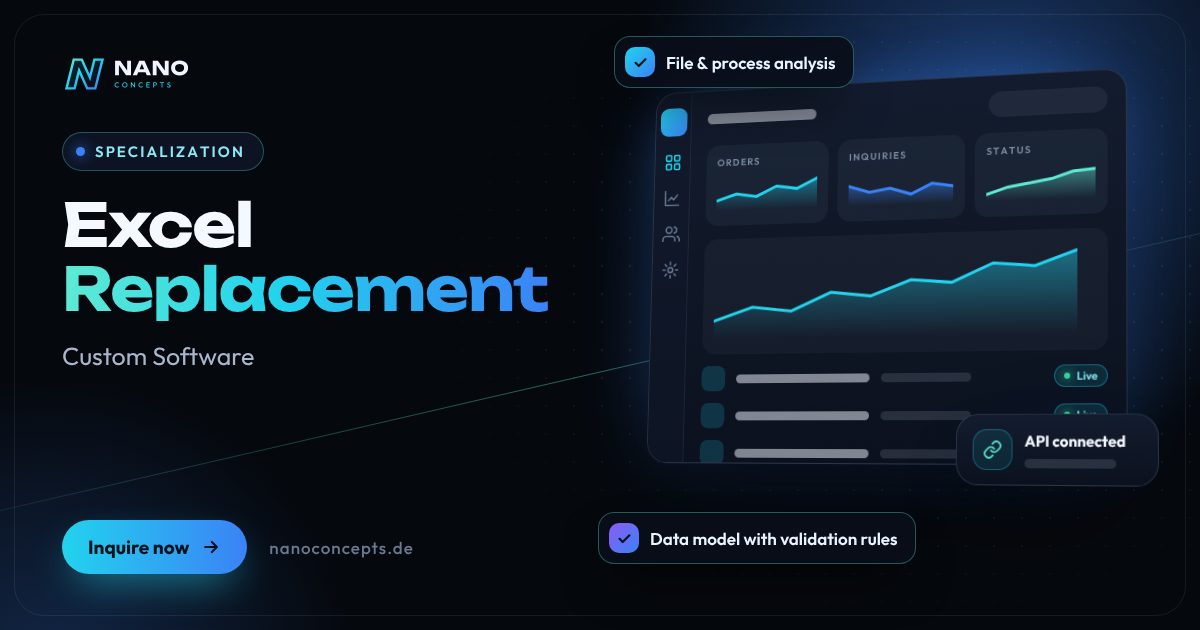
Specialization · Custom Software

Replace Excel with Software – No More “final_v7.xlsx”

When costing, planning or order lists live in grown Excel files, your business depends on macros, copies and the knowledge of a few individuals. We convert these spreadsheets into a secure web application where several people work simultaneously with the same, up-to-date data.

Initial consultation freeQuote transparent, fixed price if preferredArea Custom Software
Featured image: Excel Replacement
Short & clear

Replacing Excel with software means turning a grown Excel or Access solution into a web application with a database, in which several people work simultaneously with permissions and change history. Nano Concepts analyzes formulas, macros and workflows, takes over existing data after verification and, if needed, runs the old and new solutions in parallel until everything checks out. Small tools are possible in the Starter package from €2,500, typical replacements with several roles and interfaces fall under the Professional package from €8,000 – the exact quote follows after the free initial consultation.

Replace Excel with custom software with Nano Concepts

Almost every company has one: the Excel file without which nothing runs. Costing, scheduling, order or inspection lists have grown over the years, with formulas, linked sheets and macros that hardly anyone truly understands. Then two colleagues work in different copies at the same time, a “final_v7.xlsx” sits somewhere, and nobody knows which version is valid. If you want to replace Excel with software, you therefore don't need an off-the-shelf program but a solution that takes over exactly your logic. In an Excel replacement, we convert your spreadsheets into a web application with a database in which everyone works simultaneously with the same, current data.

01

It starts with a thorough analysis of your file: which formulas calculate what, which sheets are connected, which macros trigger which steps, and where do silent special cases hide? From that comes a clean data model with required fields and validation rules, so typos never make it into the data in the first place. Everyone sees only what they are allowed to see, every change is logged with person and timestamp, and approvals run traceably instead of by word of mouth. Reports that today take laborious pivot tables are available at the push of a button – and anyone who still wants to calculate in Excel exports the data with one click.

02

The biggest worry in a replacement is the switchover itself. That is why we migrate your existing data in several test runs, clean up duplicates and format errors together with you, and compare the results of the new application with those of the old file. If needed, Excel and the new software run side by side for a while until your team has switched over with confidence. Afterward, we connect the application to systems such as accounting, ERP or online store, so data no longer has to be transferred by hand. Whether a single costing tool or a company-wide solution: we start with the file that causes you the most trouble today.

Story

Replace Excel with custom software in 9 slides

Just swipe through: what Replace Excel with custom software delivers, what we build for you, and how other companies benefit.

01 / 09

Specialization · Custom Software

Excel Replacement. Built around your workflows.

Replacing Excel with software means turning a grown Excel or Access solution into a web application with a database, in which several people work simultaneously with permissions and change …

  • Free initial consultation
  • Transparent, fixed price if you like
  • Reply usually within 24 hours
nanoconcepts.de
02 / 09

How you can tell

Does this sound familiar?

Typical signs that Replace Excel with custom software is worth it:

  1. 01Your shared drive contains files like “final_v7.xlsx” – and nobody knows which one applies.
  2. 02Your most important calculation depends on VBA macros that only one person can maintain.
  3. 03Several colleagues work in one file at the same time, and changes get lost.
  4. 04Your file is getting slow, crashes or hits limits on rows and links.
nanoconcepts.de
03 / 09

Your benefit

What you get out of it.

One version, one truthNo more copies and version states: everyone works with the same current data.
Logic that doesn't disappearMacros that only one person understands become documented, maintained software.
Fewer errors, more securityValidation rules stop typos, permissions protect sensitive data.
nanoconcepts.de
04 / 09

Scope of services

What we deliver for you.

Grown Excel and Access files become a secure multi-user application with permissions, history and reporting.

  1. File & process analysis
  2. Data model with validation rules
  3. Multi-user web application
  4. Permissions, approvals & history
  5. Data migration & parallel operation
  6. Reporting, export & interfaces
nanoconcepts.de
05 / 09

Use cases

Here's what that looks like in practice.

Finance & InsuranceA financial advisor replaces client lists and commission statements in Excel with an application featuring a change …
Industry & ManufacturingA supplier replaces the Excel costing for special parts with an application that calculates surcharges consistently.
Retail & E-CommerceA wholesaler retires Excel price lists with supplier terms and maintains all prices in one database.
nanoconcepts.de
06 / 09

Process

A clear process. No surprises.

  1. 01
    File analysisWe analyze files, formulas and macros together with the users.
  2. 02
    Data model & prototypeThe spreadsheets are turned into a data model and clickable prototype.
  3. 03
    Development with real dataWe develop in stages and test with your real data from the start.
  4. 04
    Migration & parallel operationExisting data is migrated after verification and reconciled against Excel.
nanoconcepts.de
07 / 09

Common question

Good question. Clear answer.

When does it make sense to replace Excel with software?

Nano Concepts

At the latest when several people work on one file at the same time, errors become expensive or an important process depends on macros that only one person understands.

All questions & answers
nanoconcepts.de
08 / 09

Packages

Three packages. One plan.

  • Starterfrom €2,500Ideal for landing pages, simple web applications and prototypes.
  • Professionalfrom €8,000For complex web applications, portals and tailor-made software …
  • EnterpriseCustomFor large projects, system landscapes and long-term development …

Non-binding guidance – you will receive your quote after the free initial consultation. View pricing

nanoconcepts.de
09 / 09

Let's get started

Unlock your full potential.

Tell us about your project – we usually get back to you within 24 hours with an initial assessment.

TOGETHER. DIGITAL. SUCCESSFUL.
nanoconcepts.de
01 / 09

Typical signs that Replace Excel with custom software is worth it

  • Your shared drive contains files like “final_v7.xlsx” – and nobody knows which one applies.
  • Your most important calculation depends on VBA macros that only one person can maintain.
  • Several colleagues work in one file at the same time, and changes get lost.
  • Your file is getting slow, crashes or hits limits on rows and links.
  • Sensitive data sits in spreadsheets that are emailed around and copied at will.
Scope of services

What we deliver for you

Grown Excel and Access files become a secure multi-user application with permissions, history and reporting.

File & process analysis

We break down formulas, sheets, macros and workflows and document which rules your file actually applies today.

Data model with validation rules

A structured database with required fields, dropdown lists and plausibility checks replaces free-form cells and typos.

Multi-user web application

Everyone works in the browser at the same time on the same data – in the office, from home or on a tablet on the shop floor.

Permissions, approvals & history

Roles control who sees and changes what; every change is traceable with person and timestamp.

Data migration & parallel operation

Existing data is migrated in test runs and reconciled against the old file; if needed, both solutions run in parallel for a while.

Reporting, export & interfaces

Reports at the push of a button, Excel export for everyone who wants to keep calculating, and connection to accounting, ERP or store.

Your benefits

Why companies choose us

One version, one truth

No more copies and version states: everyone works with the same current data.

Logic that doesn't disappear

Macros that only one person understands become documented, maintained software.

Fewer errors, more security

Validation rules stop typos, permissions protect sensitive data. Backups run automatically in the background.

Time for the actual work

No more copying together and reconciling lists. Reports and handovers run automatically.

Use cases

Replace Excel with custom software in your industry

Here's what Replace Excel with custom software looks like in typical industries – concrete examples from everyday business.

Industry & Manu­fac­turing

A supplier replaces the Excel costing for special parts with an application that calculates surcharges consistently.

Learn more

Retail & E-Commerce

A wholesaler retires Excel price lists with supplier terms and maintains all prices in one database.

Learn more

Logistics

A freight forwarder replaces the Excel route list, in which dispatchers overwrite each other, with planning that shows the live status.

Learn more

Healthcare & Care

A group practice moves duty rosters and equipment maintenance from Excel into an application with reminders.

Learn more

Real Estate

A property management company retires its Access database for properties, meters and defects and will work in the browser from now on.

Learn more

Finance & Insurance

A financial advisor replaces client lists and commission statements in Excel with an application featuring a change history.

Learn more

Services & Consulting

An engineering firm consolidates project and time tracking from several spreadsheets and sees budgets live.

Learn more

Skilled Trades

An electrical contractor replaces inspection lists for installations with a web app in which technicians record data directly on a tablet.

Learn more

Startups

A growing startup retires its order spreadsheet before more orders also mean more copies and errors.

Learn more

Education & Research

A training provider moves participant management and course planning from Excel into an application with attendance tracking.

Learn more

Tourism & Hospitality

A hotel replaces Excel lists for group inquiries and room allotments with an application for reception and sales.

Learn more

Media & Creative Industries

An agency retires its Excel planning for campaigns, budgets and approvals and sees all projects at a glance.

Learn more
Process

How your project works

  1. File analysisWe analyze files, formulas and macros together with the users. This shows which rules really apply.
  2. Data model & prototypeThe spreadsheets are turned into a data model and clickable prototype. You then receive a quote, preferably at a fixed price when the scope is clear.
  3. Development with real dataWe develop in stages and test with your real data from the start. That way special cases show up early.
  4. Migration & parallel operationExisting data is migrated after verification and reconciled against Excel. If needed, both solutions run in parallel.
  5. Switchover & further developmentAfter training, your team works only in the new application. Further files and interfaces follow step by step.

Technologies & tools

LaravelPHPReactTypeScriptPostgreSQLPython (pandas)PhpSpreadsheetMicrosoft Entra IDREST APIsDocker
FAQ

Frequently asked questions about Replace Excel with custom software

At the latest when several people work on one file at the same time, errors become expensive or an important process depends on macros that only one person understands. Sensitive data, a lack of traceability or files that keep getting slower are also typical triggers. For quick one-off calculations, on the other hand, Excel remains a good tool – we only replace what is really worth replacing.

That depends on how many spreadsheets, roles, rules and interfaces are being replaced. A small tool that replaces a single file with clear logic is possible in the Starter package from €2,500; typical replacements with several user groups, approvals and data migration fall under the Professional package from €8,000. We quote company-wide solutions with many interfaces individually as Enterprise projects – you receive the exact quote after the free initial consultation.

We first analyze the file, formulas and workflows, then build the data model and prototype and develop the application in stages with your real data. This is followed by the verified data migration, parallel operation on request and the training of your team. The duration depends mainly on scope and data quality; you receive a schedule after the analysis.

We migrate the existing data in several test runs, clean up duplicates and inconsistent spellings together with you and compare totals and spot checks against the original file. Only when the results match does the final migration take place. The old file is kept as an archive.

Yes. If you like calculating in Excel, you can export lists and reports with one click, or automatically as a regular report on request. The difference: the data then always comes from one central, up-to-date source instead of one of many copies.

For standard tasks such as task lists or simple data collections, ready-made tools may be enough. A custom solution is worthwhile when your file contains its own calculation logic, approvals, special cases or interfaces that a standard product can only map through workarounds. Which route suits your case, we clarify together in the initial consultation.

Related

Related services

Digital Glossary

Terms related to Replace Excel with custom software, briefly explained

Magazine

Read more

10 · Scenario · approx. 50 seconds

Paper chaos

Fitter Mo writes hours on paper and keeps materials in his head – on Fridays the paper puzzle begins. Digitised, times, materials and photos go straight into the app, and the invoice goes out the same day.

ServiceWorkflow digitalizationForTrades & service
Read transcript

Mo is an installer.
Hours? On paper.
Materials? In his head.
Friday: paper puzzle.
Illegible. Incomplete.
Invoice? Not until next week.
Forgotten hours.
Forgotten materials.
= Money wasted.
Here’s what’s going wrong.
Paper costs time and money.
NANO CONCEPTS digitizes the workflow.
Hours, materials, photos:
Right in the app.
Paper becomes a system.
Job done.
Invoice sent.
The same day.

Get the right quote in 60 seconds

Needs analysis: Excel Replacement

Answer a few short questions – we usually get back to you within 24 hours with an initial assessment.

Request a project